• Blog
  • About
  • Press
  • Privacy

Let’s be social!

  • Skip to primary navigation
  • Skip to main content
  • Skip to primary sidebar
  • Skip to footer
Sawdust 2 Stitches

Sawdust 2 Stitches

  • Tutorials
    • Around the House
    • Organization
    • Wall Decor
    • Sewing
  • Makeovers
    • R.V.
    • Room Makeover
    • Furniture Makeover
    • Decor Makeover
  • Build Plans
    • Small Builds
    • Wall Decor
    • Dresser
    • Tables
    • Seating
    • Shelving
    • Hidden Compartment
  • Seasonal
    • Summer
    • Spring
    • Fall
    • Winter
  • Home Tours
    • First Home
    • Current Home
    • 70’s Ranch Home
  • Workshop

Blog

Convert a Cabinet Into a Built-In Armoire

October 20, 2020

If you aren’t a stranger around here, you are probably already up to speed on the recent office renovations. But if you are new here, might I suggest checking out phase one of this room makeover.

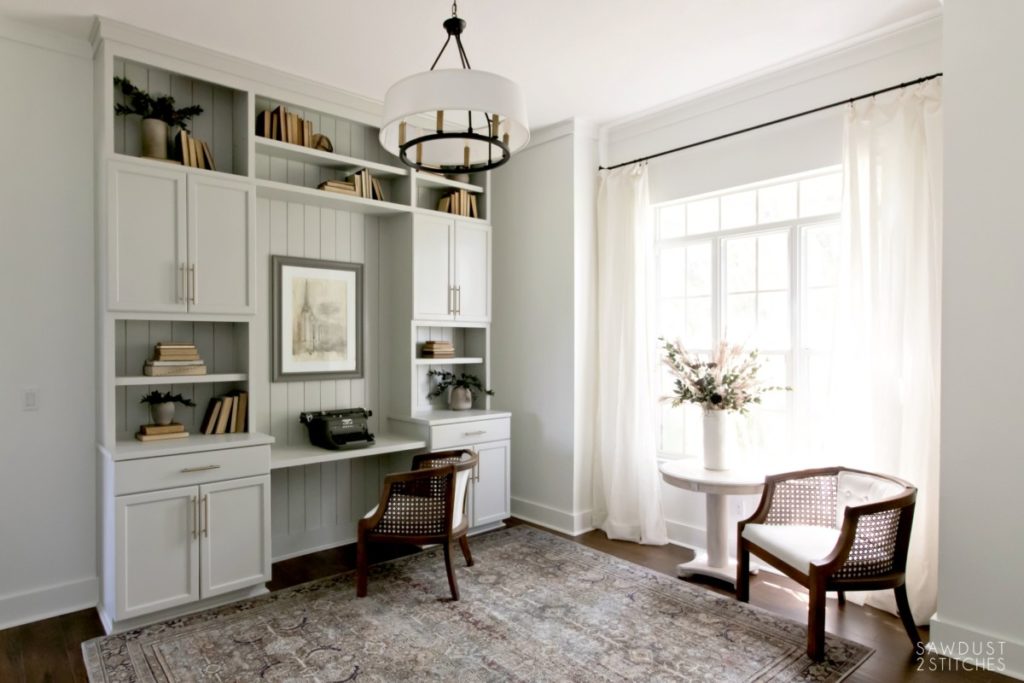
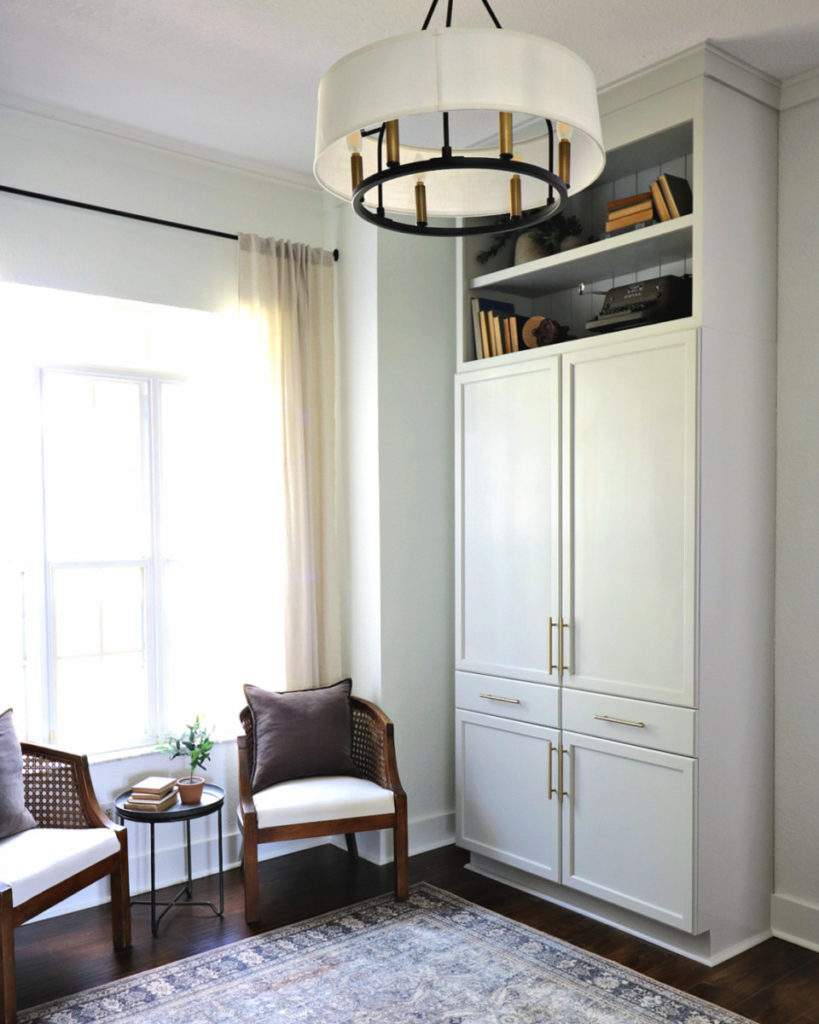
Brief Recap: I had been planning on an office makeover for some time. However plans changed. I was getting two new office mates! (My 11 and 9 year old would be joining me at home for school.) With the new developments I found myself in need of plenty of functional yet beautiful storage. I wanted to maximize every square inch of the office and thus this project was dreamed up, enjoy!

Tools Suggested:

  • Drill
  • Clamp
  • Tape Measure
  • Table Saw
  • Pocket Hole Jig
  • Hardware Jig
  • Paint Roller/Brush/Sprayer
  • Sanding Sponge

Materials Used:

  • (x2) Pantry Cabinets
  • (x6) Brass Hardware
  • (x1) 3/4″ Plywood
  • (x2) 1×2″ Common Board
  • (x1) 1×6″ Common Board
  • Nickel Gap Boards
  • 1 1/4″ Pocket Hole Screws
  • Any additional trim boards to math existing molding and baseboards.
  • Paint or stain of choice. (Pictured: Sherwin Williams Repose Gray 150%)

Secure Cabinets Together

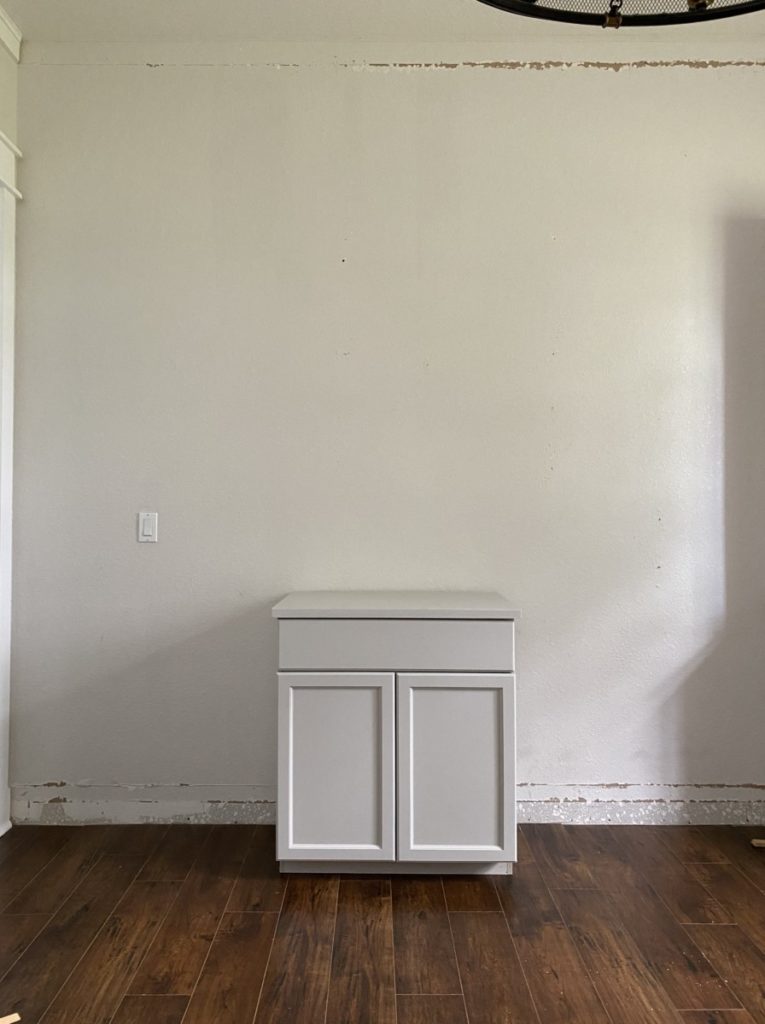
Again,  if you have been following the office makeover you are probably aware that I have been using pre-made cabinets. As I was brainstorming additional office storage I found myself perusing pre-made cabinet options and found a winner!  I found pantry cabinets in-stock at my local Home Depot! #winning  

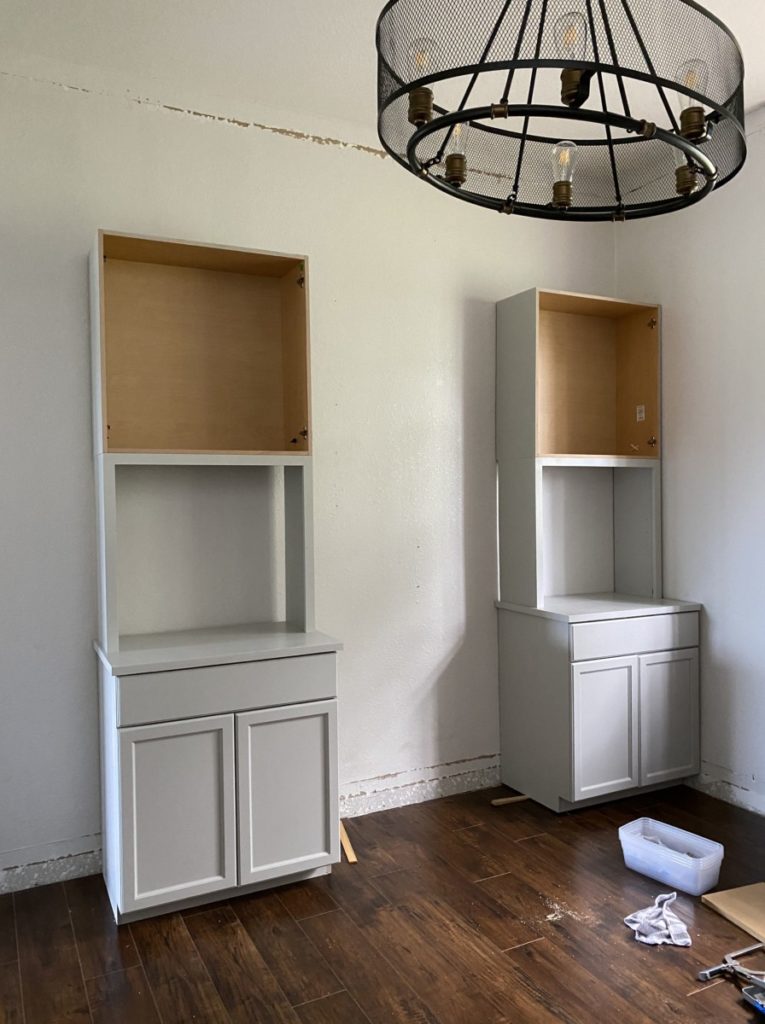
First things first.  Unbox the cabinets  intended to create a built-in.  The cabinets will need to be secured together so that they are essentially one unit.   In order two align them properly, I used clamps to hold the two cabinets together while I secured them together.

  I recommend securing the two units together on the interior sides of the cabinets.  I  secured them at  8 different points,  using a  1 1/4″  wood screw. 
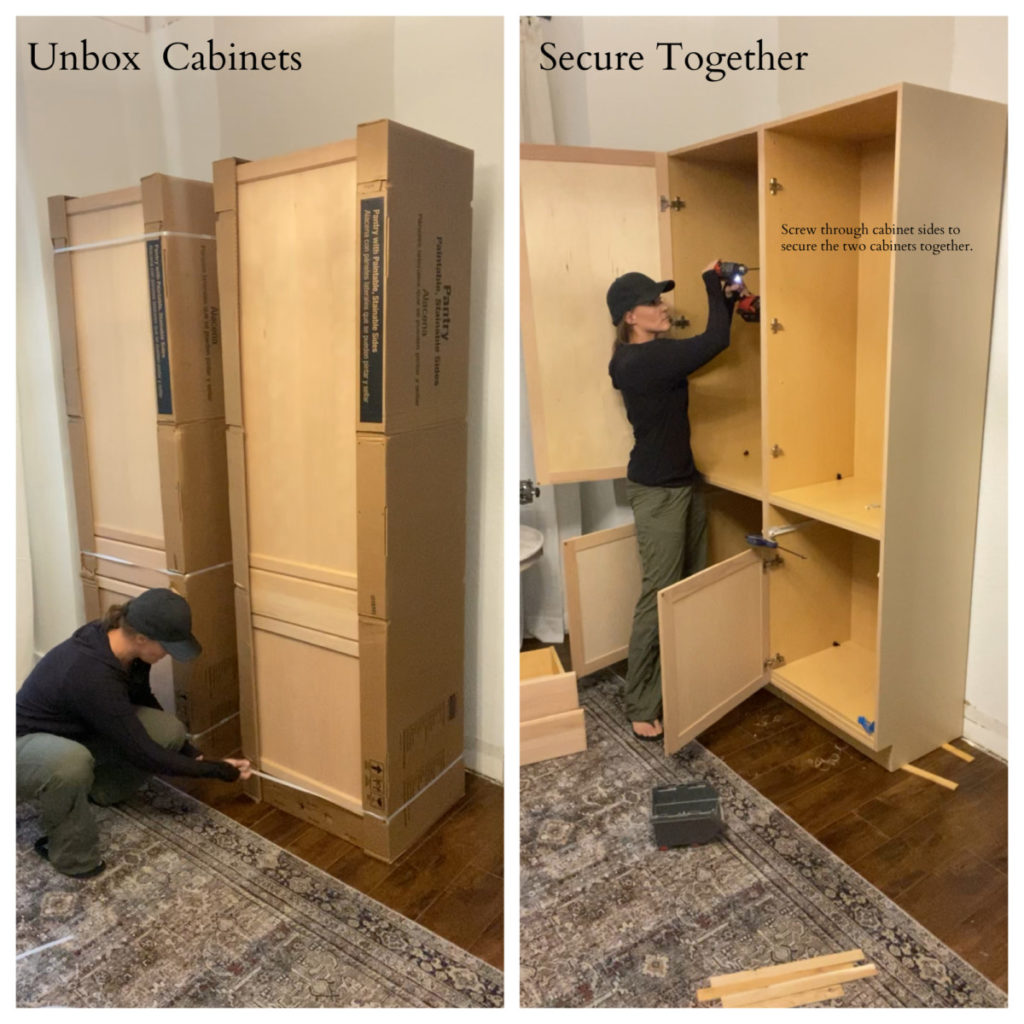
 After  the two units are essentially one it will need to be leveled and secured to the wall. Most homes are level,  mine is not. Ha, I needed to use several shims to make my cabinet level. Once the unit is level it can be secured to the wall. (I will  hide the gap when adding trim.) 

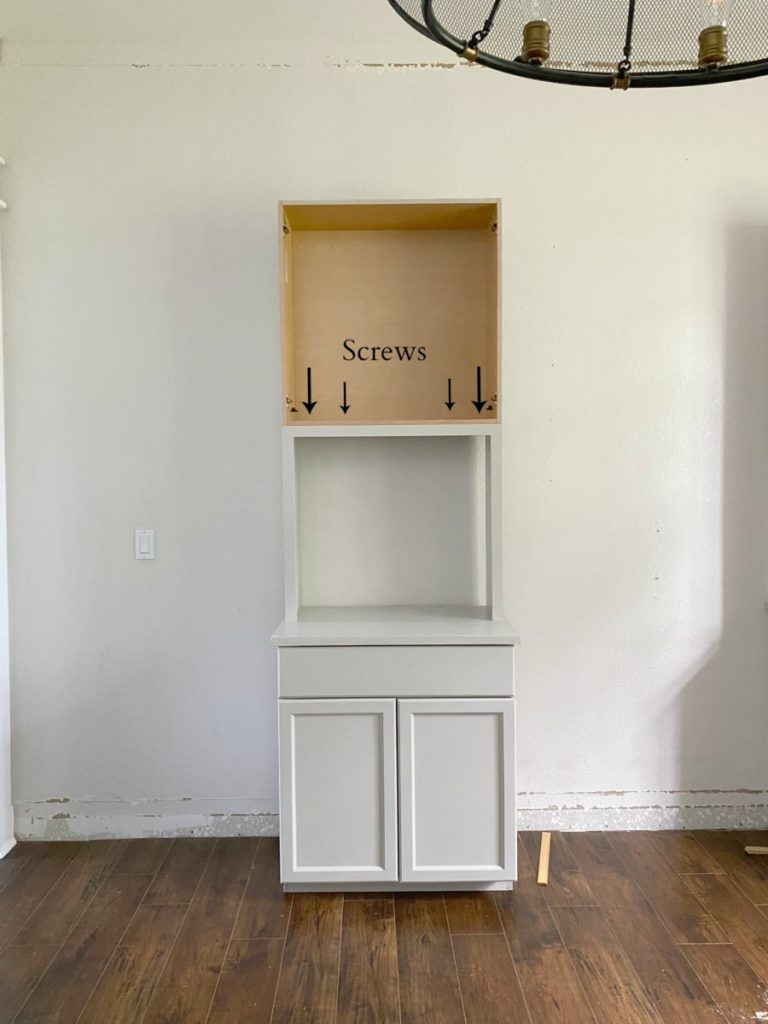
Mark stud placement and drive a 3″ screw through the interior back of your cabinet and into the stud behind it.  Repeat this step a minimum of 4 times per unit. 

Change Door Orientation

 Most  pre-made cabinets will  have doors that swing out in the same direction. I wanted my cabinet doors to both swing out as if it were an armoire.  In order to achieve this look,  I needed to change the orientation of one of the doors.  SOME cabinet companies anticipate this and add pre-drilled holes to accommodate a quick switch. 

Others do not, in which case you will need to transfer the measurements to the blank side and reinstall the hinges.  I did this for both top and bottom swing out doors. 
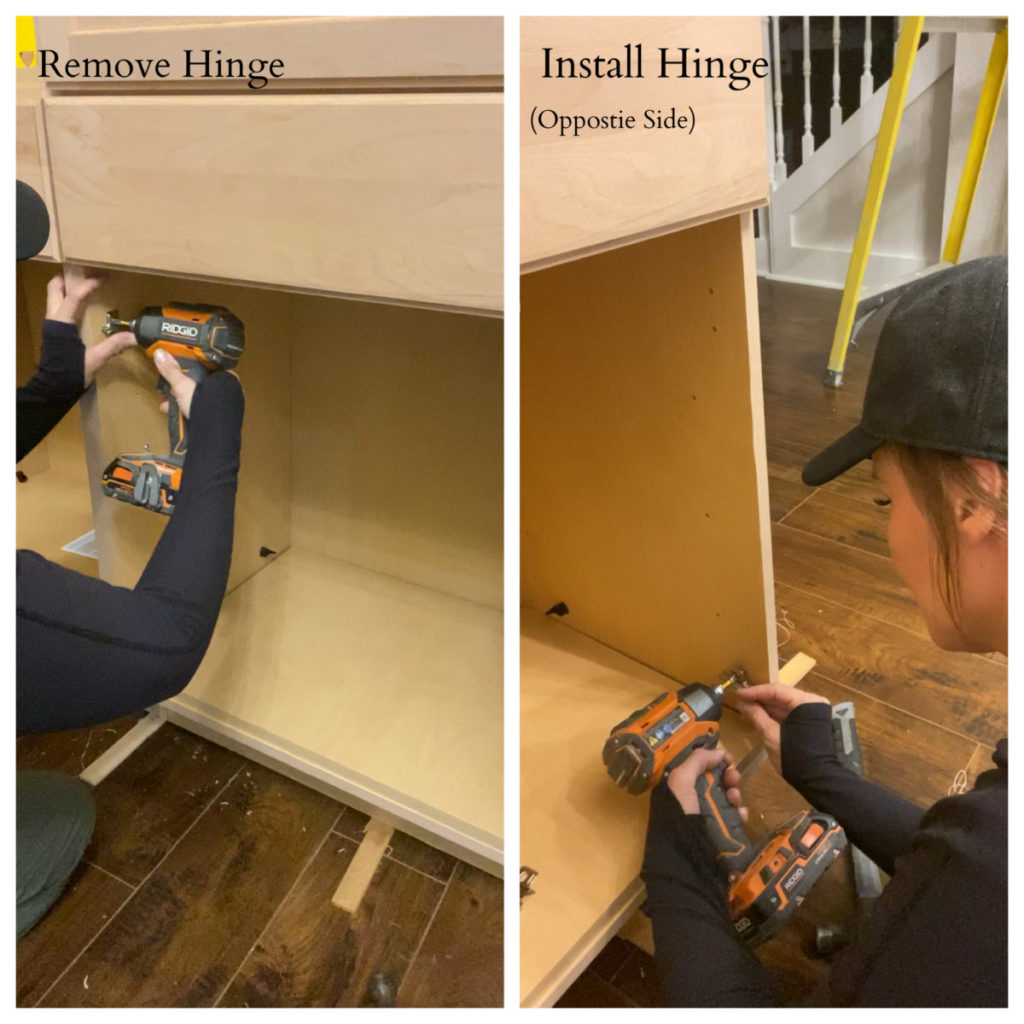
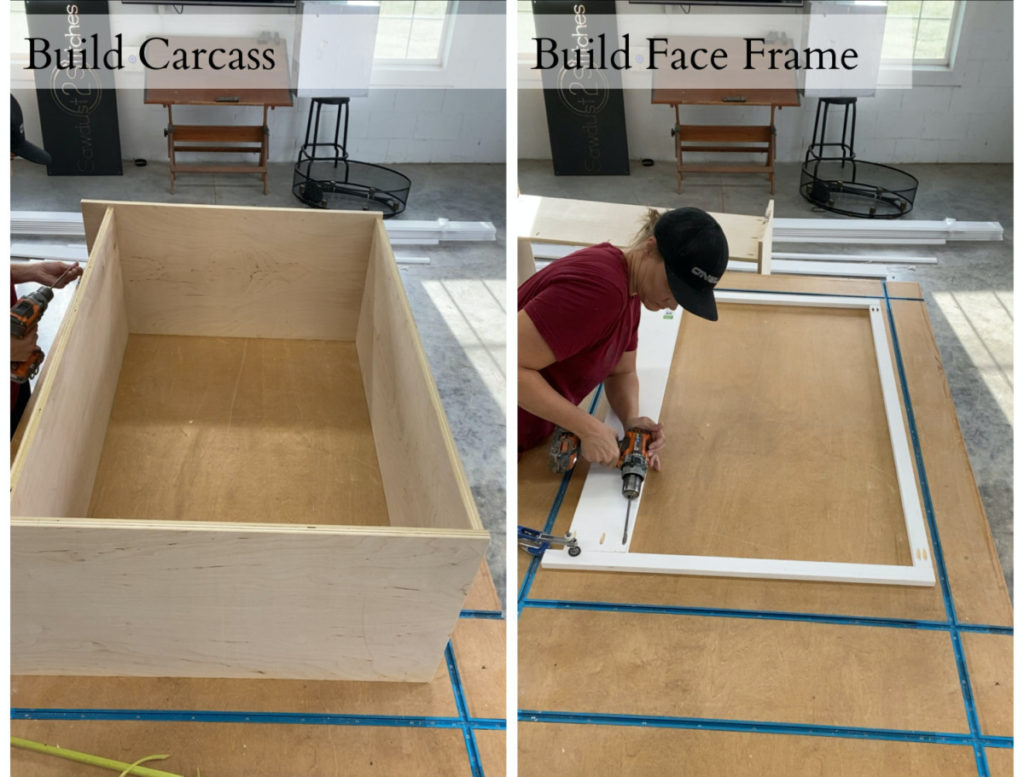
Build Upper Unit Carcass

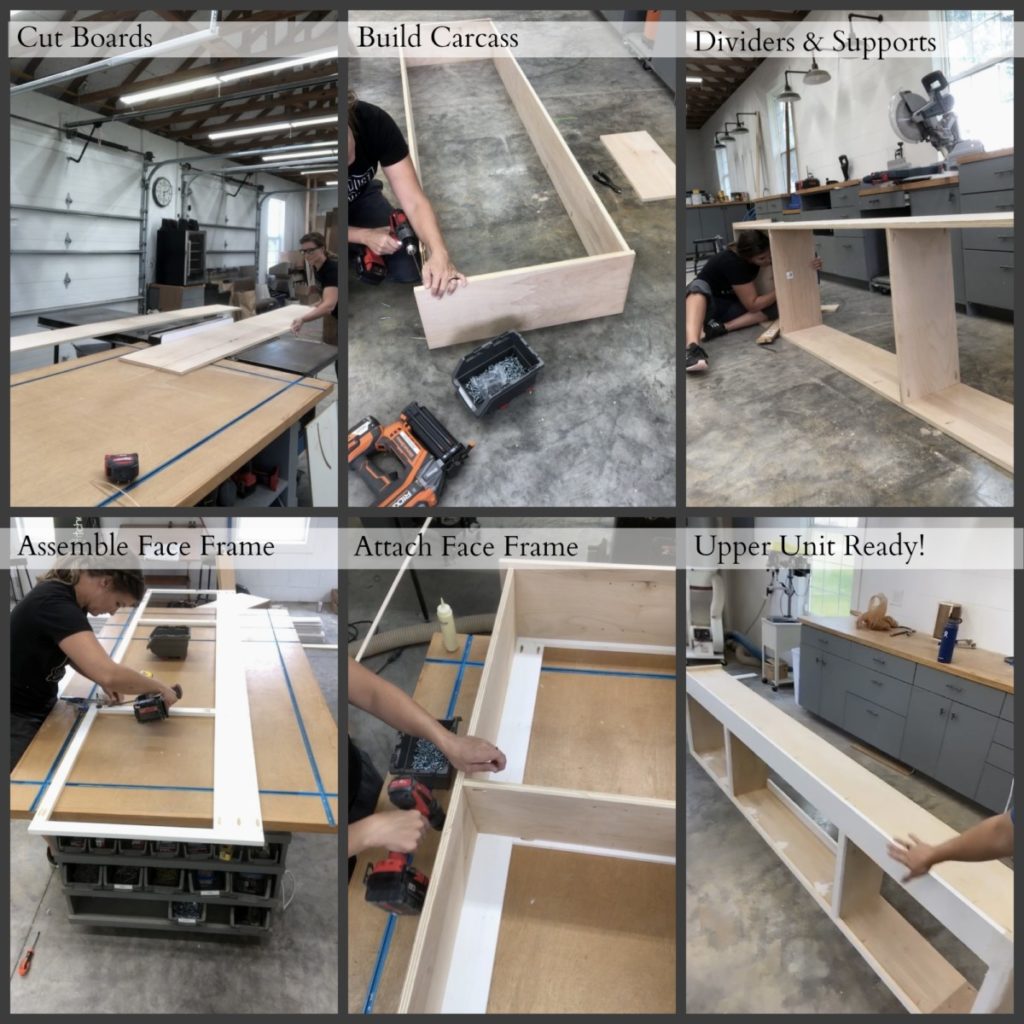
Now we are to the fun part, building! Before you dismiss this project because of its perceived skill level, take a beat and hear me out. It’s just a box you guys! Just a box. In order to get the correct sizing you just need to follow some formulas.
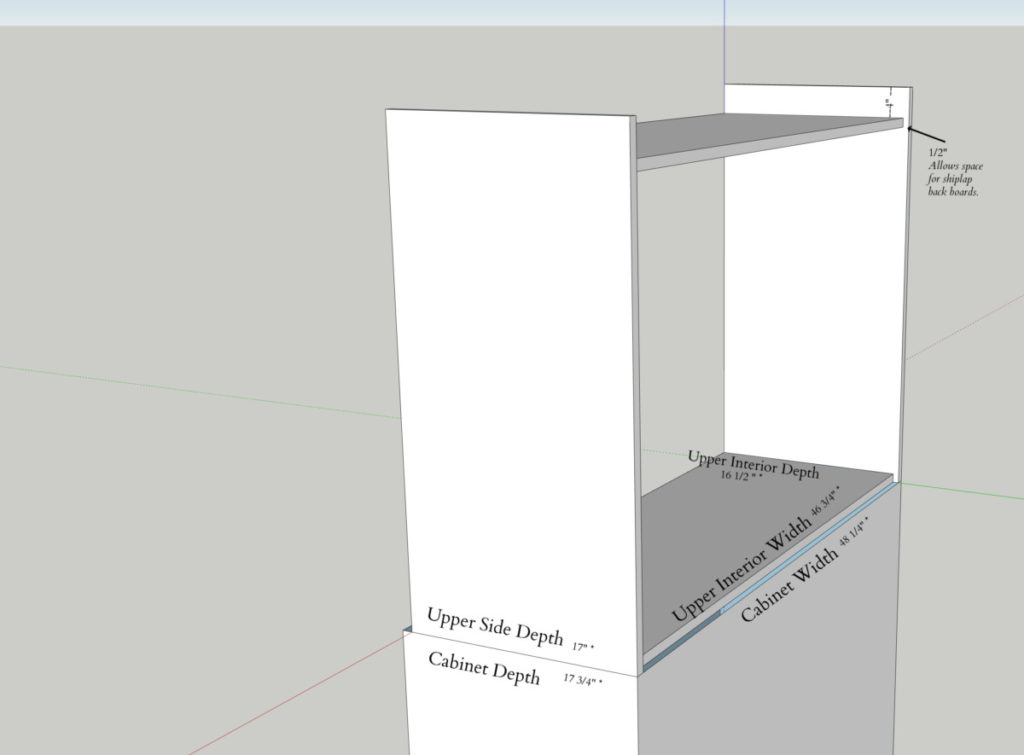
WIDTH – Width of the installed cabinet – 1 1/2″= “Upper Interior Width”

DEPTH- Depth of installed cabinet – 3/4″ – 1/2″ = “Upper Side Depth

HEIGHT– This will vary dependent on your ceiling height. Mine are 10′ ceilings. Measure from the top of the already installed cabinets, to the ceiling, then subtract 1.5″. This will be the height dimension.

Upper Unit Sides (x2) = height x width

Upper Unit Top and Bottom (x2) = width x depth (If additional shelves are desired cut any additional boards to the same above dimension.)

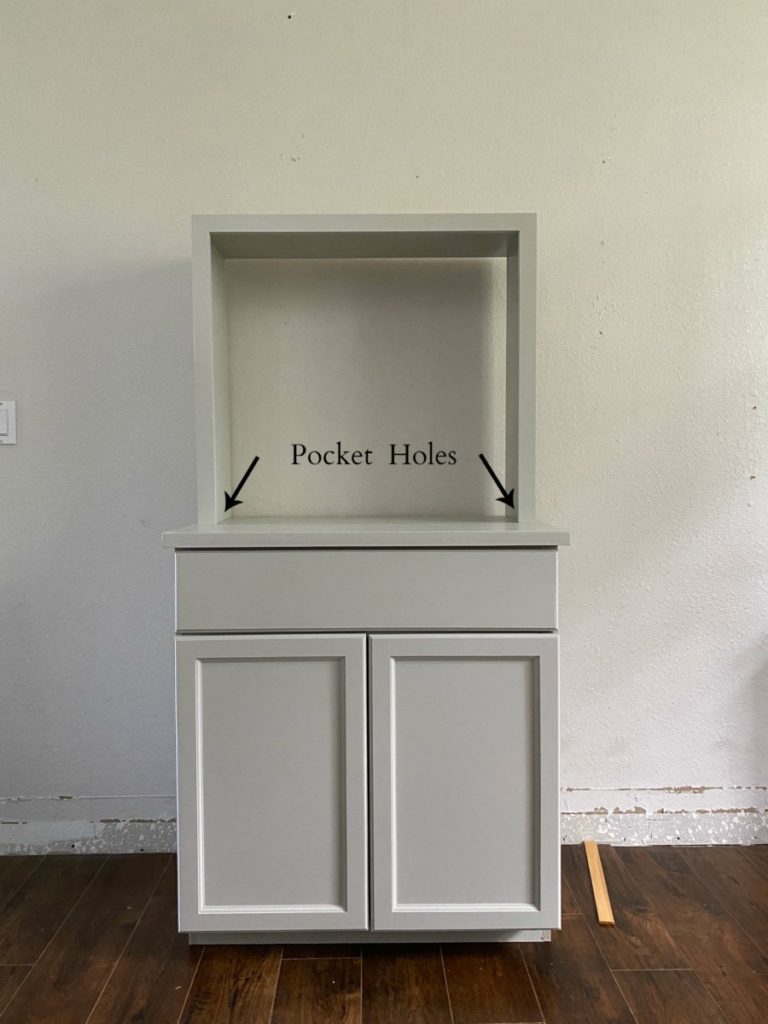
Secure the upper interior boards to both side boards using pocket holes and pocket hole screws. The top interior board will sit 4″ from the top of the side boards. This will be hidden by a trim piece. If you prefer to just have a free standing unit without trim, then disregard the 4″ drop and install flush with the ends of the side boards.
Shelves

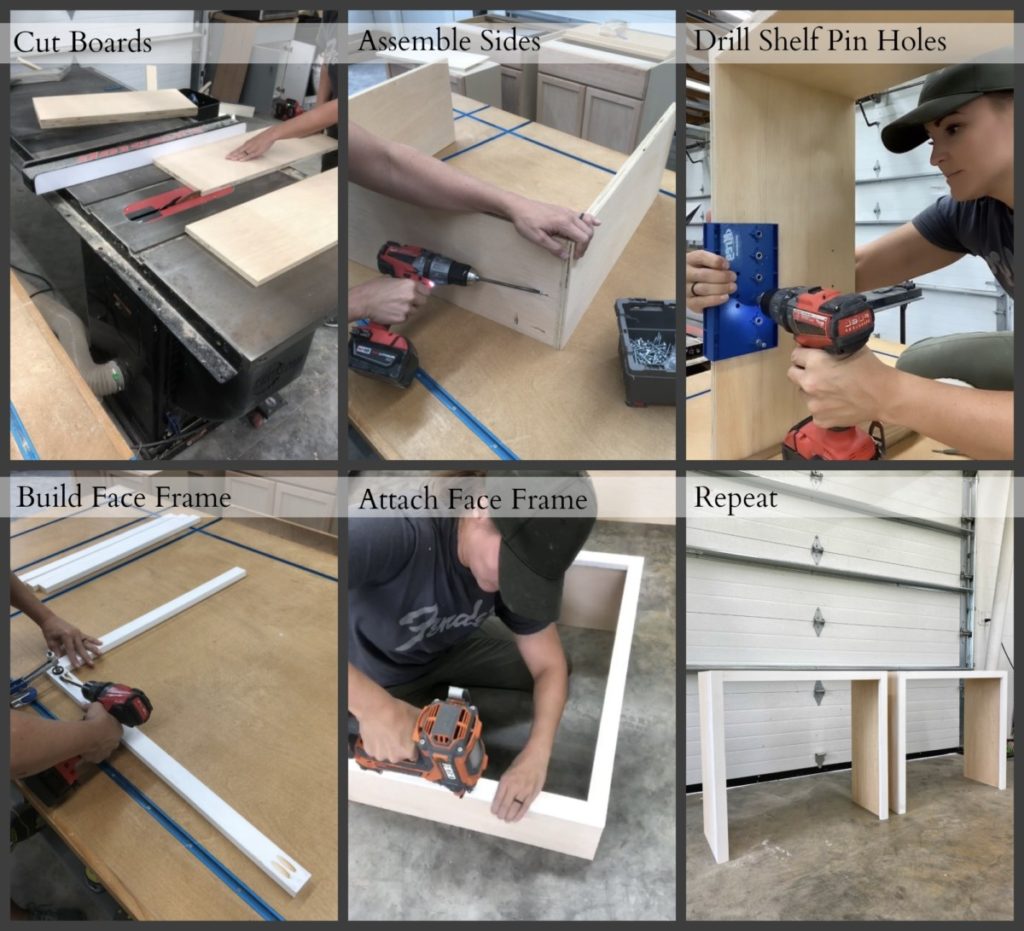
SHELVES*- If a shelf is desired it can be added now. My preferred method is to use a pocket hole jig and drill pocket holes along the long front edge and both ends. (If the shelf is above eye level, I use pocket holes on the top of the board, if it is below eye level I drill pocket holes on the bottom of the board.) In this case I drilled pocket holes on the top of the shelf board and then secured a 1×2″ common board cut to the same length. This will reinforce the shelf and prevent from sagging. Using the pocket holes drilled on both ends secure to the interior of the cabinet carcass. The placement is personal preference. ( You can always make this and adjustable shelf if preferred.)

Construct Face Frame

After the box is assembled, the carcass will need a face frame. The face frame is comprised of 1×2″ and 1×6″ common boards. These four boards can either be attached directly to the cabinet using wood glue and a finish nailer, or you can use a pocket hole jig and secure them together on the back of both ends of the “rails”. ( See below image as a reference.)
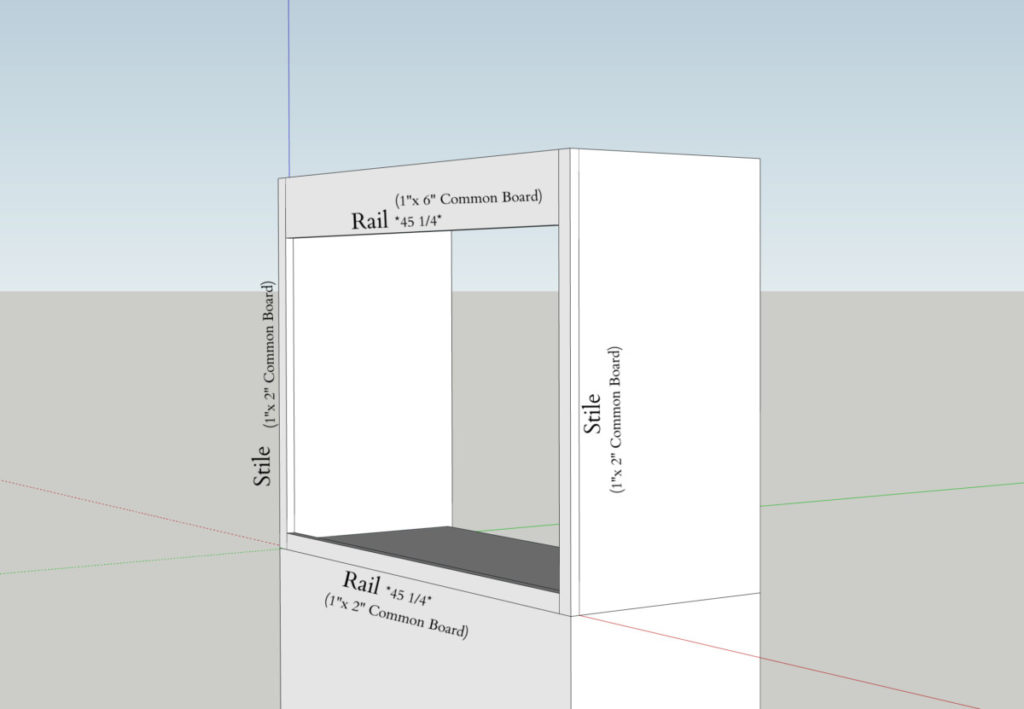
Rail Length = Width of the base cabinet – 3″

Stile Height = This will vary dependent on your ceiling height. Use the same measurement that was used when cutting the “Upper Cabinet Sides”

Cabinet Back

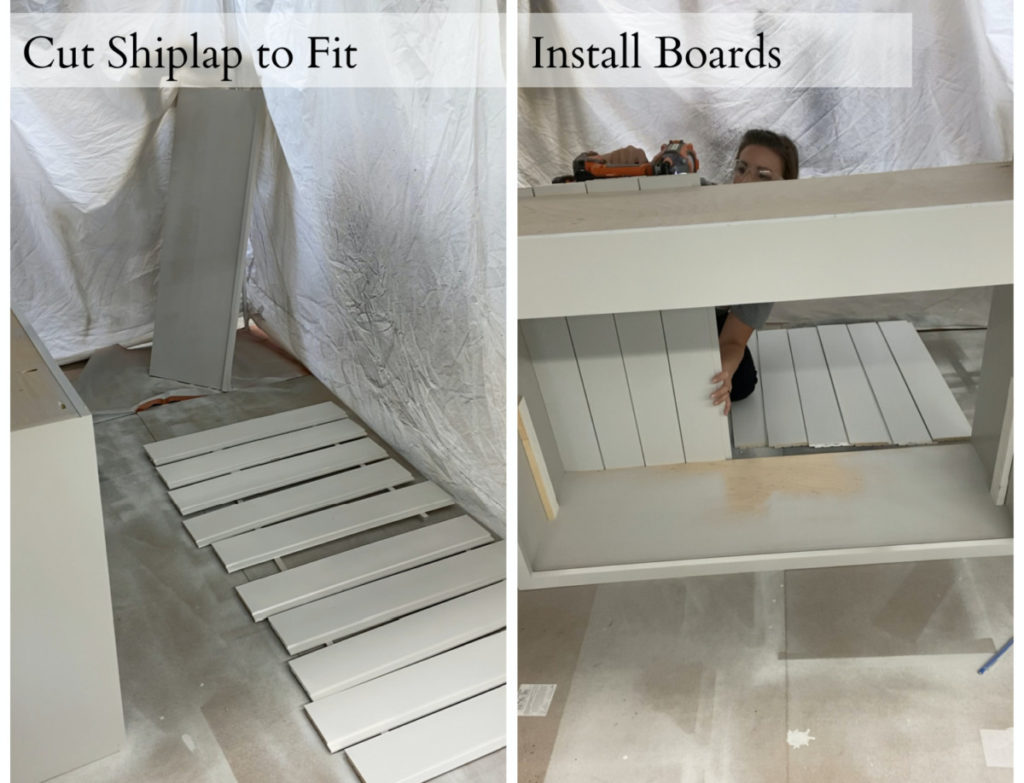
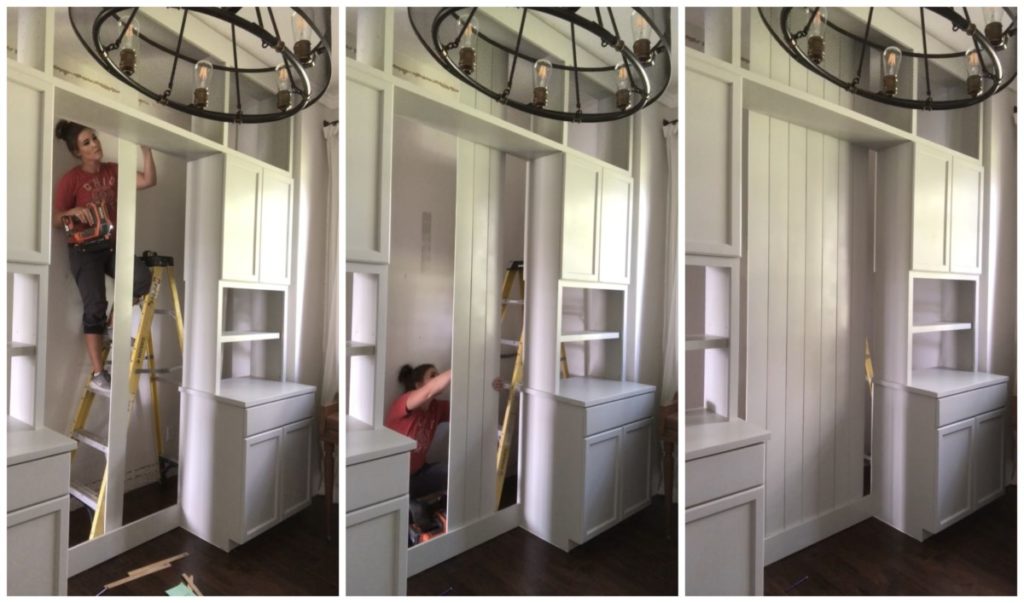
In order to create cohesion in my office I opted to back my open style cabinet with shiplap/ nickel gap boards. This is not necessary and a simple MDF board will do. In either situation it is a simple case of measuring the height and width of the back of your cabinet and cutting the boards to fit. I installed mine using wood glue and an 1.5″ 18. gauge nail .
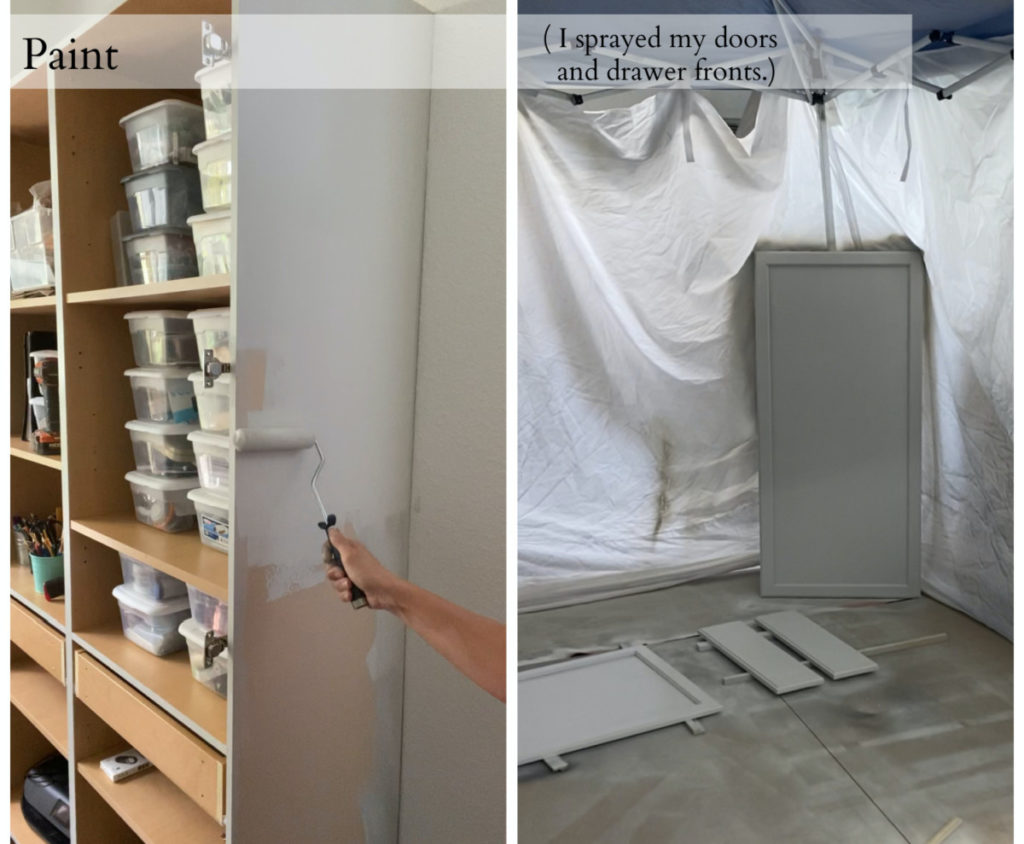
Paint (Can be painted once complete.)

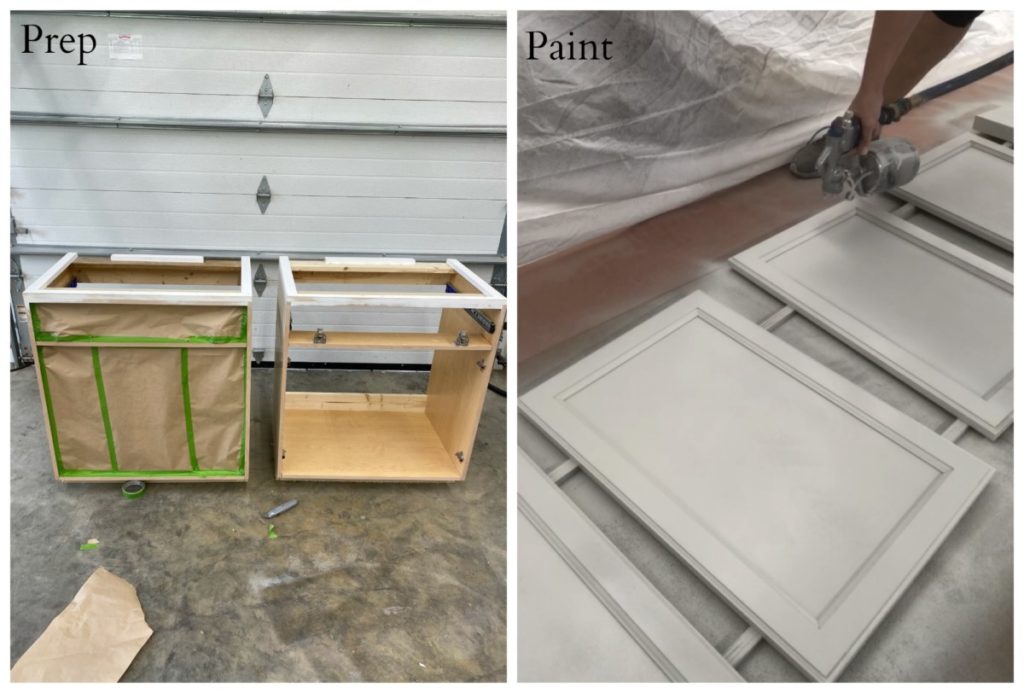
Painting method and order are all a matter of personal preference. I opted to spray the cabinet doors and the custom made upper unit in my shop, and painted the pantry cabinets in place. (Sherwin Williams Repose Gray 150%)
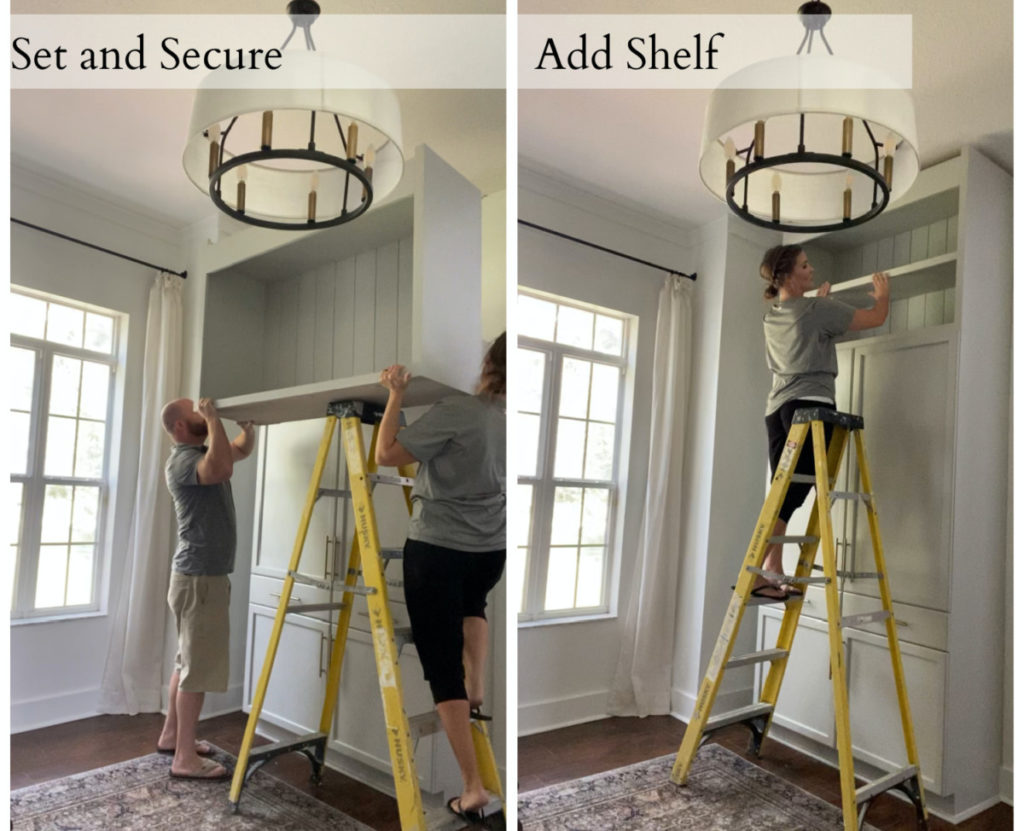
Install Upper Unit

I enlisted the help of my husband to set the upper unit. It was pretty beefy with the 3/4″ ship lap backing! Assuming all dimensions were carefully taken it should fit like a glove! Once properly placed drive 1 1/4″ screws though the top interior of the pantry cabinets and into the base of the upper cabinet (or vise versa). The goal is make sure the upper unit if solidly secured to the base cabinet.
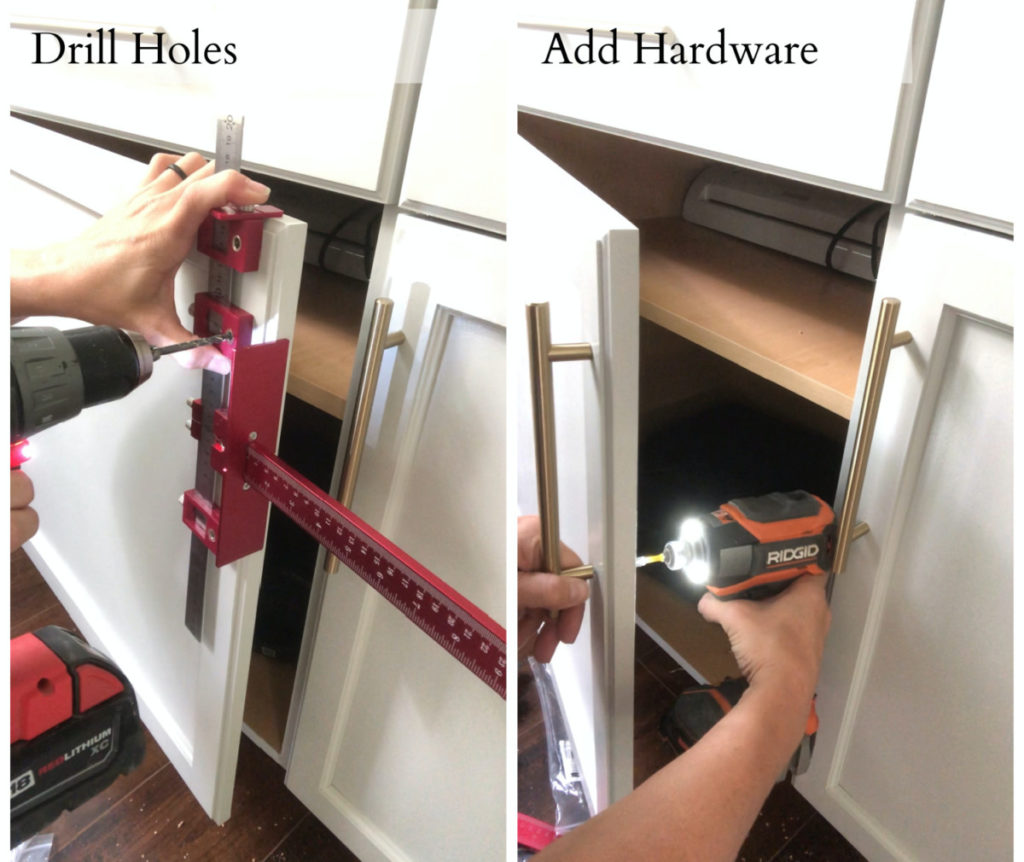
Add Hardware

Hardware is always optional, but when it comes to creating a truly custom look I think they are a must! My cabinets did not have any predrilled holes so I used the dimensions based on the hardware I selected.

When drilling hardware holes I suggest using a jig. I recently started using this one and I love it!
Add Trim Work

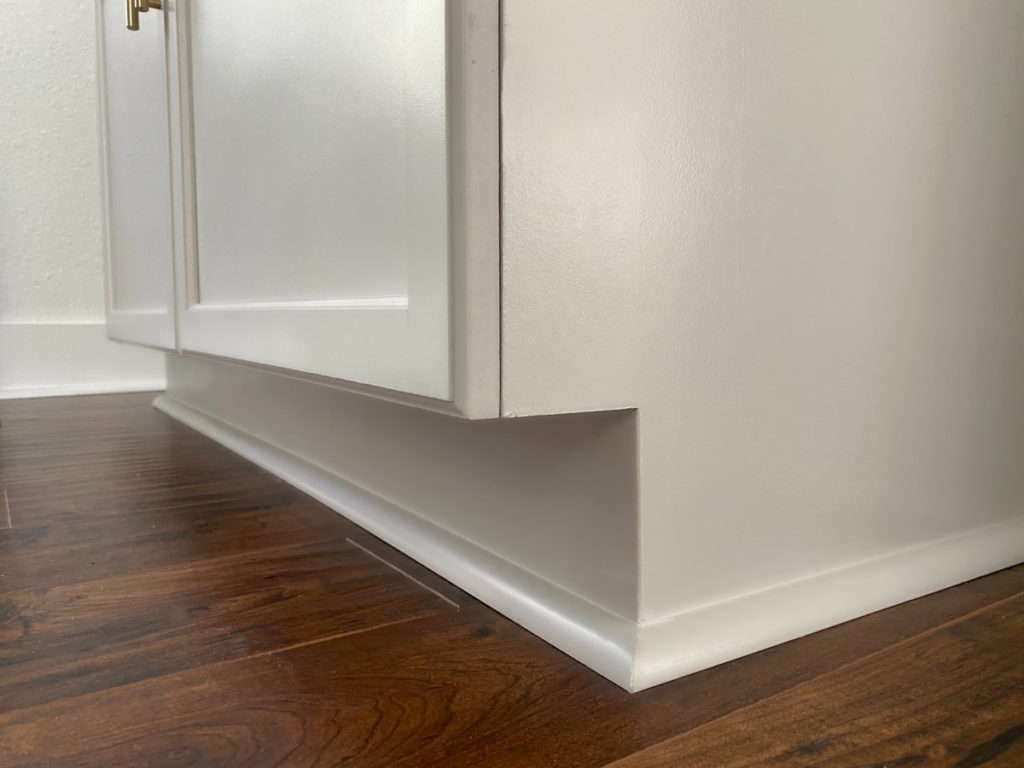
In my opinion, trim work is the element that turns a piece of free-standing furniture into a built-in. It just gives it this sophisticated look and I dig it! In this case
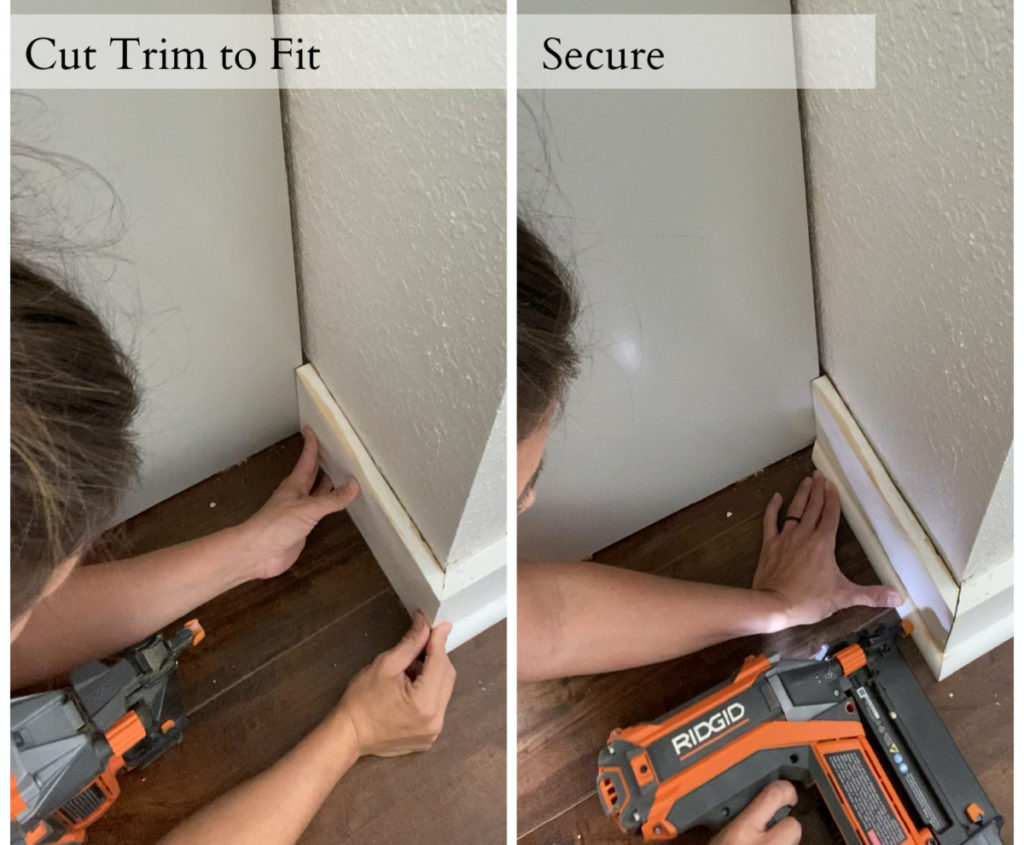
I reinstalled my baseboards and installed shoe molding around the base perimeter of my armoire. If you have any questions about installing baseboards I have a full tutorial here. 
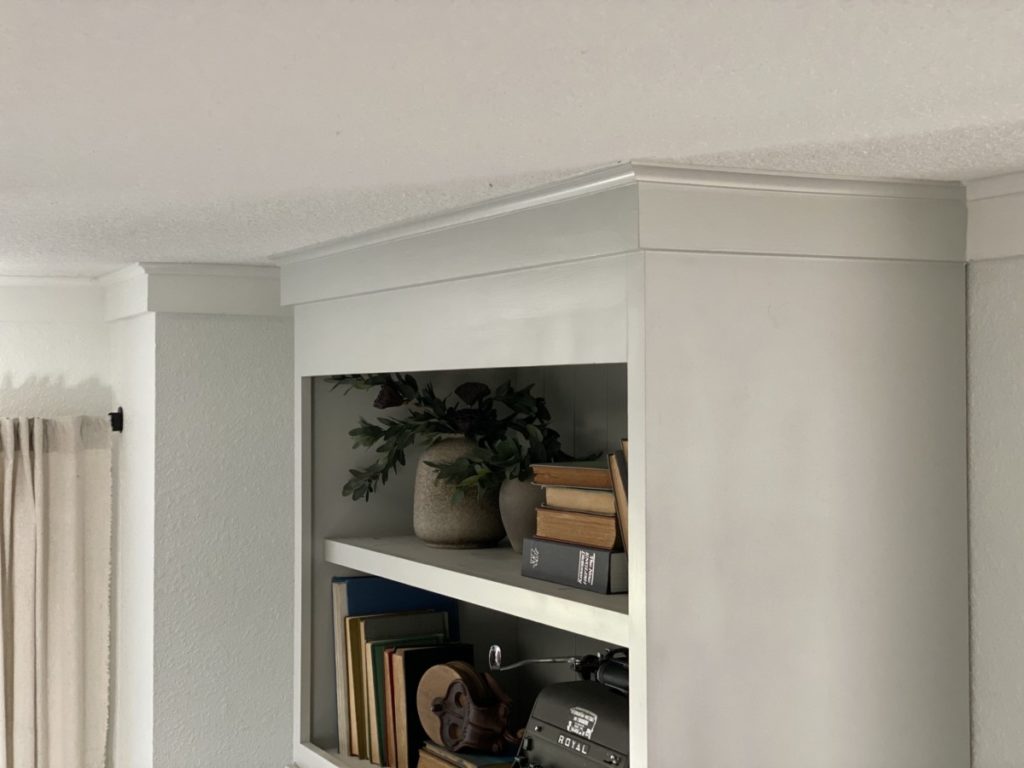
On the top of the unit I used the same crown moulding I had through out the room. The only struggle I had was figuring out want color to paint the moulding! Throughout the room the crown moulding and the baseboards are all pure white. Well, my built-ins are Sherwin Williams “Repose Gray”, I wasn’t sure what color the trim should be. After counseling with some friends it was decided it definitely needed to match the built in unit. So, my crown moulding actually changes colors in the corners! Rest assured, it looks great and I haven’t given it a second thought since. It looks bomb.
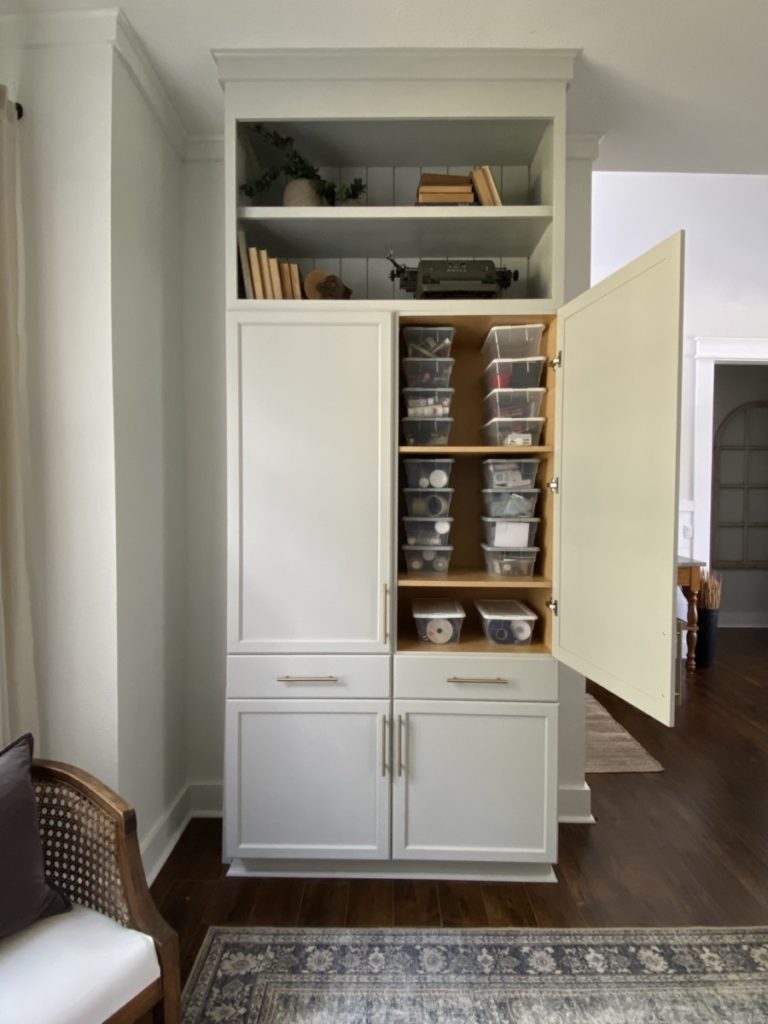
Well, what do we think? It’s amazing isn’t it? Beautiful, functional, and fairly easy. The ultimate DIY trifecta.
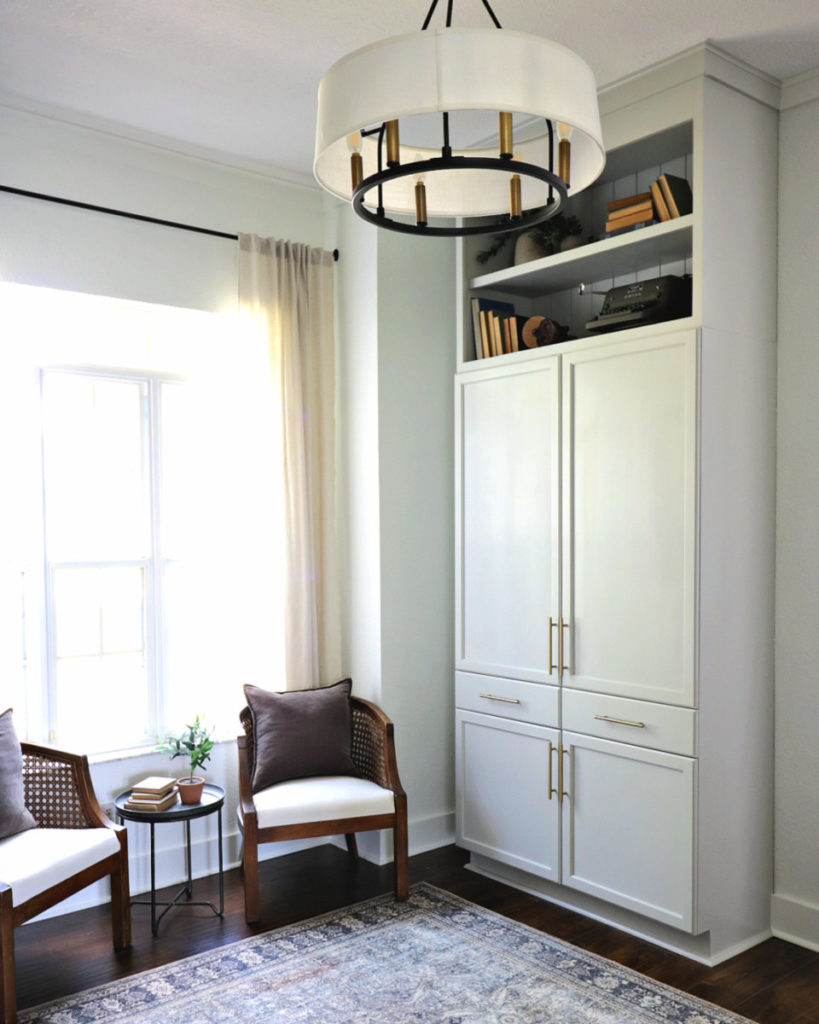
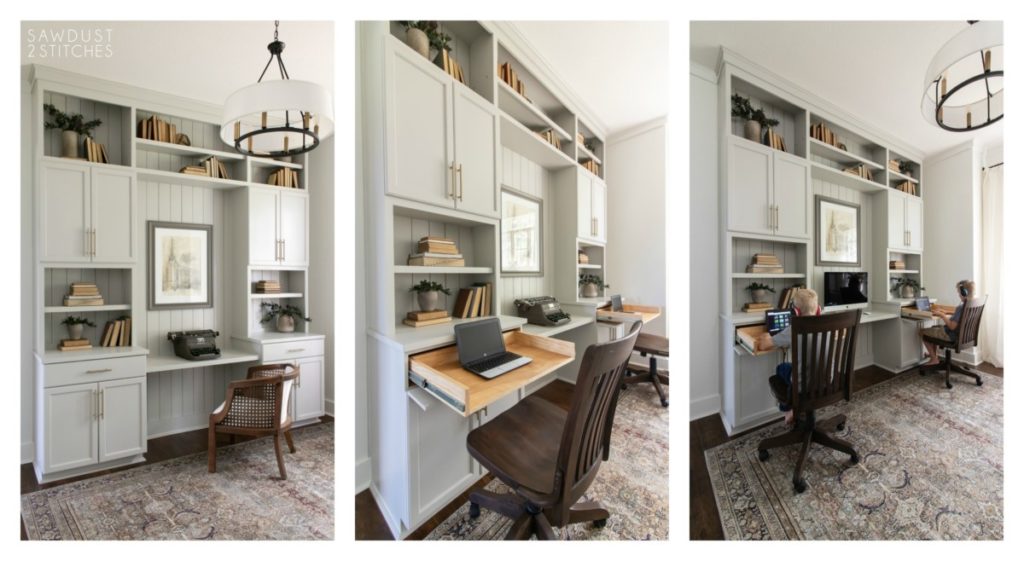
But wait there is more,  I did mention it was functional right?  I made sure to add some extra charging stations so that I could have my electronics!
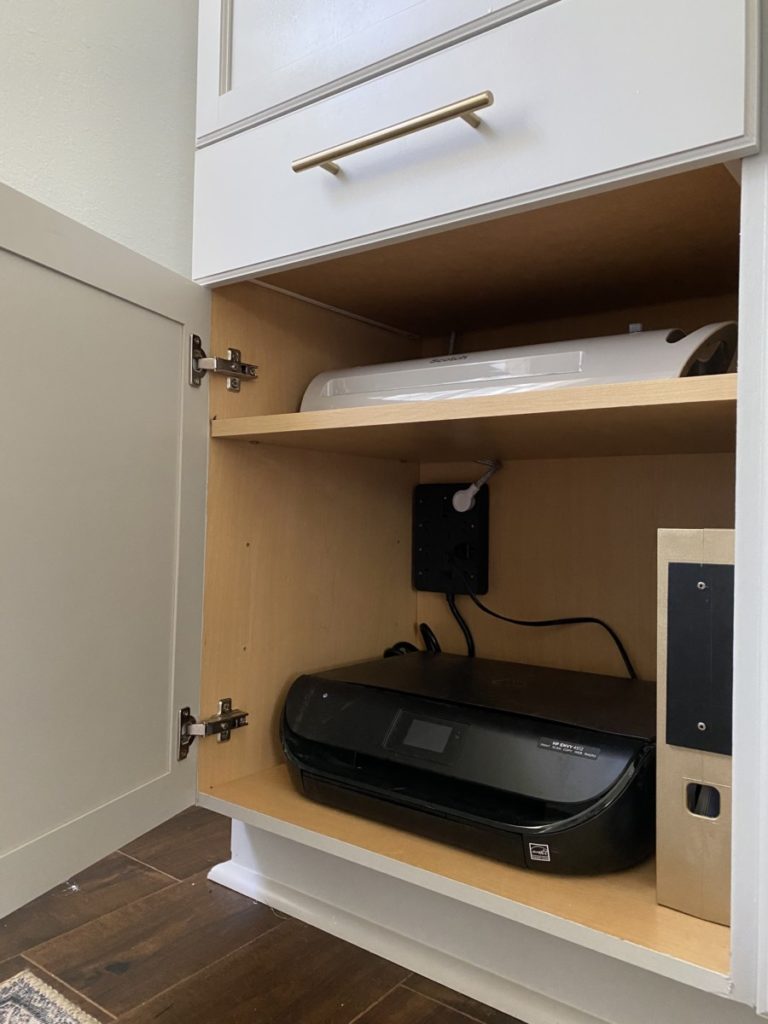
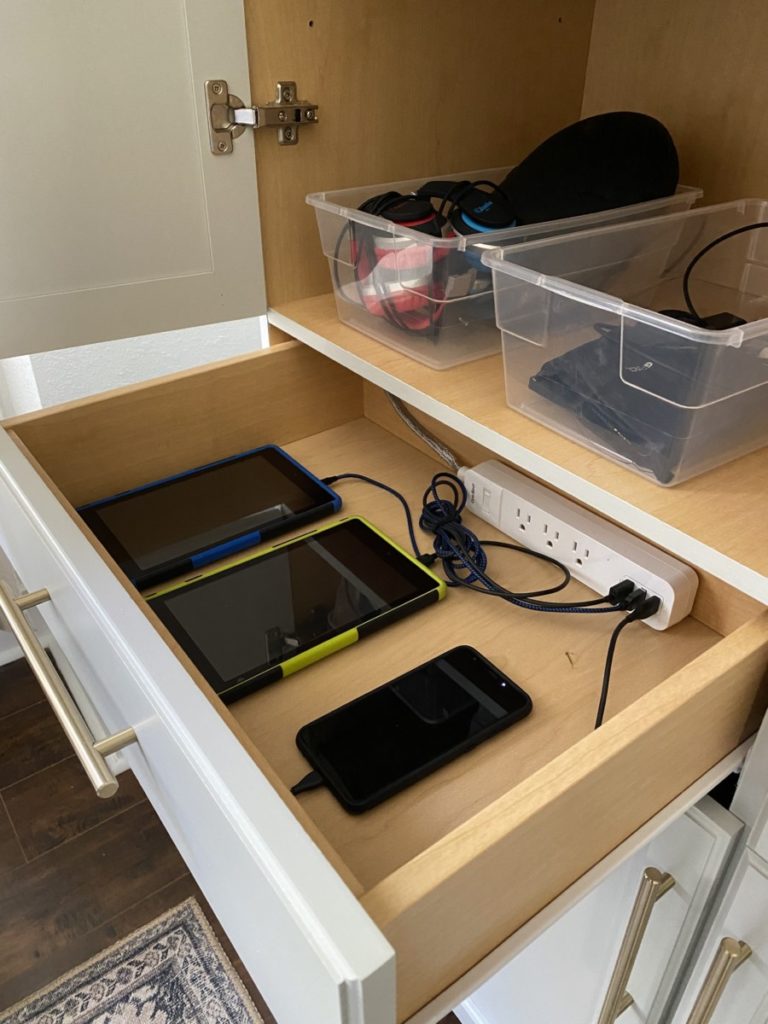
If you know me, you know I needed to add as much function as absolutely possible. I even added some power strips to the drawer that would serve as my kids electronics charging station. Now we always know where they are, and they go in the drawer when not in use. It is awesome!
Then of course there is the obvious storage. It holds so much stuff! Overall I call this build a complete success.
Thanks so much for following along.

Take Luck,

Corey
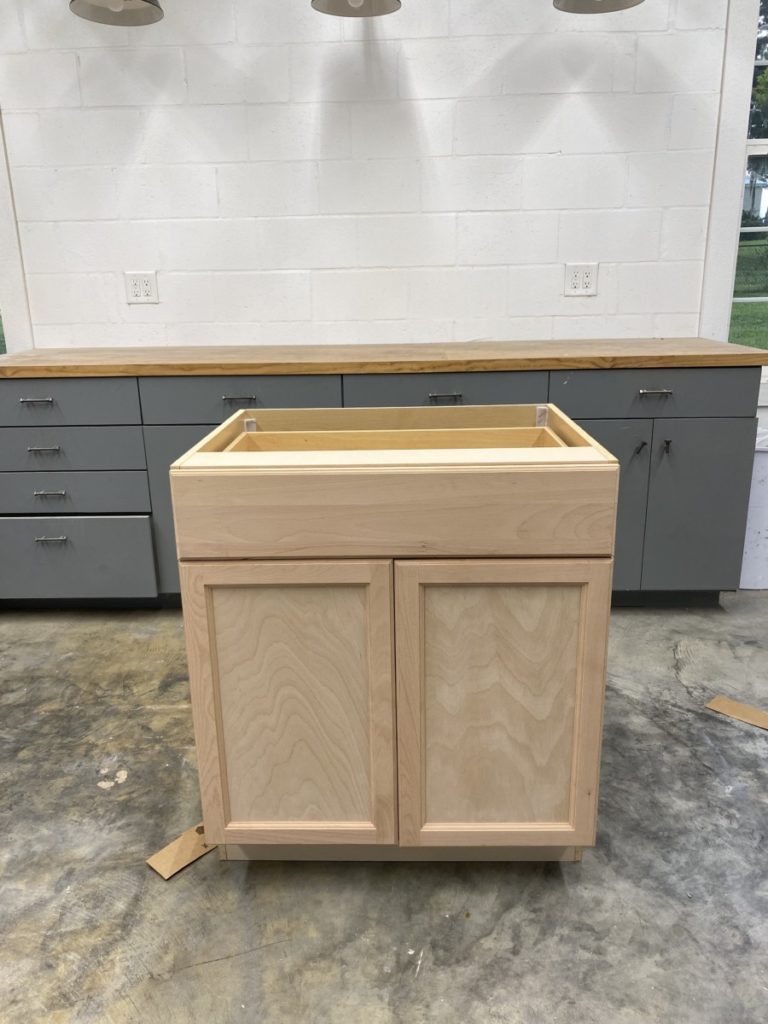
How to: Convert a Drawer into Desk

September 28, 2020

  I recently gave my home office a makeover.  Scratch that.  I recently  converted my office into a streamlined home office/ homeschool room.  

 The biggest hurdle when designing my office was incorporating  enough desks to accommodate my kiddos and myself.   I really wanted a built-in unit but that dream seemed unattainable. Or was it ?   I dreamed up a crazy idea, an idea so crazy it JUST MIGHT WORK?! Spoiler alert:  It TOTALLY worked and I am going to show you how. 

 Tools Suggested Materials Used
 Circular Saw  1×4″ Common Board
Tape Measure  3/4″ Plywood (Size will vary by project size.)
Jigsaw 1 1/4″ Pocket Hole Screws
Pocket Hole Jig  Full Extension Ball Bearing Drawer Glides
Pre-Drill Bit  Full extension hinge with 1/2″ overlap
Clamps   


Remove Hardware

  The first thing that was necessary when modifying the cabinet was removing the drawer and it’s accompanying hardware.  This can be  typically be accomplished using a phillips bit screwdriver/drill. 

Modifying Cabinet Dimensions (opt.)

 Now,  if you are a little OCD and want to take this project one step further then read on.  If you are perfectly happy with  height and depth of your cabinets go ahead and skip to the next step.

Adjust Depth

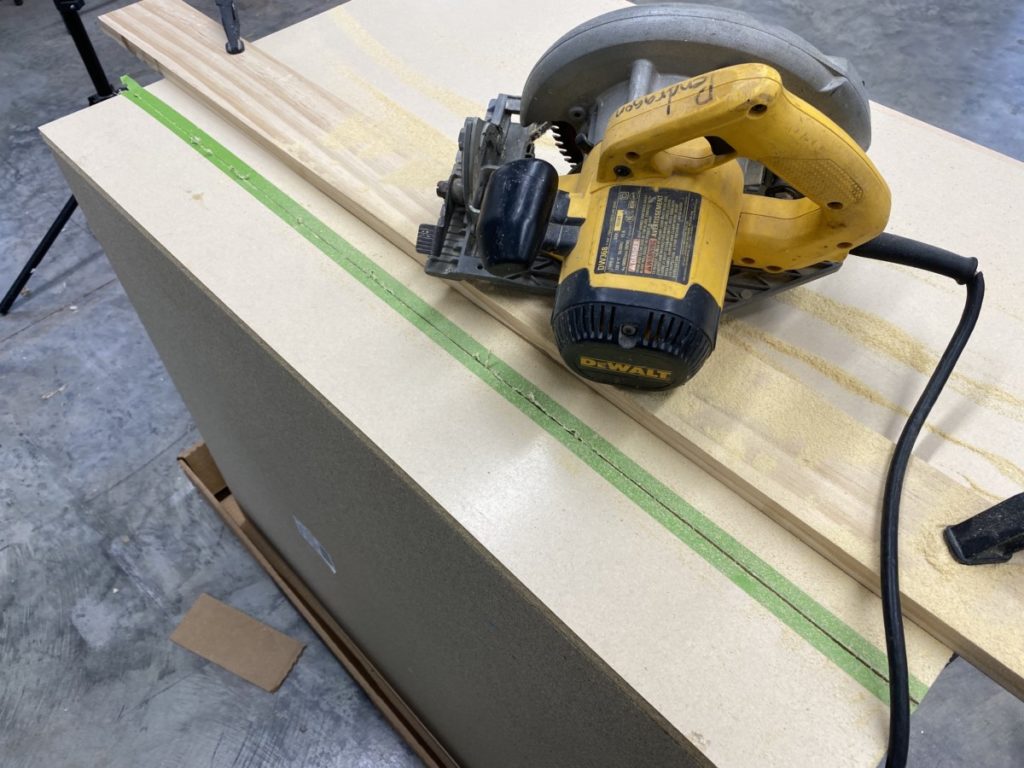
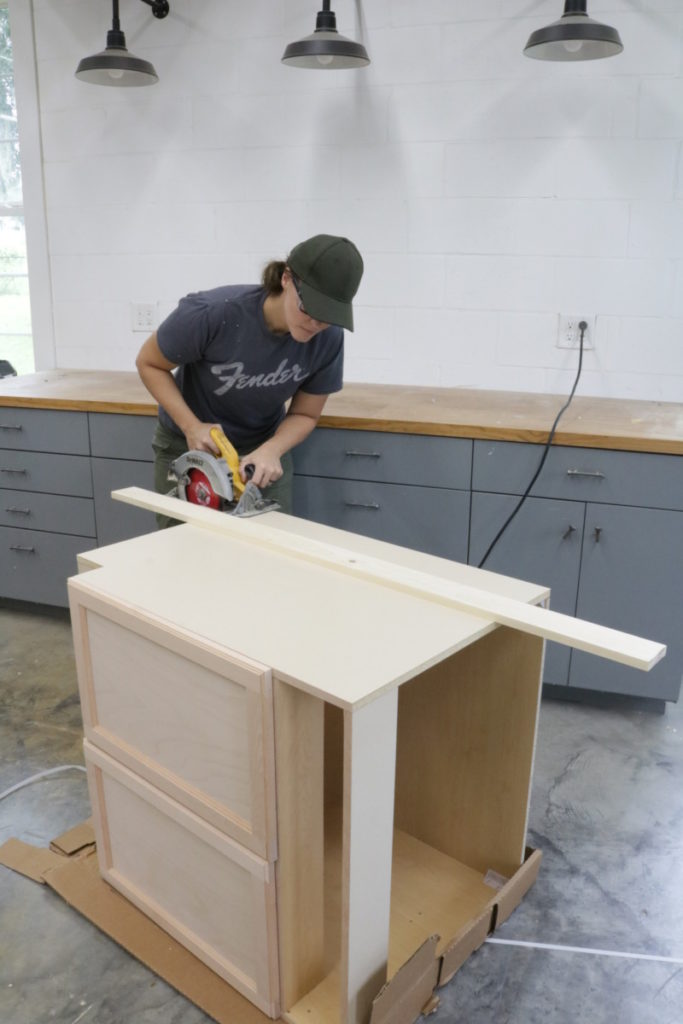
 First,  determine the desired depth of your cabinet and then you measure and mark your cabinet. I  set up a board that would serve as a guide to run my circular saw along.  (Remember, do not place your guide on the line you need to cut,  you need to consider the distance from  the edge of your saw plate to the saw blade itself.) 

 Using the guide and the marked line cut the first side of your cabinet using a circular saw.  (Always wear proper safety gear!)  Repeat this step on both side of your cabinet. 

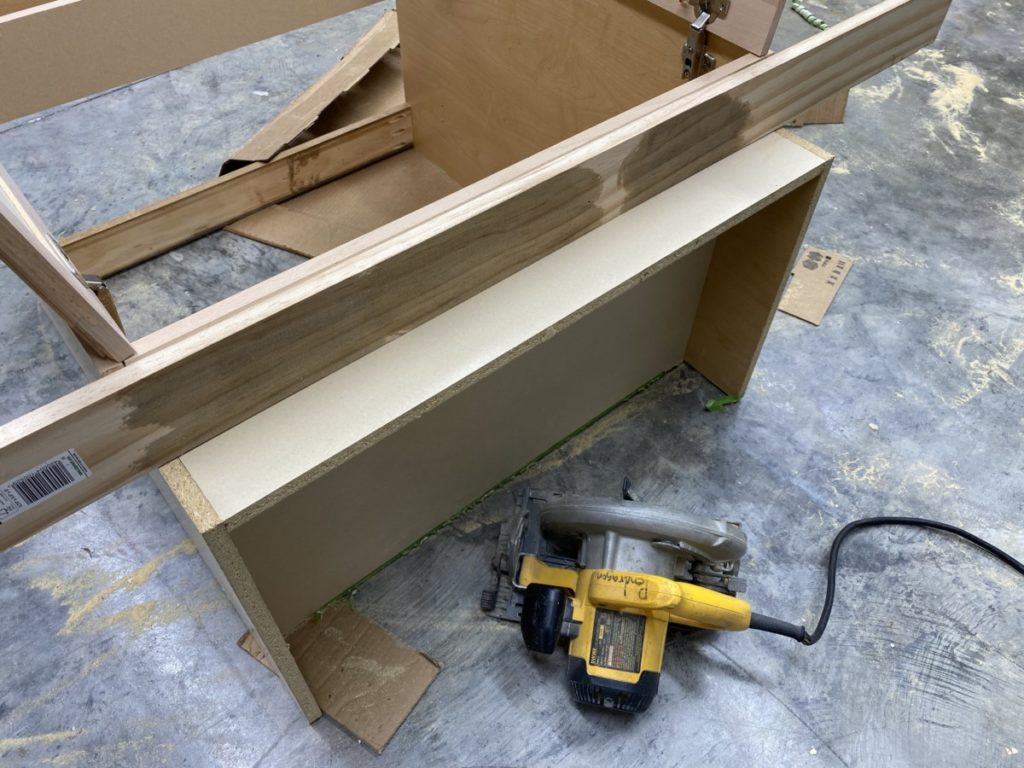
Once both sides are cut,  you can flip the cabinet upside down in preparation to cut the bottom.  This is where it gets a little tricky.   The sides of the base block the path of the circular saw, so I needed to get a little creative. I had to use a smaller circular saw, but a jigsaw or something similar would work well too. 

 Using one one of the above mentioned tools will require cutting a straight line by hand.  I would highly recommend drawing a straight line to use as a guide.   Even if the line is a little crooked,  it will be fine, this will be completely hidden. 

Add Supports

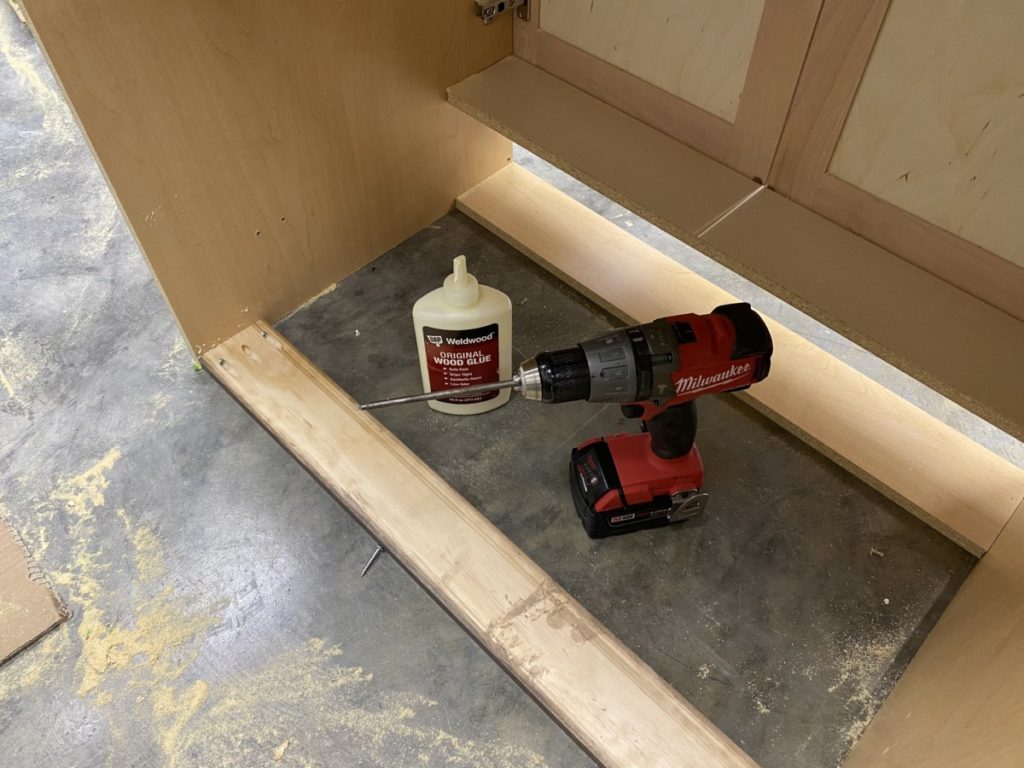
Once all sides of the cabinet are cut down supports are necessary.    I used a 1×3 board cut to the exact interior dimension and then drilled pocket holes on both ends to secure them. 

 I added a support on the very top ledge of my cabinet and also  one at the base. I did leave the back of the cabinet open.  This is totally personal preference.  You can add paneling to the back if you prefer,  just take the added depth into account when you are creating countertops and installing to the wall etc. 

Adjust Height

 If  you would also like to alter the height of your cabinet,  that is an option.  Again, not necessary, but an option.   If you opt to do this,  just use the same method used to cut the sides of the cabinet.  When I cut mine down I only removed 1.5″.  I still wanted there to be a toe kick area, but the 1.5″  made a huge difference when it can to the height of the pull-out desk drawers for my kids. 

Build Drawer Box

  In order to create a pull out desk,  I needed to create a sturdy  drawer.    Never made a drawer ?  No worries, it is simple!

Finding Drawer Box Dimensions

How to find the dimensions for your drawer:

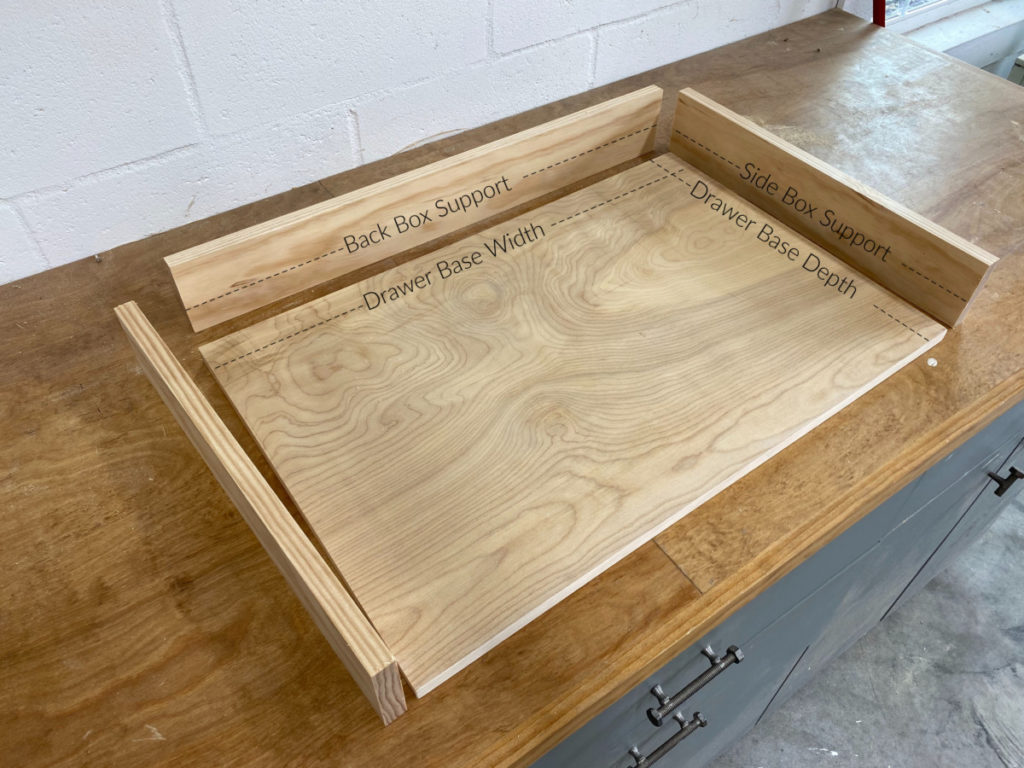
  • Drawer Base Width= Opening drawer dimensions  –  1″(drawer glides) –  1  1/2″ (1×4″ box supports) 
  • Drawer Base Depth = Cabinet Depth Dimension – 1″( back clearance) – 3/4″ (back 1×4″ box support)-  1 3/4″(front hinge clearance) 
  • Side Box Supports=  “Drawer Base Depth” dimension +  3/4″ (back 1×4 box support) 
  • Back Box Support =  “Drawer Base  Width” dimension 

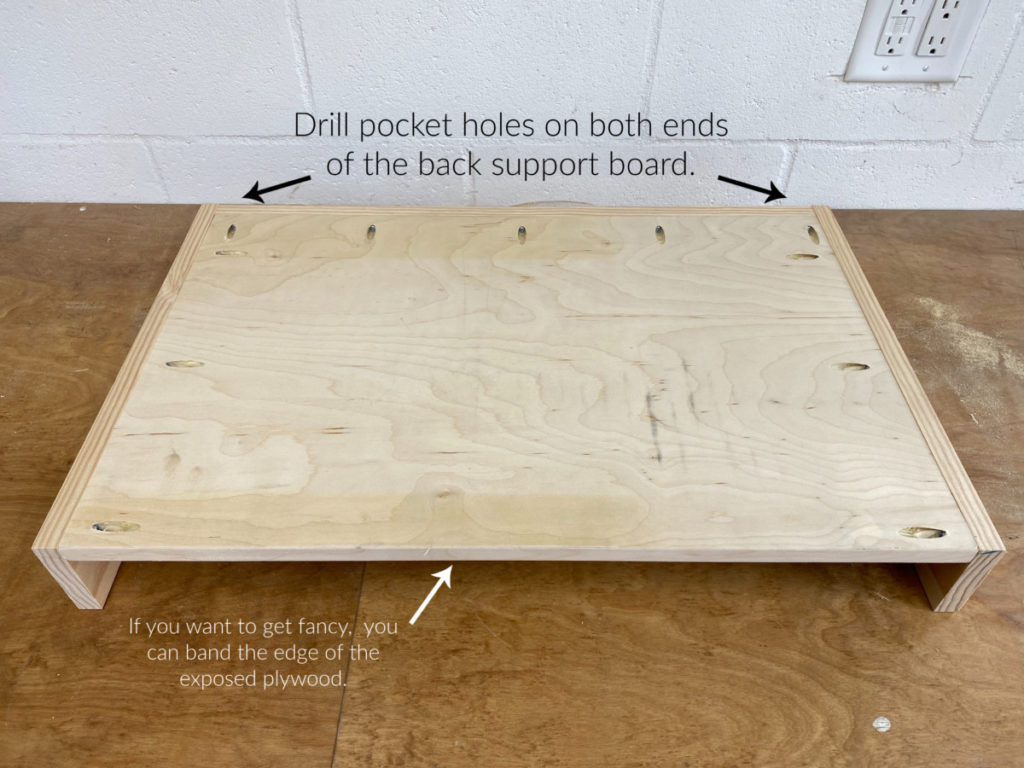
After  all the necessary boards are cut, it’s time to assemble.   Using a pocket hole jig  drill pocket  holes  around the perimeter of the base. (Excluding the front ledge.)  Also drill pocket holes on both ends of the “back box support” board as well.

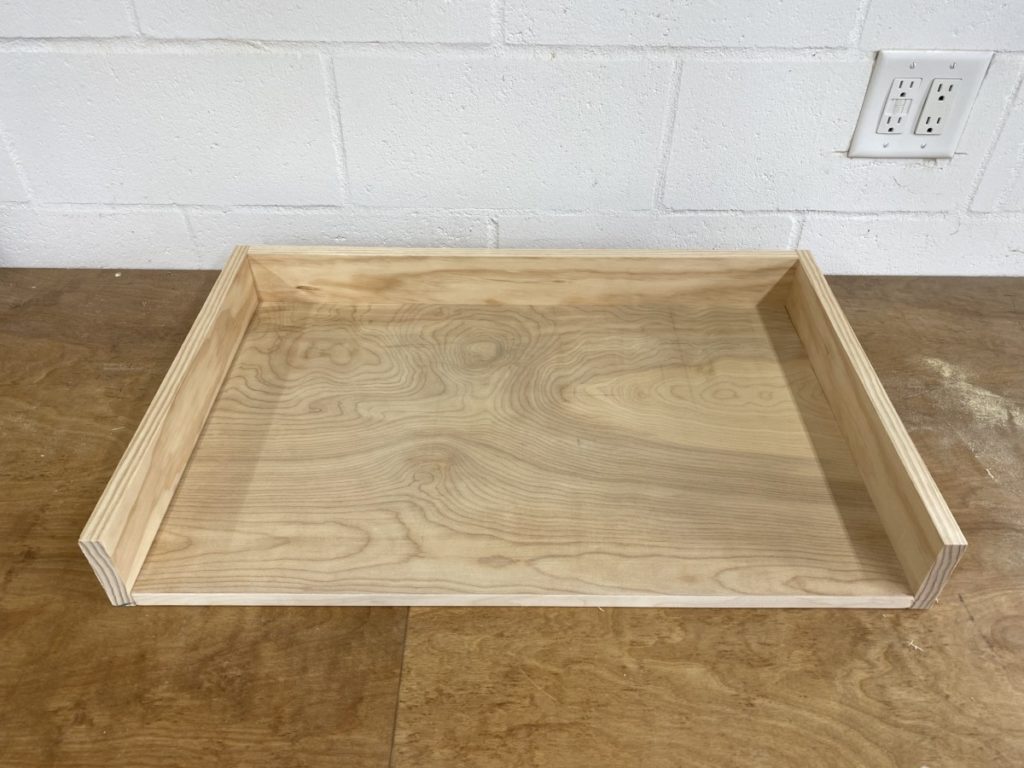
 Using  1 1/4″ pocket hole screws secure the “back box support” to the back of the base.  Follow-up  by securing the “side box supports”  to  both sides.  Again securing with  1 1/4″ pocket hole screws. 

 Look at that!  You made a box, that wasn’t so hard now was it ?  Next  thing we need to do is make it mobile!  Let’s add some drawer glides. 

Install Drawer Front

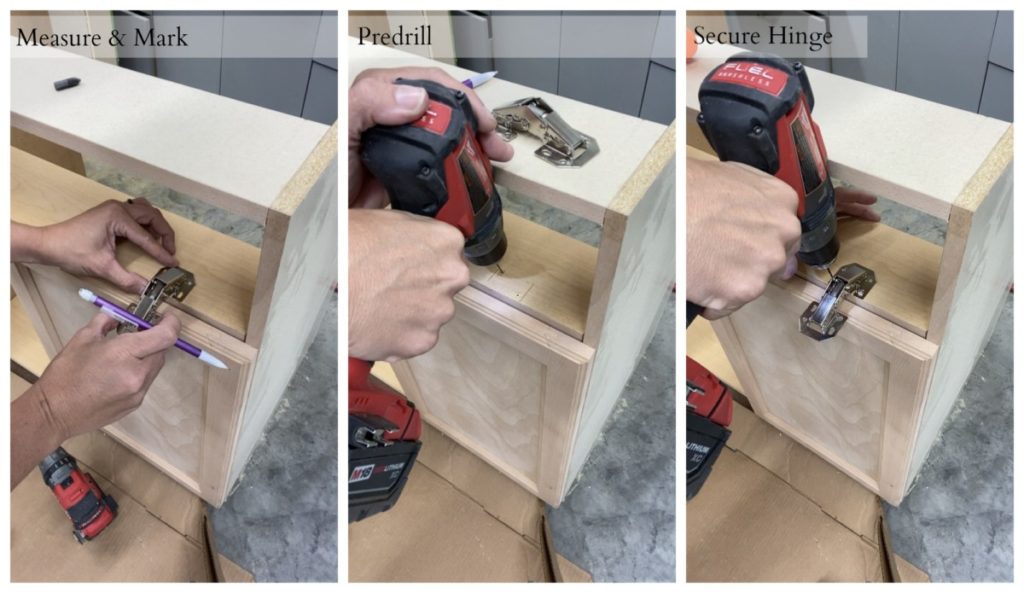
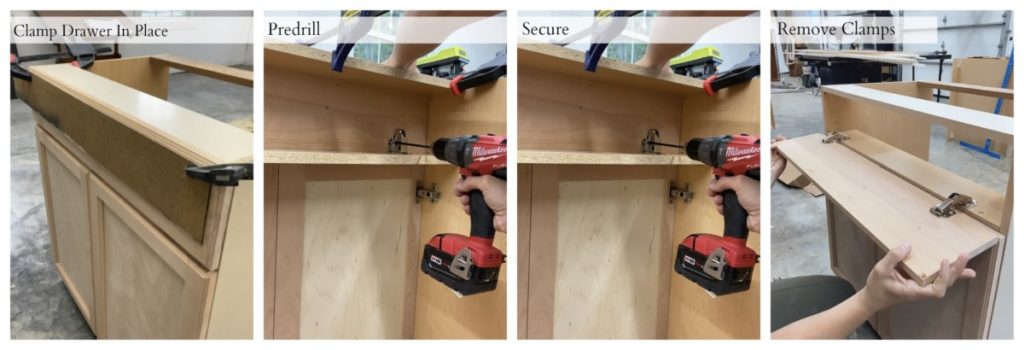
  First mark the desired location for the hinge,  taking into consideration the drawer glides that will be installed.  Once marked,  pre-drill in the allocated spots, then use the screws  that came with the hinges to install the first side of the hinge.  Repeat t his process for both hinges that will be attached the cabinet base.  (See below image as a reference.) 

 After the hinges are secured to the cabinet base I needed to attach the to my  drawer front.  

Something to consider: Keep in mind that the drawer will need to clear the doors that sit directly below it.  Test the spacing before installing the  drawer face. 

When  attaching the drawer front I found it easiest to clamp the drawer face directly to the front of the cabinet and then mark, pre-drill, and  then fasten with a  screw.  It ensured that I would have perfect placement!  Worked like a charm. 

Install Glides

Mark Glide Placement

   Before beginning the install process,  place your drawer box in the cabinet opening and mark out a  logical location fort eh glides to be installed.  ( If  the drawer glides are installed too high or too low there is a chance your box will not fit into the opening and will be stopped by the cabinet frame.) 

Something to consider:  When selecting your glides take into account the amount of weight they can hold and their length.  As  you saw earlier I shortened my cabinet and there fore shortened  my drawer.   Select a drawer glide based on the depth of your drawer box.  ( Mine is an 18″ deep drawer box, so I selected an 18″ drawer glide. 

Attach Glide to box

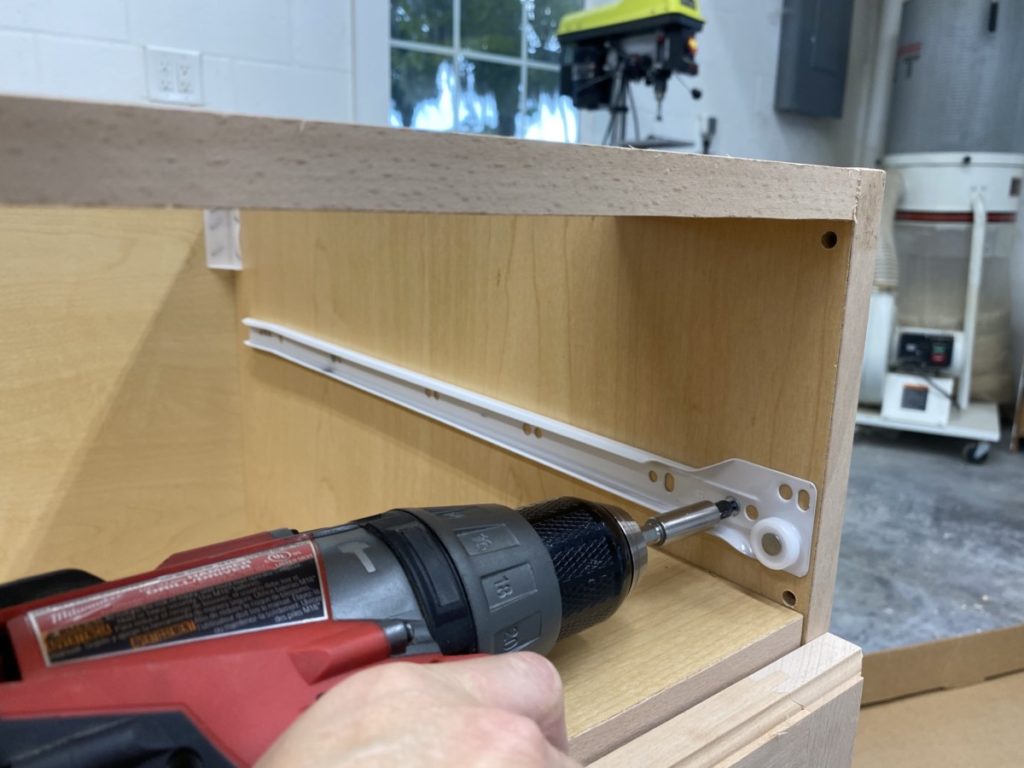
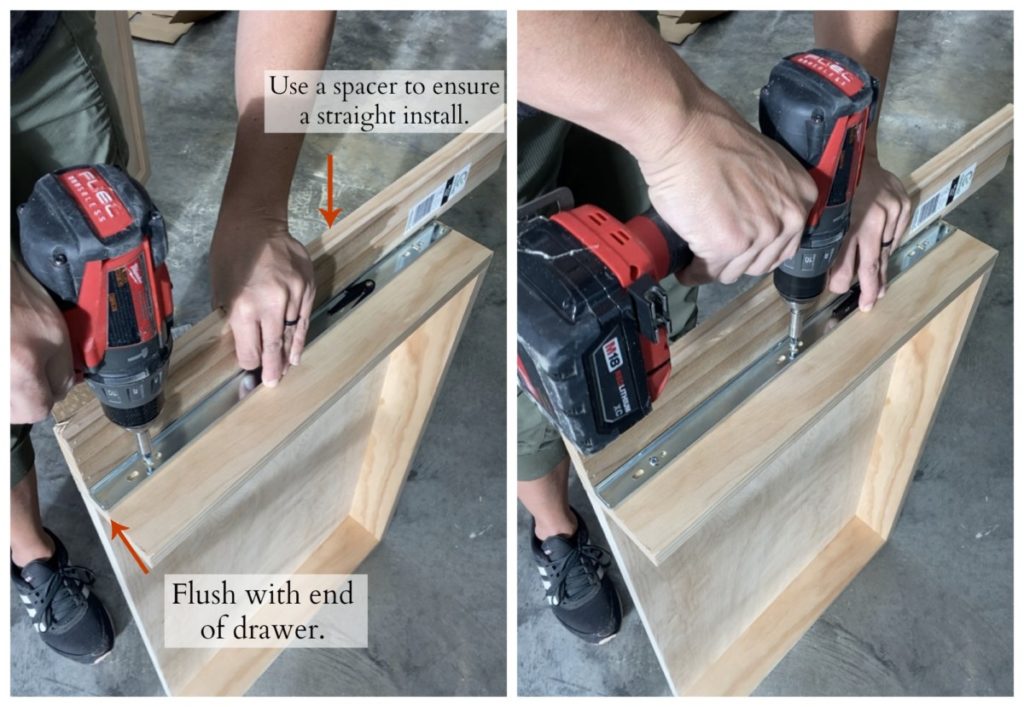
When installing drawer glides. I begin by removing the drawer glide rail and secure it to the box first.    This is a fairly simple process.  Place the front of the glide so that is flush with the box.  Then using a spacer screw with glide rail in place using the screws provided with your glides.  (See below image for clarification.) 

Install Glide to Cabinet

   Alright half-way  through  the tricky part.  See that’s not so bad ?   Let’s wrap this puppy up.  All we need to do now is install the second half of the glide.   The larger piece of the glide needs to be secured to the cabinet base.  

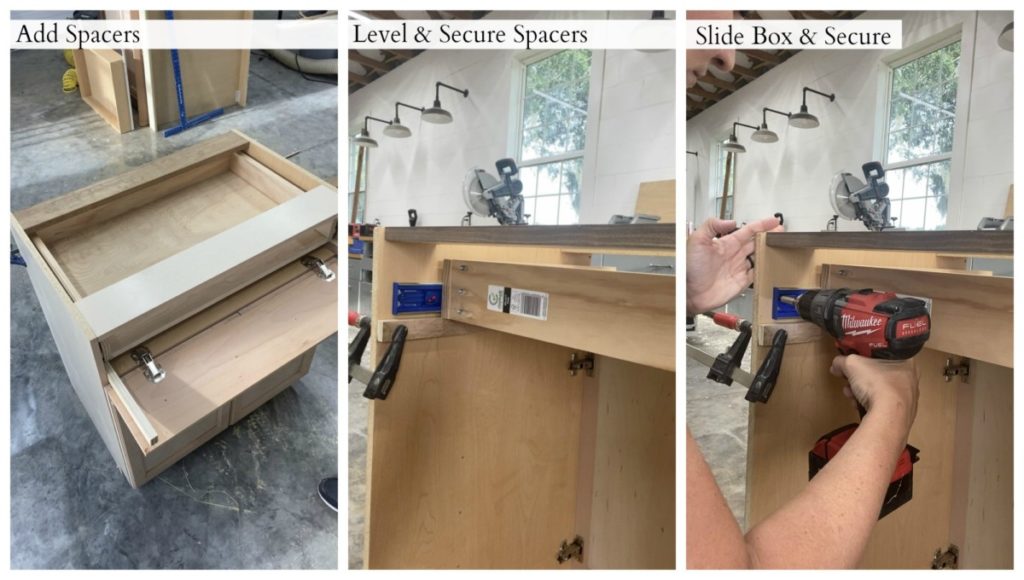
After a few learning experiences I finally have drawer glide install down to a science and this is my favorite way to install a drawer box.  

1.)  Cut and Add Spacers-   The spacers will need to be tall enough that  your  drawer box will not hit the hinges when the drawer is pulled out on the drawer glides,  but also short enough that the drawer box doesn’t hit the top of the opening. I cut mine approximately 1″ thick and 20 long. 

Place the guides under both sides of the drawer box. 

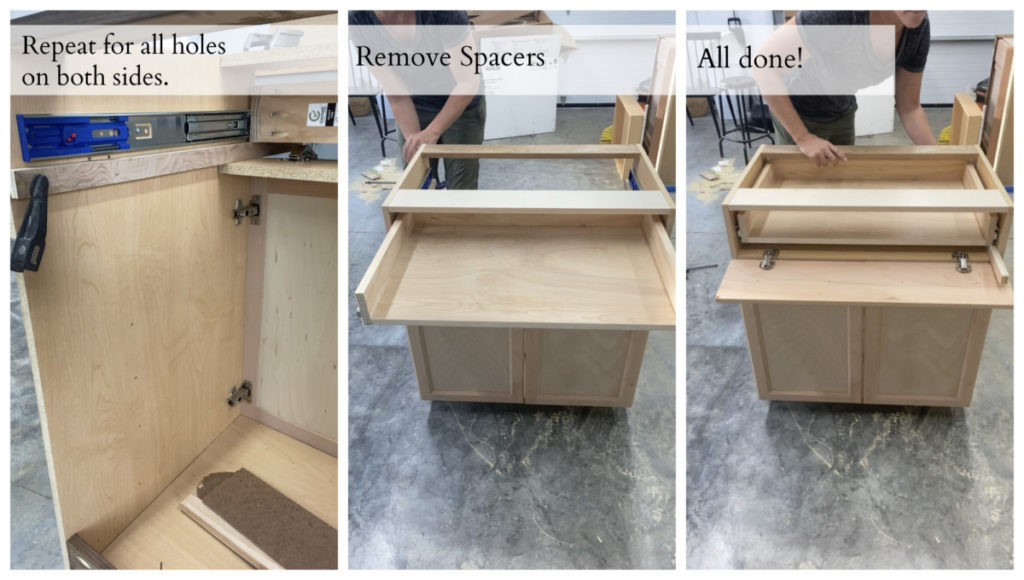
2.) After the spacers are resting on the front drawer support (under the drawer box)  clamp or  secure  the spacer to the cabinet so that the spacer (and thereby) the box are sitting perfectly level.  Repeat this process for both spacers on either side of the drawer. 


3.) After the spacer is securely attached it is time to install the drawer glide. ( As of right now the box is resting on top of the spacers with the glides already attached to the box.)  Before we can install the glide we need to make sure the front hinged drawer has enough space to close. (The hinges  I used required 1 1/4″ from the front ledge in order to close properly.)  

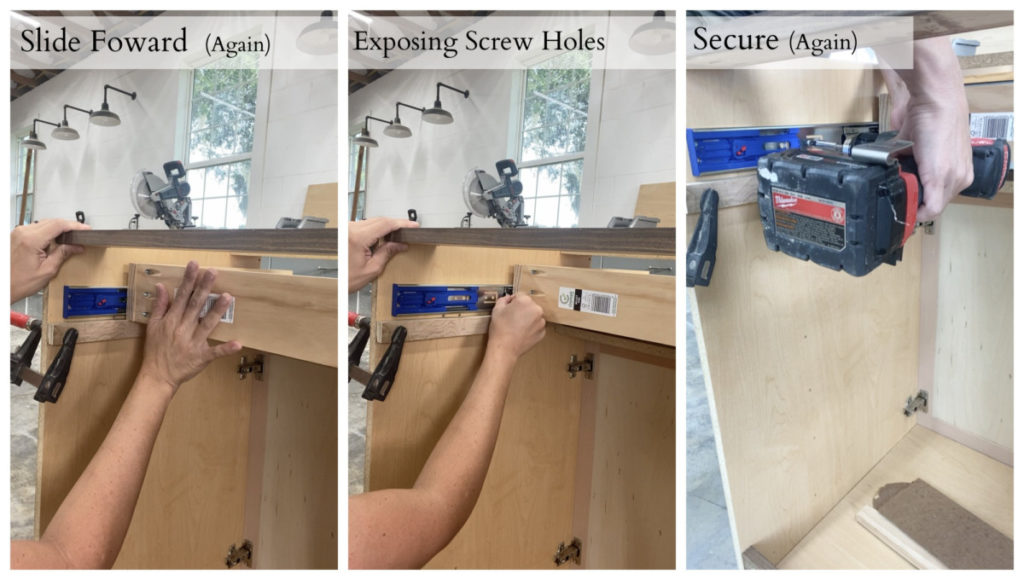
Once certain of  location mark  where the back of your glide should be. Use this same measurement and mark it on the other side as well.  Once marked, slowly slide the box forward so that the glide is extending. As the box and glide extend it should holes allocated for  screws. 

4.)  When the holes are visible it is time to start screwing the glide to the  cabinet interior. (Make sure the back of your glide is still  at your pre-marked measurement.   Once you have double checked go ahead and put in screws in the available hole cut outs.  Repeat this same process on both sides of the box. 

5.)   Hard part is over! Gently push the drawer forward again. ( It is still resting on the spacers,  but the glides should not be shifting because of the first set of screws that are installed.)   As you push the drawer forward it will expose more hole cut outs,  proceed to screw in the provided screws. 

6.) Repeat  step (5) until  the glides are completely extended. (The box should be completely  pulled out at this point.) 

7.) After all the screws are in, unclamp  the spacers and pull out from under the drawer. 

8.) You did it!  It should be a perfectly level install. 

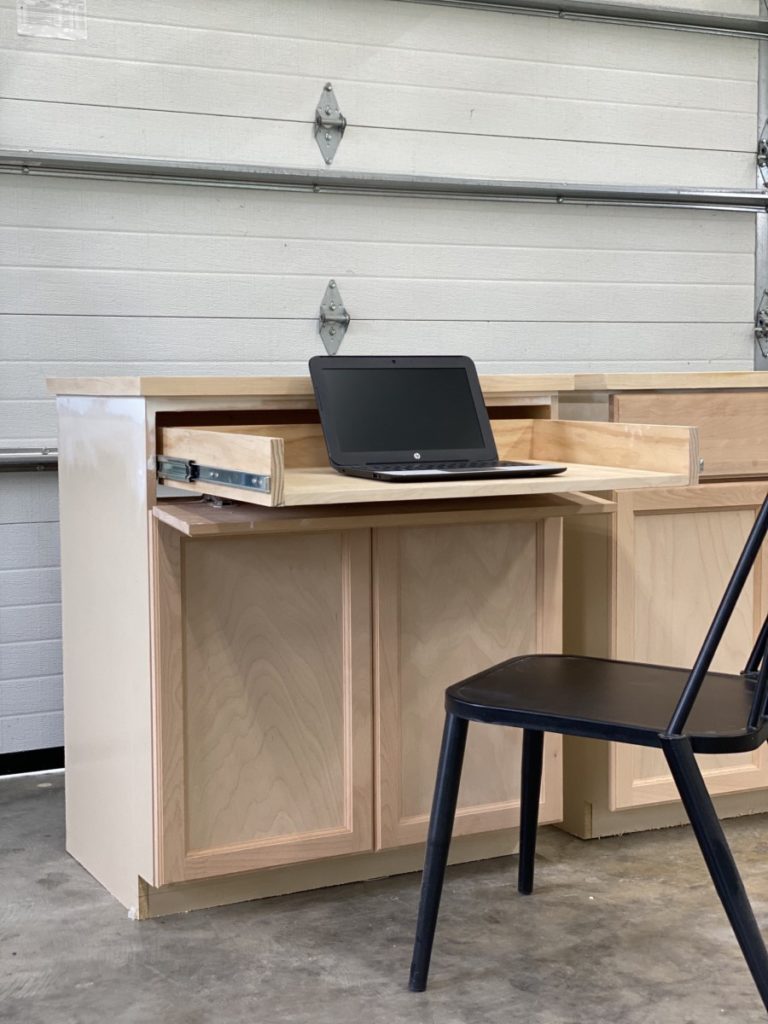
 You did,  pat yourself on the back.  You converted a drawer into a desk!  If you are interested in how I created the rest of my built in unit or the countertops make sure you check out these posts.


Create a built-in Office Using Cabinets

September 22, 2020

*THIS POST CONTAINS AFFILIATE LINKS AND IS PAID FOR IN PART BY PARTNERSHIPS WITH The Home Depot

Based on my current Instagram feed and auto-populated Pinterest  pins, I am not the only one who has functional office space on the brain!  I had been tossing around the idea of homeschooling my kids for the past few years,  then 2020 happened. It was the tiny nudge I needed to make the dive.   I still don’t know if this will be our long term plan, but it is certainly our current one. 

While I have dreamed about building my dream office for years, those plans were rerouted and put on the fast track.  I was about to enter  the  chaotic new school year and I needed organization and I needed it fast!  I was wanting built-ins but trying to accommodate  desks for the kids and it was proving to be a problem. UNTIL  I had brilliant ideas of how to have my cake and eat it too! This idea would allow me to have my beautiful dream office and still give my kids  each the designated workspace they needed!

Here is the clincher, I was nearly positive I could use pre-assembled cabinets to knock out this project even quicker, WINNING!

Gather Supplies

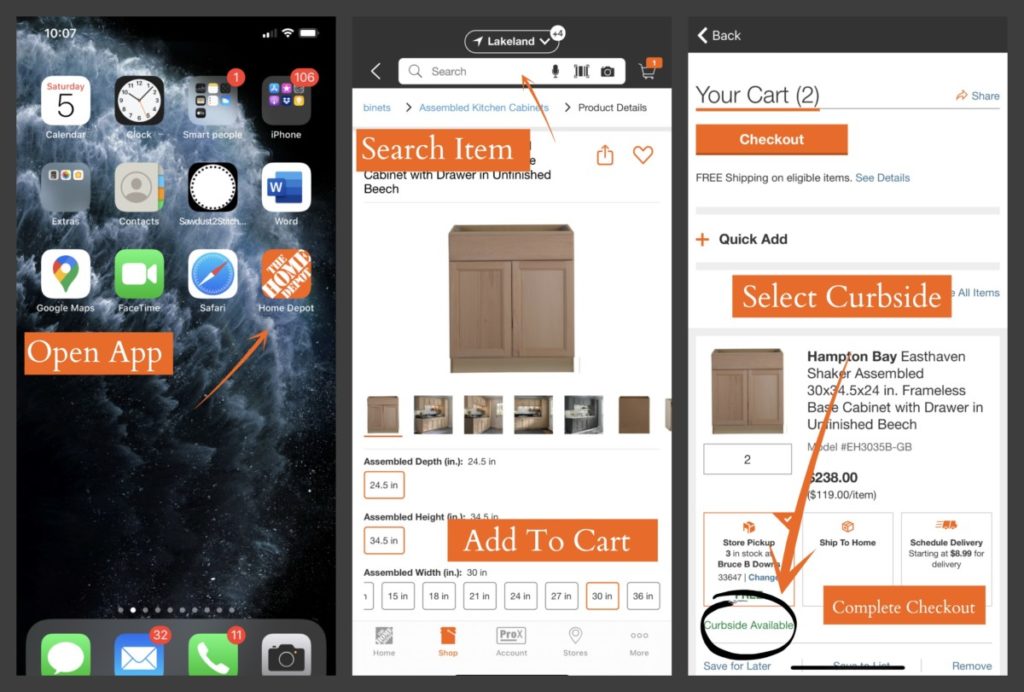
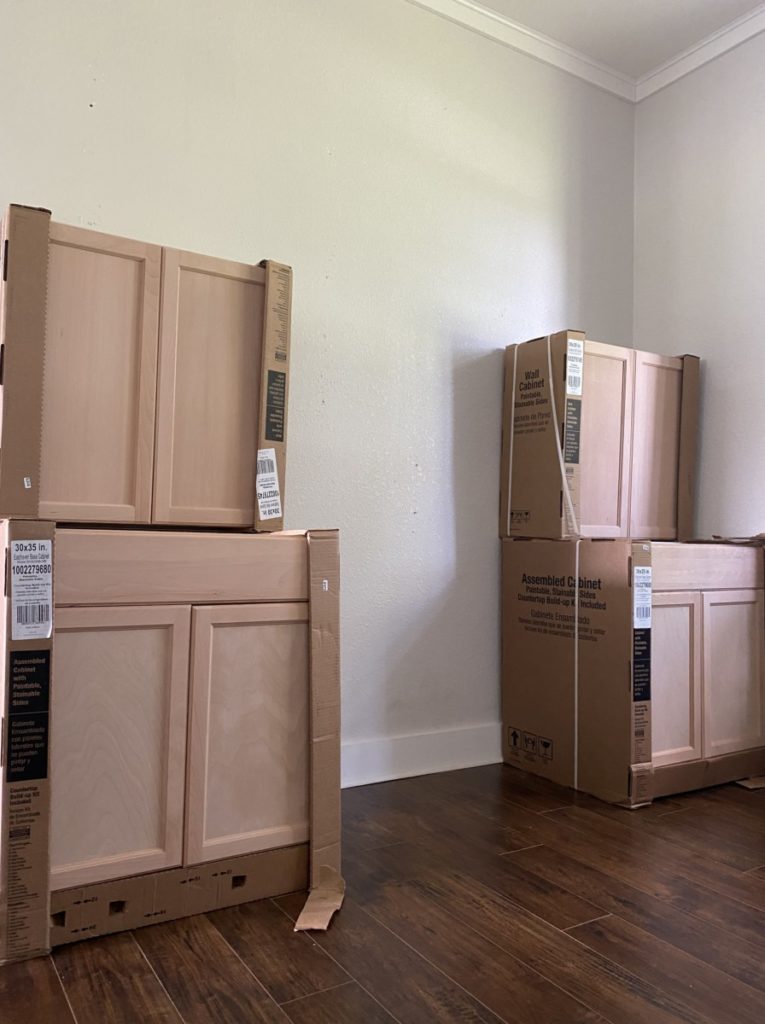
First thing I needed was cabinets! If you have ever been in a kitchen then you know the average size of a base cabinet. They are fairly large and getting them from the back of the store to the front and into your vehicle is a workout! I just ordered ahead and had mine picked up curbside! Wait, did you know you could do that !? You better believe it!

When I arrived at my local Home Depot I had my cabinets ready and waiting for me.

Modify Cabinets *OPTIONAL*

 The  biggest issue I had with using preassembled cabinets was the dimensions.  I like to make everything custom and the cabinets were are little deeper and taller than I would have preferred.  I was just going to have to deal with it… or did I ? 

  My brain started racing and I had an idea. An idea that required me to do some tweaking to the cabinet, so why not  modify the size of the cabinet as well?!

 If  you would like to read more about how  I modified the lower cabinet you can get all the details here. (This is a COMPLETELY optional step! You can easily  re-create this look with standard size cabinets.) 

Countertops

Something to consider before moving forward with  your built-ins is countertops. In the past I have used 3/4″ plywood as counters for my workspaces and have loved them. You can see them here:

  • Craft Room
  • WorkShop Cabinets
  • X-Carve Station 
  • Painting Work Station 
  • Shop Assembly Table 

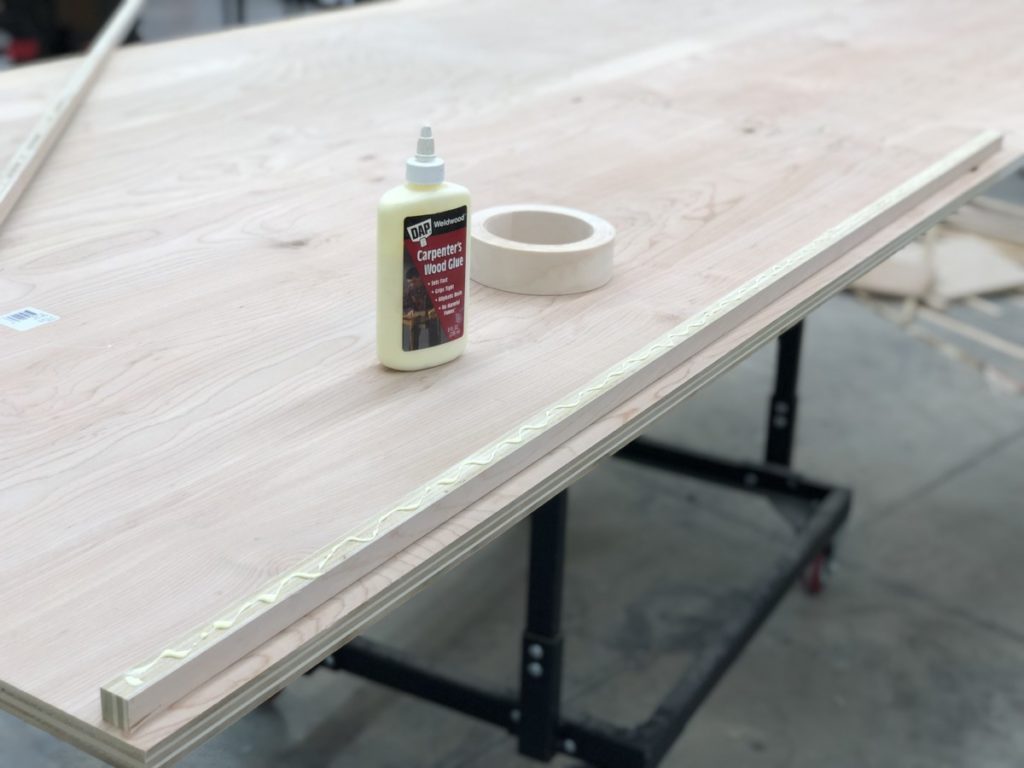
While there are several ways to create plywood counters I opted to do a stacked edge and then iron on edge banding to create a seamless look.   You can get the full  countertop tutorial here. 

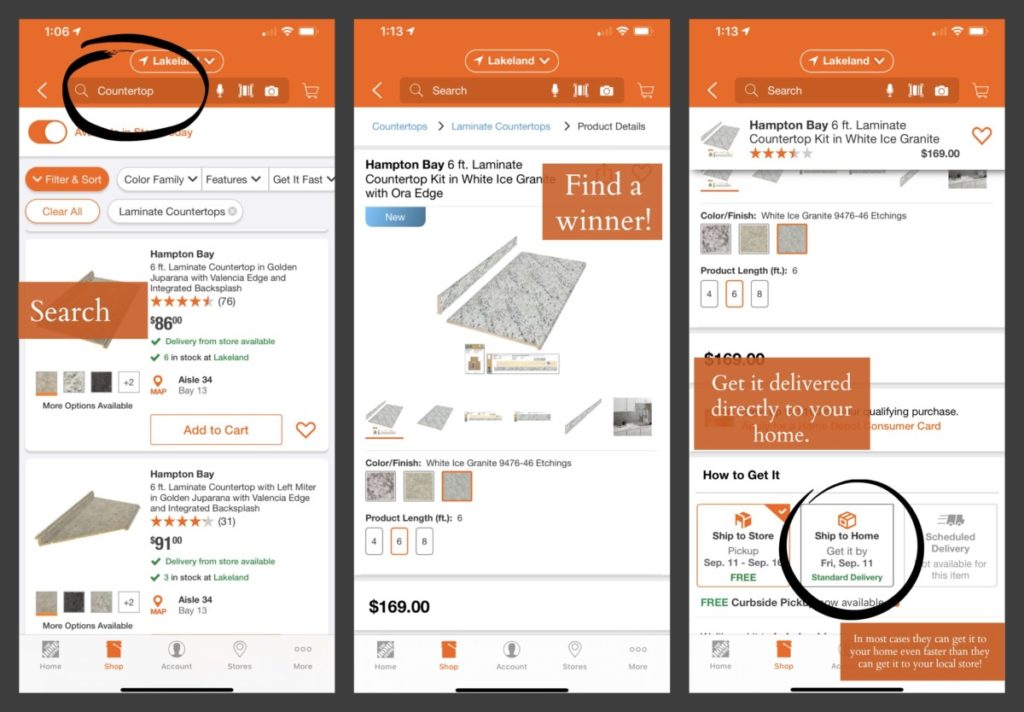
I know I have said it before and I will say it again. There are always ways to accommodate different skill levels. If you are a little afraid to use a table saw and would prefer to just purchase counter tops, that is an option.

I actually checked out The Home Depot, they have a ton of in-store options, but if they don’t have exactly what you are looking for in-store, I am certain you can find it online. Not only can you find exactly what you are looking for, you can also rely on fast and free shipping on over one million items! #winning

Build Shelves / Upper Supports

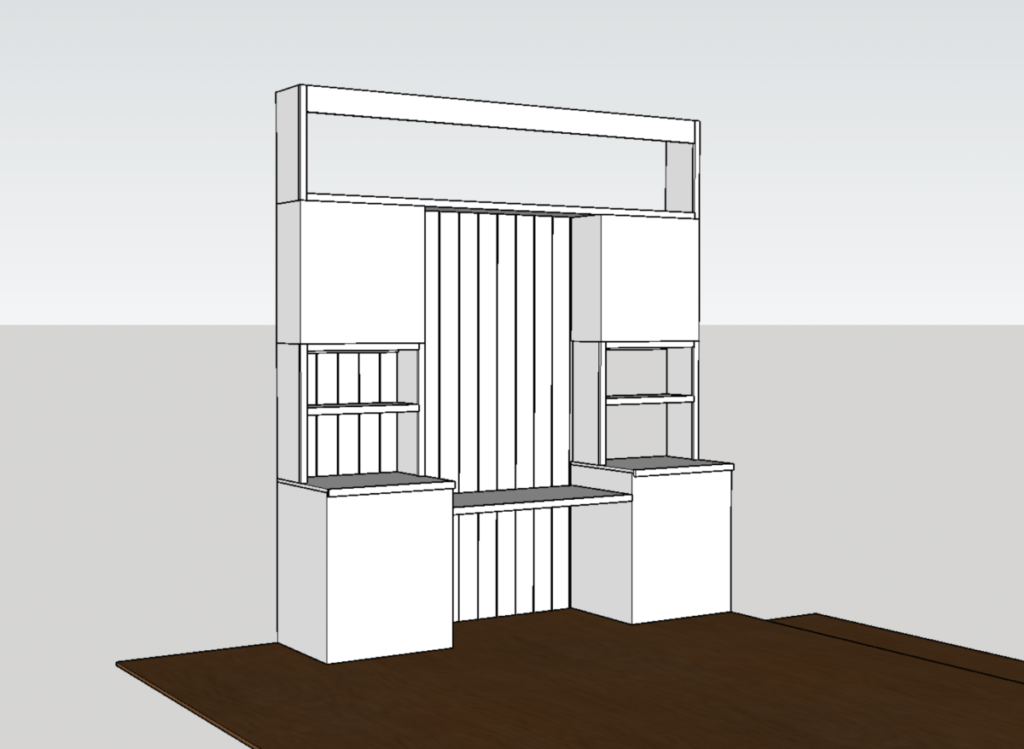
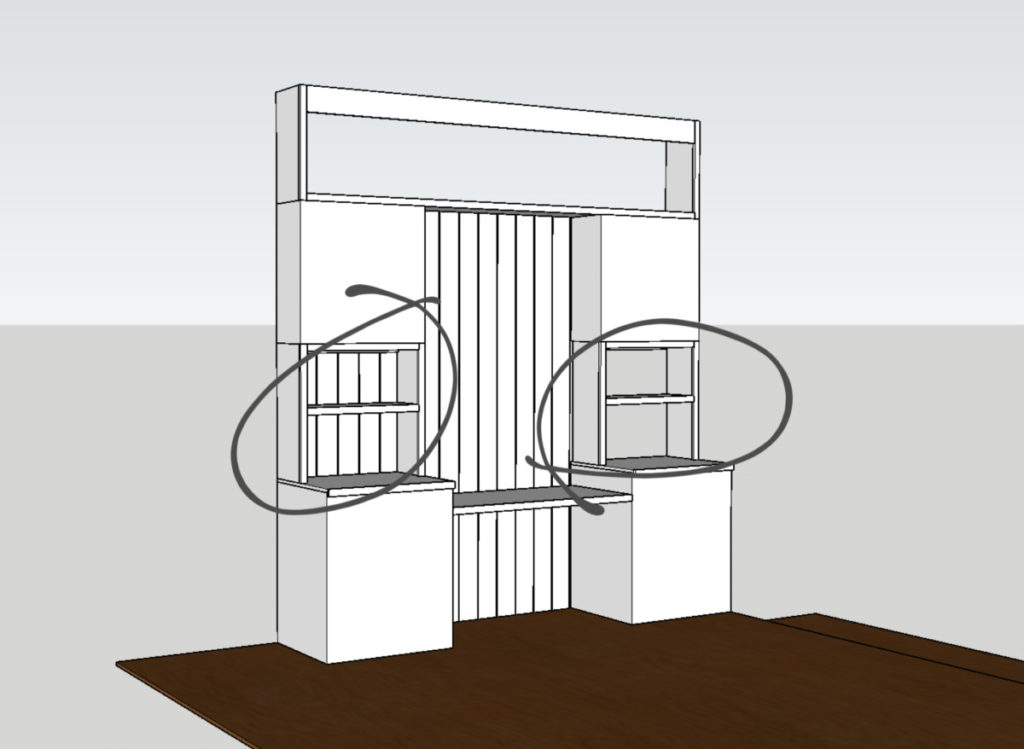
Now that I had my upper and lower cabinets home, I needed to create a unified large unit that felt like a custom built-in. I needed to connect the dots! The first step would be forging a connection between both base units and their corresponding upper units.

I had an idea. I would create a shelf that would not only unify the upper and lower cabinets but it would also serve as shelves and a platform to support my upper cabinets! Win.

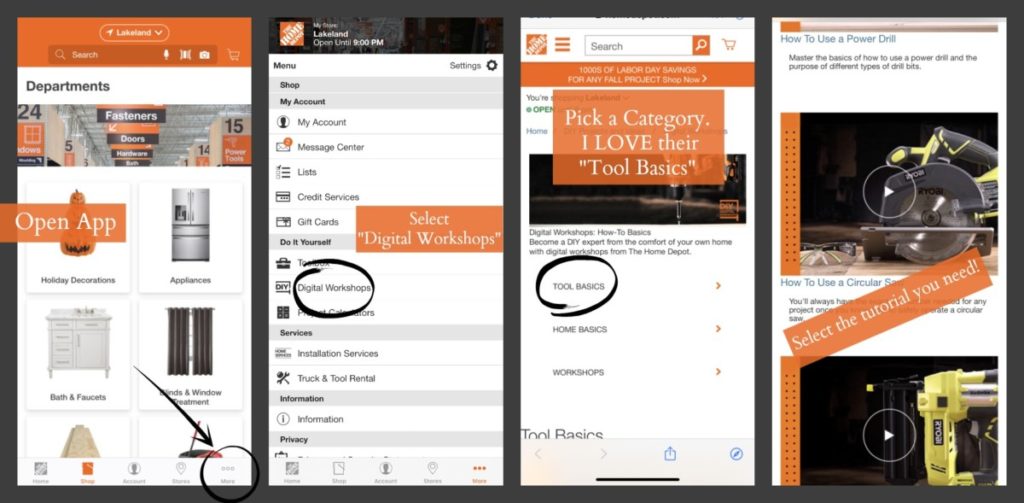
While this is a simple build I understand that sometimes using a new tool can be an overwhelming and daunting task. By virtue of the fact that you are here, means you are in in the right place. There are a ton of great resources online to help you learn new skills. As a safe bet I love to direct people to The Home Depot Guides . I know with full confidence that I am sending you to a credible source written by professionals for beginners.

The cabinet units are a simple build and would actually be a great beginner project. I designed this project hoping that it would be feasible for a novice learner but also present a more skilled builder options to create one-of-a kind pieces.

Things to consider:

Height and Width- The size of these shelves will vary depending on the height of your ceiling and your cabinet selections. For a size reference I have 10′ ceilings , so I designed my connecting shelf unit to be 27″ tall. I used 30″ wide cabinets, so I built my shelves to be the exact width and depth as my upper cabinets.

(Cabinets come in MANY different dimensions, which is yet another reason that this project could work for any size or space.)

Backing – I knew I wanted to use shiplap boards behind my open shelving areas. Before building I needed to take into account the 1/2″ thickness of my shiplap boards when I was building my units.

Build Upper Unit

The two towers that would frame in my desk were looking beautiful, now it was time to connect the unit together! As I said before I wanted this to have a built-in feel. In order to create this look I needed the unit to come within a few inches of the ceiling so that I could add ceiling molding and give it a true built-in feel.

I decided to make one very long unit to span the distance between the two towers. For size reference my upper unit is 25″ tall and 104″ long. It is not a small unit, but like I said, the build is a simple one and can be altered to fit any space.

Things to consider when building:

Backing: I needed to take into account the depth of my backer boards (in my case shiplap boards) when designing/building. One option would be to attach all the units directly to the wall and then paint the wall to create a unified feel. It would eliminate the need to accommodate a backing board and save some money.

Length: My unit is pretty big! I didn’t want to compromise the length of my desk. I wanted to maximize as much of the office wall as I could. This required the use of longer than standard 96″ boards being ripped and cut. (You could technically splice, fill and sand two boards together.)

If you are a little skittish about building a big unit, this is totally optional for this built in desk. In reality all you need is the two base cabinets and a desk to span the distance between them, but I have always been “extra” and I like it. We are all in different phases of life, do what works for you!

Painting

Before I brought my units inside I opted to paint them in my shop. Regardless if you are using a sprayer or rolling paint on here are my tried and true steps for painting cabinets:

  • Lightly Sand (Even with brand new cabinets.)
  • Roll or Spray first coat of primer OR  paint and primer. 
  • Allow to dry. 
  • Lightly sand with a fine grit sanding sponge.
  • Wipe down with a slightly damp cloth. 
  • Apply another coat of paint.
  • Allow Dry. 
  • Lightly sand with a finish sanding sponge.
  • Wipe down with a slightly damp cloth. 
  • Apply another  coat of paint. 

Repeat this process until you have full coverage.  Once full coverage is achieved stop!  Do not lightly sand the topcoat.  This process has always given me a beautiful smooth finish. 

 Prime, and paint all units and allow ample time for them to dry before beginning install.  If you would prefer paint in place (which  I would if I were rolling) then skip this step for now and revisit after the units are installed.

Install

Here it starts to get tricky and is a reason that I can’t give an in-depth tutorial when it comes to built-ins. All spaces are tricky and have odd quirks. For instance, our floor slopes slightly and one of our walls bows. Something to consider as you proceed. 🙂 While there may be a few hiccups you need to work around in your home the basics order remains the same.

Something to consider: If you are planning on trimming out the unit to look like a built-in you will need to remove the existing base boards and potentially crown molding. (Depending on the height of your unit.)

Bring in the base cabinet with countertop installed. ( I secured my countertop from underneath, driving 1 1/4″ through cabinet supports and into the countertop.)

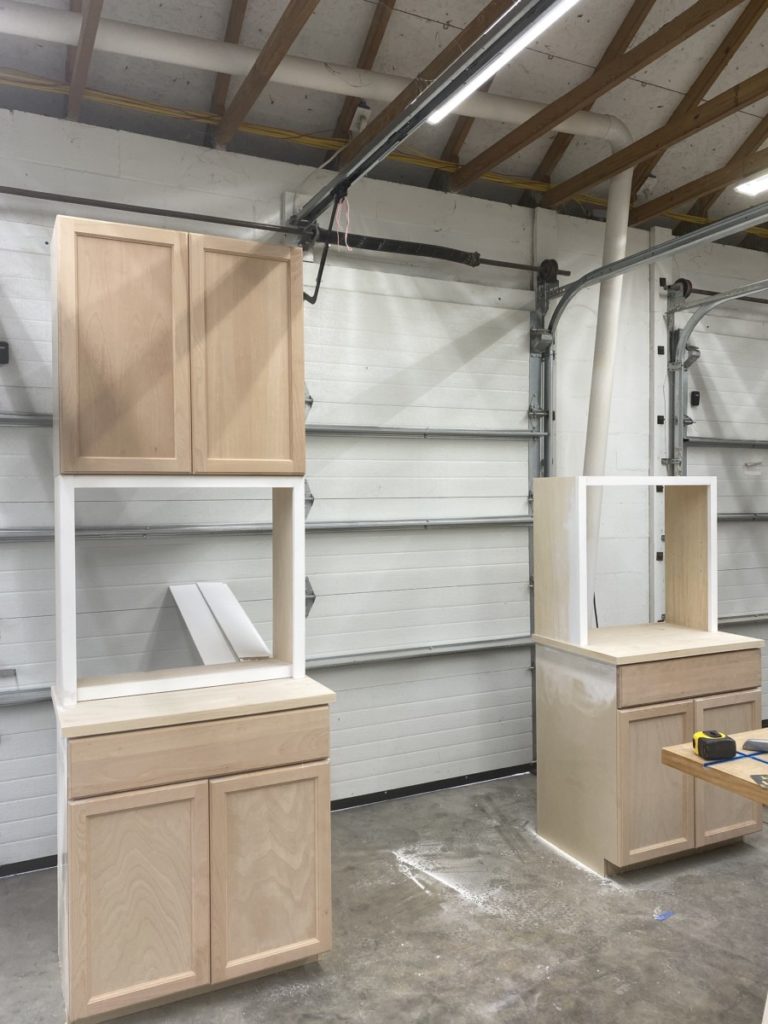
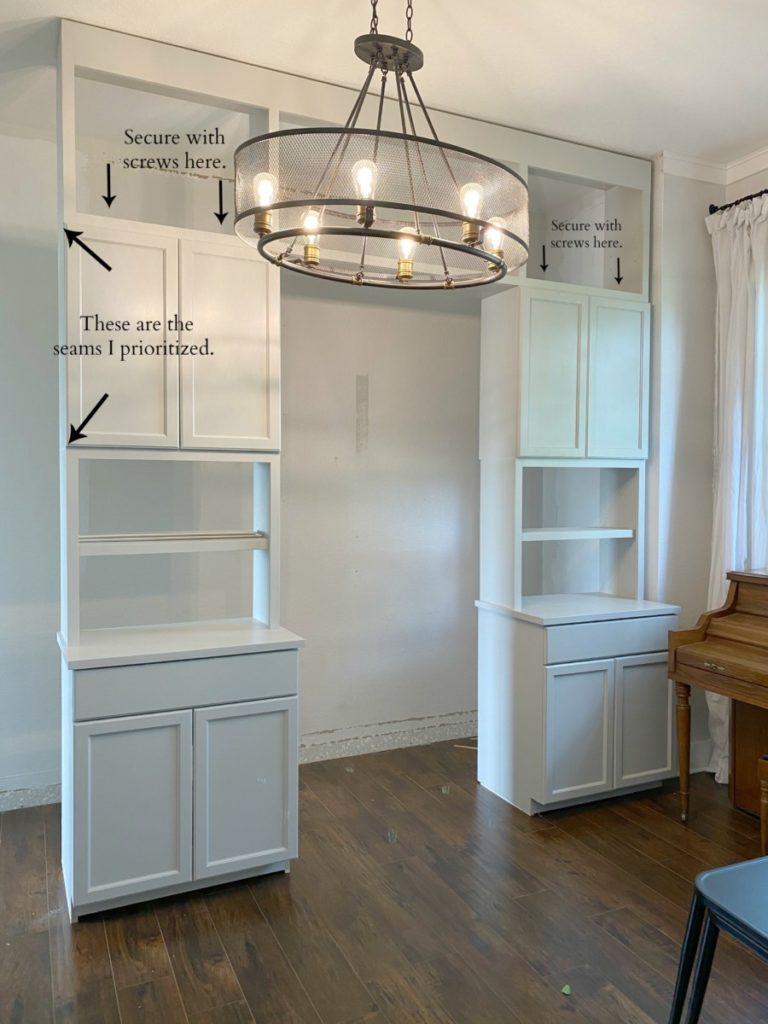
 Stack the previously assembled shelf on top of the countertop. I designed mine to be centered on my countertop. I then used pocket holes to secure the shelf to the countertop.    This is where you will see how close your measurements were!   The goal is to have the joints meet flush and then fill with wood filler. If  you are slightly off, no big deal.   It’s easy enough to add a small piece of scribe molding to hide any discrepancies.  

Repeat the same process for both towers.  It is at this point that I was ecstatic with the look but also… “WHOA this thing is ginormous!”. 

Next,  the connecting shelf needs to be set in place.  My husband had to help me put this behemoth in place.  Again, I paid close attention to the seams  showing at the visible end of the cabinet. 

Install Nickel Gap Board

Once the upper shelf unit is secured I started to dial in all my dimensions. I measure the distance between my two upper cabinets and then cut a 1×6″. board using the those measurements. I then installed the board at the base of the unit connecting my two lower cabinets. This will stabilize the entire unit and ensure that it is square but will also give me a board to attach my shiplap/nickel gap boards to!

     A nickel gap/shiplap board is not at all necessary for  built-ins.  In actuality it requires a little extra planning (Take into consideration the depth of the board when building the units, and it is an additional cost. But the heart wants what the heart wants.) I  had a ridiculous desire to have my boards centered in the unit. So I made my life far more complicated than it needed to be and started in the center.   I attached my nickel gap boards directly to the back of the unit using 2″ finish nails and an 18 g nail gun. 

Secure Unit to Wall

This is step is not required but suggested. Once the backing is attached I secured it to the wall. I found that the best connection points was inside the upper and lower cabinets. Before pushing the entire unit flush to the wall I took note of the stud placement so that I could use those dimensions. Using a 3″ screw I anchored the massive unit to the wall. Again, not necessary but suggested. I didn’t want to run the risk of it toppling should it be used as a jungle gym, but also I knew I would want to trim in the unit to match the existing floor and ceiling trim molding.

Install Desk

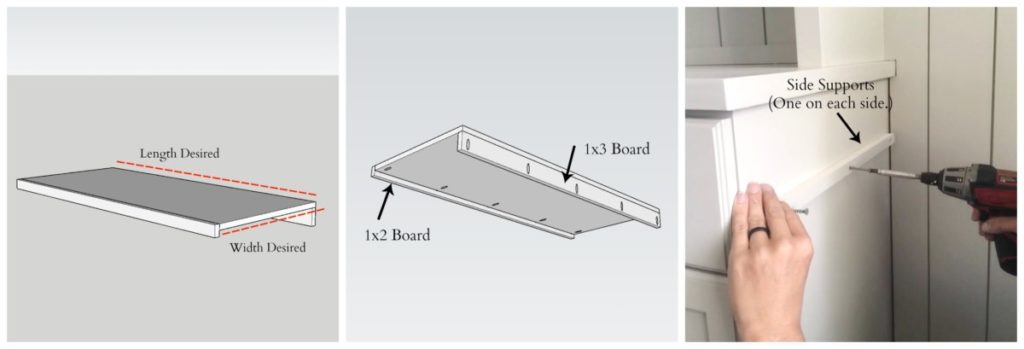
Last thing I needed to add to this built-in desk, was a desk! Depending on your preferred height install supports on both base cabinets.  The desk will span between these two supports.  

Once supports are installed place the desktop on top of the supports. Once certain of a proper fit apply an adhesive where the bottom of the desk board and the side supports meet. Then using a 1 1/4″ screw attach the 1×3 back desk support to either the wall or in my case the ship lap boards.

Finishing Touches

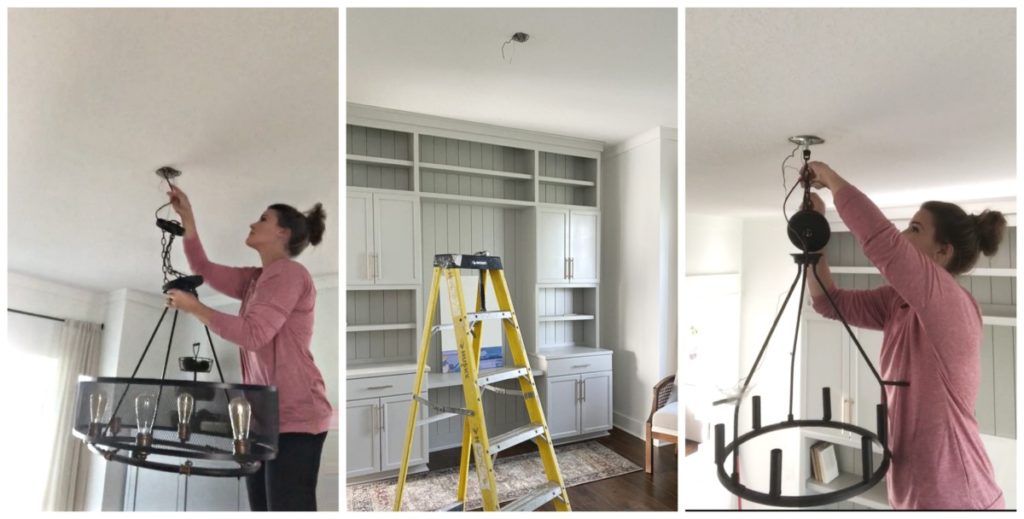
While my local Home Depot has a great selection of lighting, I had a very specific idea in mind when it came to the finishing touches for the space. I wanted a light fixture that was simple, and elegant. I wanted it to add to the look of the space while not being a distraction. Thus the reason I opted to remove the existing one. It was AWESOME and such a statement piece, but it felt distracting.

* Do you want to swap out a light fixture but don’t know how? Remember those Home Depot guides I mentioned earlier? They have you covered: “How to install a light fixture.” I am telling you guys, they have it all!

Office makeover using built-ins.

  It’s amazing how the little details can make a huge difference to a space. I feel that throwing in a few books and the new light fixture warm the whole office up! 

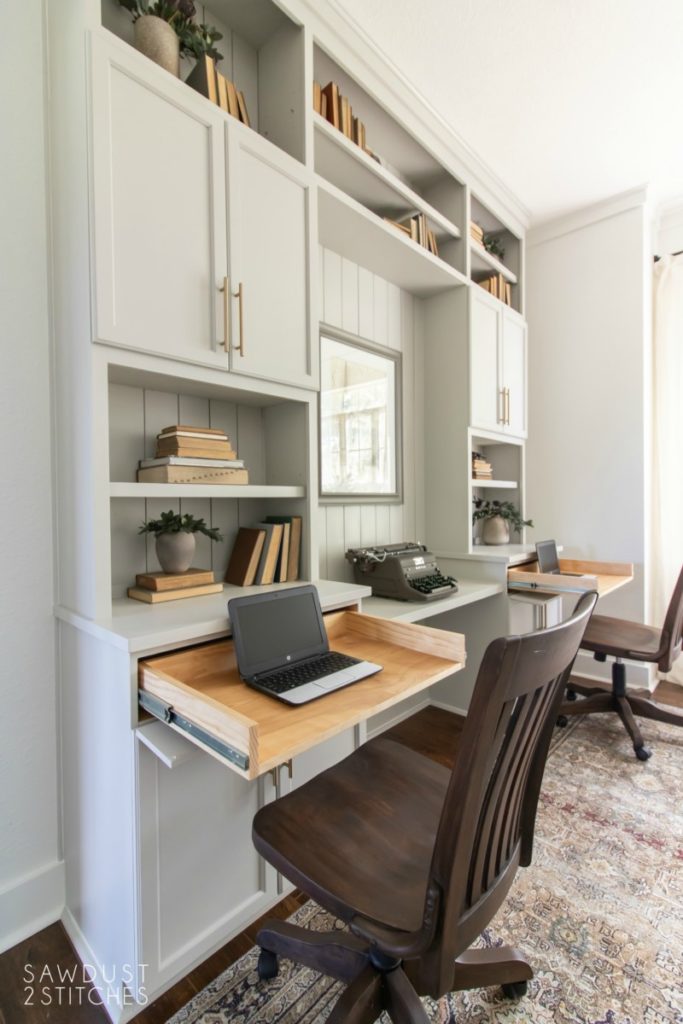
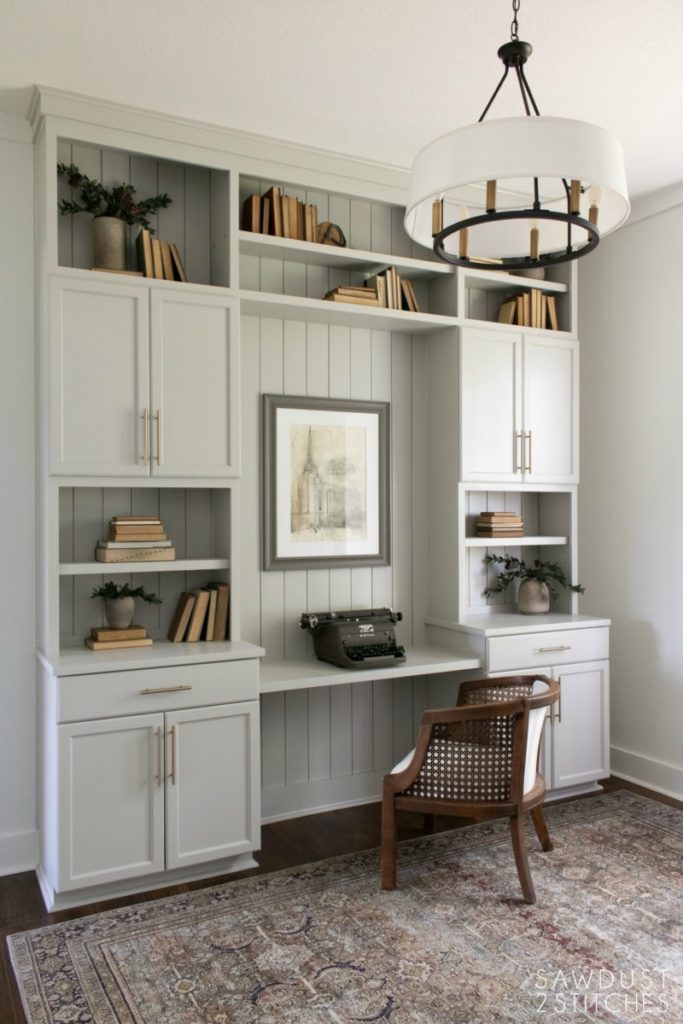
Without further ado, I give you my completely transformed office using builder grade cabinets! 

Office Built-ins using cabinets.

Would you ever look in the space and feel like someone just tossed some kitchen cabinets in the room?  Nope!   Using premade cabinets for this project allowed me to knock out this project in a fraction of the time and would be a project that could easily be tailored to any space or skill level.

 Thanks so much for following along with the office makeover, and stay tuned I just might have some more plans up my sleeve. 😉 

Take Luck, 

Corey 
Sources:


  • Nickel Gap Board : The Home Depot
  • Upper Cabinet: The Home Depot 
  • Lower Cabinets : The Home Depot 
  •  Liberty Bronze Drawer Pulls :The Home Depot 
  • Old- Cage Light Fixture: The Home Depot –Home Decorators Collection 
  • New- Drum Light Fixture : The Home Depot 
  • Wall Color-  Pure White Behr 
  • Cabinet Color – Repose Gray 150% 
  • Rolling Chairs- Facebook Marketplace  ( You can get something similar here.) 


Faux Stone Wall

August 11, 2020

*This post is sponsored by the great folks over at DAP and it does contain affiliate links.

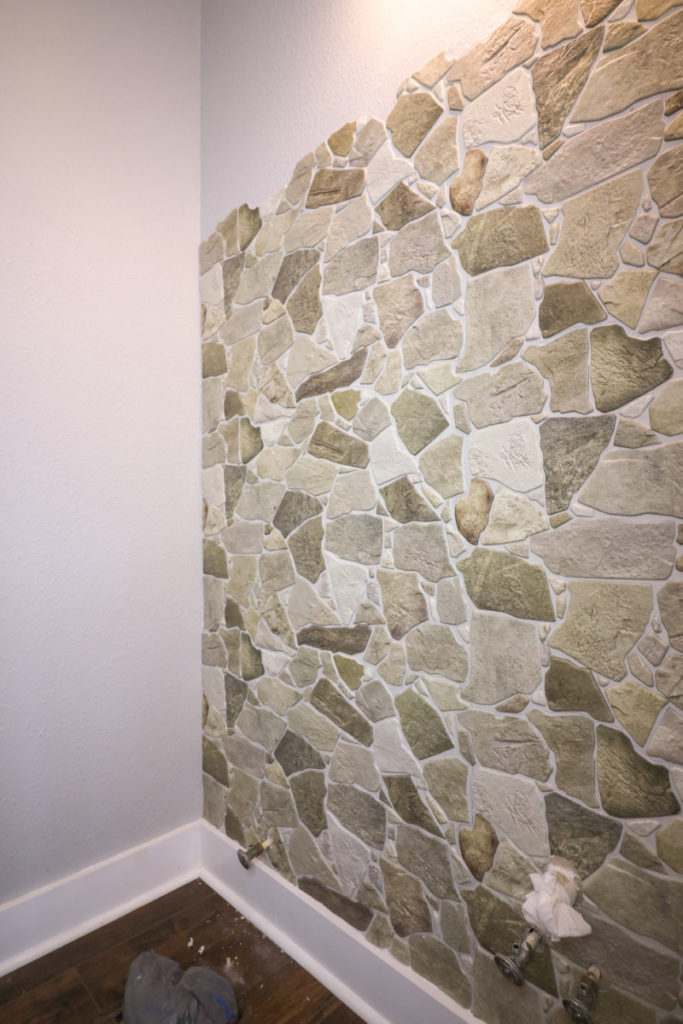
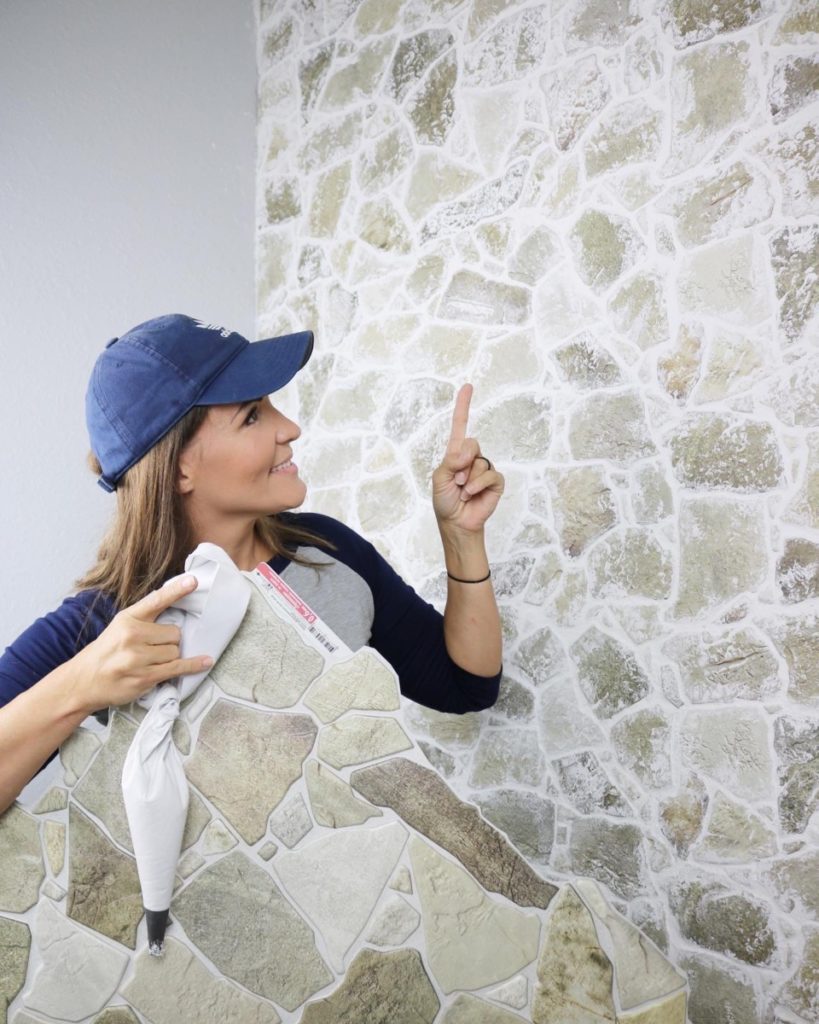
Is this not the most beautiful accent wall you have ever seen ? Would you believe that it is made out of faux stone panels and I knocked it out in one day!?

Tools Suggested Materials Used 
Tape Measure  Faux Stone Panels
Utility Knife DAP ALEX caulk or DAP DYNAGRIP 
Straight Edge Alex Plus Spackling
Caulk Gun Terry Wash Cloth 
Putty Knife  
 Staple Gun (Optional)  
Grout Bag   

I am not exaggerating when I say that anyone can do this! This is a very entry level DIY that looks so realistic it is insane. Another bonus? It requires very few tools and the panels are very easy to work with!

Prepping Panels

I think the trickiest part putting up the first row. I wanted the rock ledge to meet fleshly with my baseboards. The edge of these panels follows the outline of the stones. When cutting the straight edge make sure you cut all of your first row with the same dimension. They are designed to be butted up to each other and create a seamless look.

The cutting process is very simply. I map out my dimensions and used a sharpie to draw them onto the panel. Using a straight edge and a utility knife knife I cut out the desired dimensions. It usually only took me one pass with my utility blade, but if you encounter a stubborn segment, simply bend and snap along the scored line.

Adhering Panels

When applying the tiles, you are going to want to cut and then apply the panels one at a time. When doing this project I found that using DAP caulk work famously. Another option would be using a product like DAP DYNAGRIP. I have loved using this product for heavy duty projects like this SHIPLAP project. DYNAGRIP has a nearly instant hold that is adjustable.

These panels are very lightweight so I opted for a caulk that would be a strong hold but still feasibly removable should I ever opt to remove the stone.

Using a caulk gun apply DAP caulk to the back of the panels. I used the raised grout lines as a guide for applying the caulk. By doing this it ensured even adhesion without wasting caulk.

Once a the ALEX Caulk or DYNAGRIP adhesive is applied the panel can be applied to the wall. The panel will very easily stay put! If you are using DYNAGRIP this thing won’t be going anywhere and will be adjustable but will take some pressure to move it. Using caulk it will stay put but can easily be moved around until the caulk begins to set.

Due to the nature of this project I decided to tack the panel in place in one or two places on the panel. While the caulk or DYNAGRIP will easily hold the panels on the wall, I didn’t want them to shift whatsoever when I was butting the next panel up to the joint.

Like I said, work with one panel at a time. Cut to the desired locations, apply caulk or DYNAGRIP, tack in place, then repeat with the next panel.

Applying “Grout” (Spackle)

Once the panels are installed it is time to give these faux stones some character! If you recall forever ago, I created a I German smear brick wall using faux brick panels. It has held up amazingly and is a beautiful feature in our home. When I found these panels I knew exactly what to do with them, I would take a note out of my old playbook and use ALEX PLUS Spackle to achieve a faux over-grouted look.

Something to consider, spackle in and of itself is not intended to be used as a grout. I am aware. However,I have never actually seen anyone ever try to over-grout plastic wall panels . I am in unchartered territory. However, this is what I DO KNOW. I have used DAP ALEX PLUS spackle for many projects and have been amazed with it.

It has excellent adhesion, does not sink or shrink, and is extremely durable. THIS IS EXACTLY the attributes I needed for this project. I needed a product that would adhere to the surface of the panel and would not shrink as it dried. (In this case, if the product were to shrink it would pull itself away from the panel and may not stick the way I needed it to.) It also is extremely durable. These panels are made of a flimsy plastic. If you press on them, they do give a little. I needed a product that would be durable and not crack and chip if the panel was flexed.

While spackle is not specifically made for this application, it was a no brainer that I trusted ALEX PLUS to be my absolute best bet… and I was right! After quite a few flex, and scratch tests this product is holding up like a charm.

When I first started this project I was totally winging it, by the 10th panel I had my technique down to a science. The easiest way to apply the spackle was to fill a grout bag with ALEX PLUS spacke. I suggest working in sections no bigger than 2’x2′. Pipe a liberal amount of the “grout” into the joint lines between the stones.

Once a section of the stone had the spackle piped into the joints, I troweled over the spackle using a small putty knife. I used the putty knife to push the spackle completely into he joints while also spreading the excess spackle over the surrounding stones. Part of the appeal of an over-grouted stone is that is fairly low contrast and the “grout” unifies to the stones and creates a softer feel. I tried to mimic this look using the spackle.

After using a putty knife to spread out the spackle, I wanted to create some depth to the crevices.. BY definition sparkle is suppose to fill holes and create a smooth surface, so I needed to run my finger along the joints in order to create a very gentle curve to the grout line.

After the cracks are smoothed out, we are ready for the finishing touch! Using a damp terry cloth rag, I gently dabbed along the spackle to create a uniform texture. I also dabbed some of the excess spackle onto the surrounding stone. It gave it a very natural look that helped blend the contrast between the different color stones.

Just look at that finish! Can you believe that this was just a flimsy plastic panel? With just a little bit of elbow grease and creativity they now look like an old-world/tuscan villa!? However you want to catergorize this look, I just know that it is beautiful and it gave our small powder room the “wow factor”! Mission complete.

Thanks so much for following along, and a big shout out to sponsors like DAP that allow me to keep creating content so that I can share it with great folks like you!

Take Luck,

Corey
Powder Bathroom Makeover

August 8, 2020

*THIS POST CONTAINS AFFILIATE LINKS AND IS PAID FOR IN PART BY PARTNERSHIPS WITH The Home Depot .

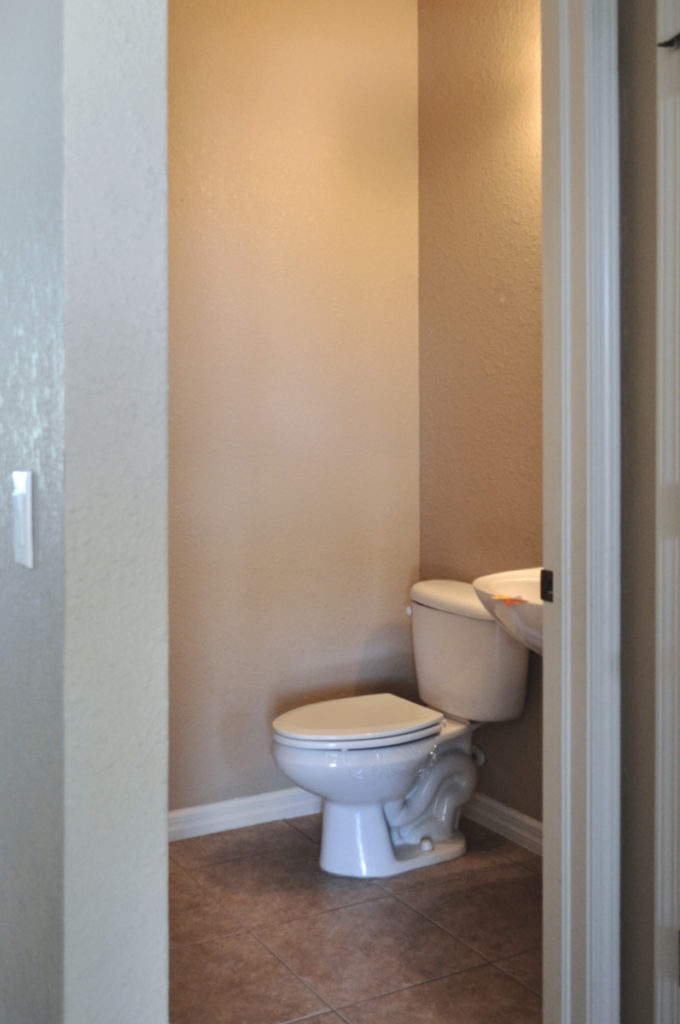
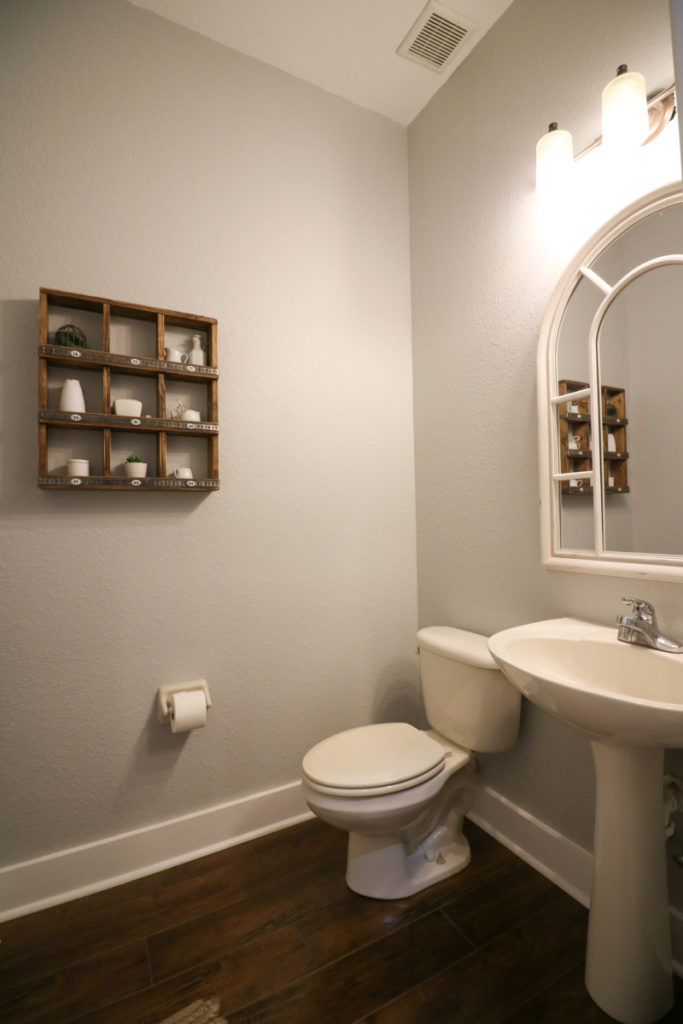
 Our powder bathroom falls  into an odd priority list.  It’s a  frequently used room, however  it wasn’t a high priority room  like the kitchen, family room, or  dining room. So instead of giving the powder room a complete makeover,  it received  the “It will do special”.  

 This mini facelift entailed very topical fixes, fresh paint, a new mirror, and I tossed in some old decor and deemed it “good enough”… until now! Welcome to Sawdust 2 Stitches “where we cannot leave well enough alone.” It is about time we gave this passable powder room a full blown makeover. I am thrilled to be partnering with The Home Depot to bring this project to life!

Demo Day

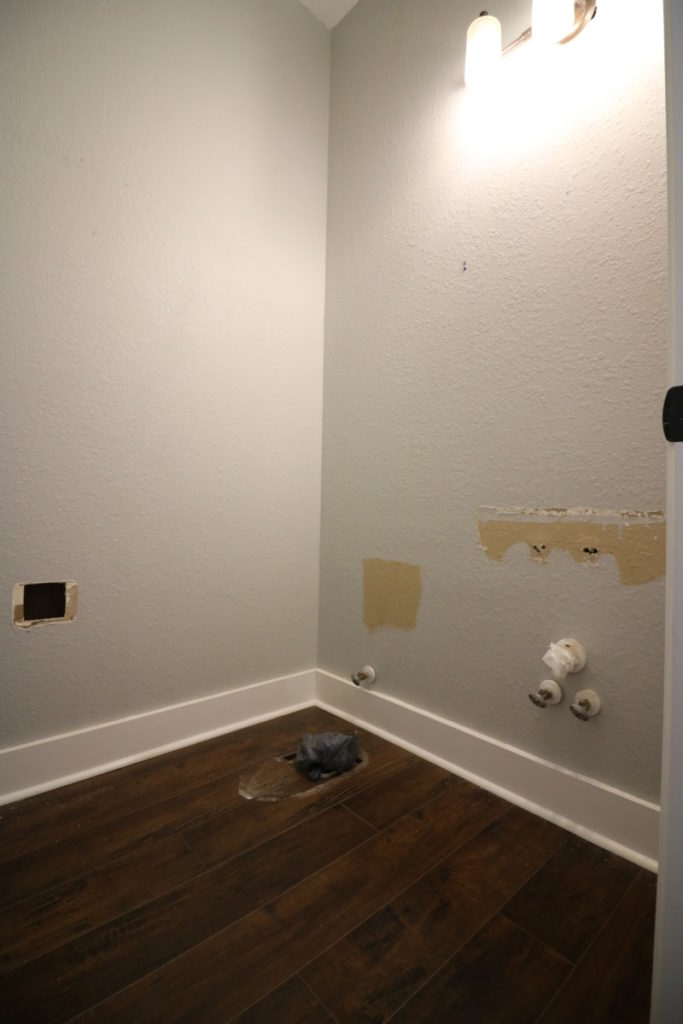
First things first, I needed to take the room down to a blank canvas. I removed everything that wasn’t bolted down AND then I took out everything that was bolted down. 😉

Accent Wall

While I didn’t have a complete vision for this space. There was ONE  thing I KNEW I wanted.  I wanted a stone wall. 

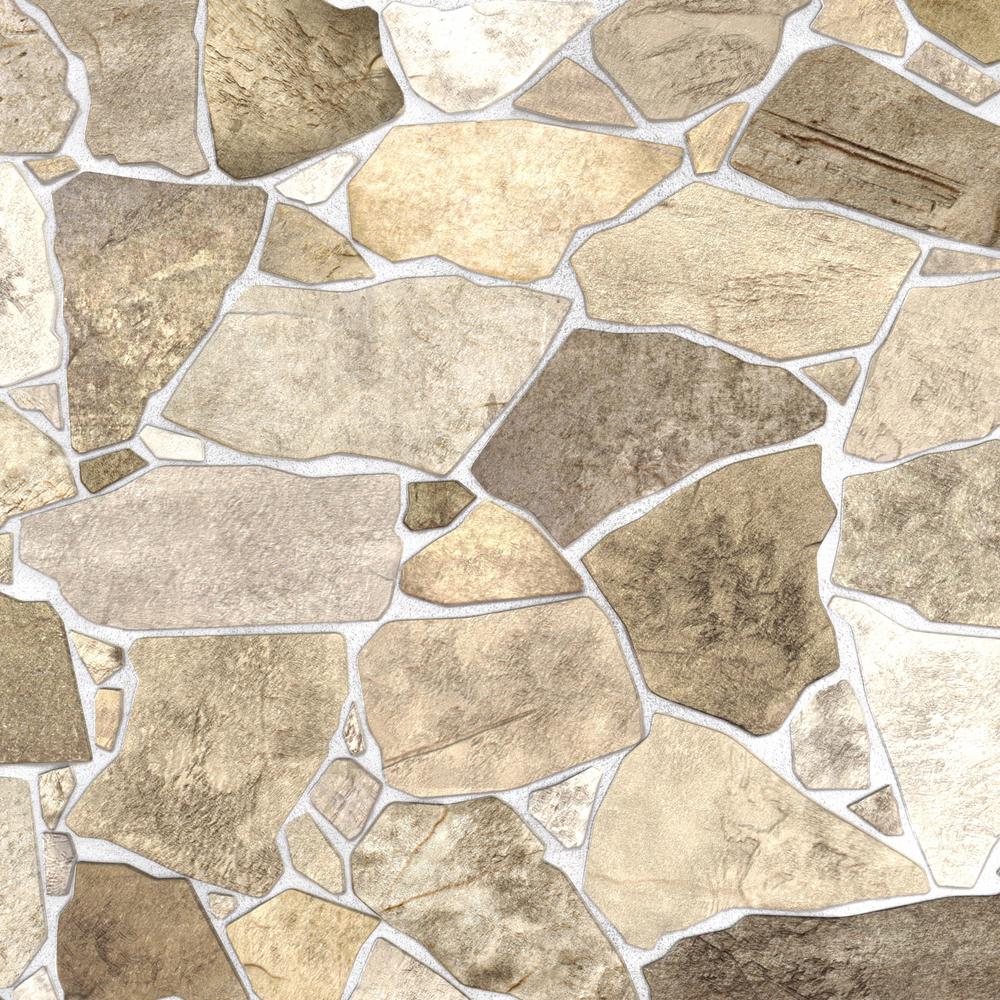
I started looking into stone options and  was a little overwhelmed. Seeing as this would not be outdoors and exposed to the elements,  I didn’t feel like it warranted the price tag or the labor that accompanied the real deal. After plenty of research and ordering multiple products I found this faux rock panel.  This paneling was perfect for this project! It was light weight and it had all the right colors. #win

With a little bit of work and a new technique I was able to bring this rock paneling to life and give it some warmth and the texture I was craving. The whole wall took me one afternoon to install and a few hours to apply the over-grouted look.

Stay tuned because I have a full tutorial coming soon!

Textured Wallpaper

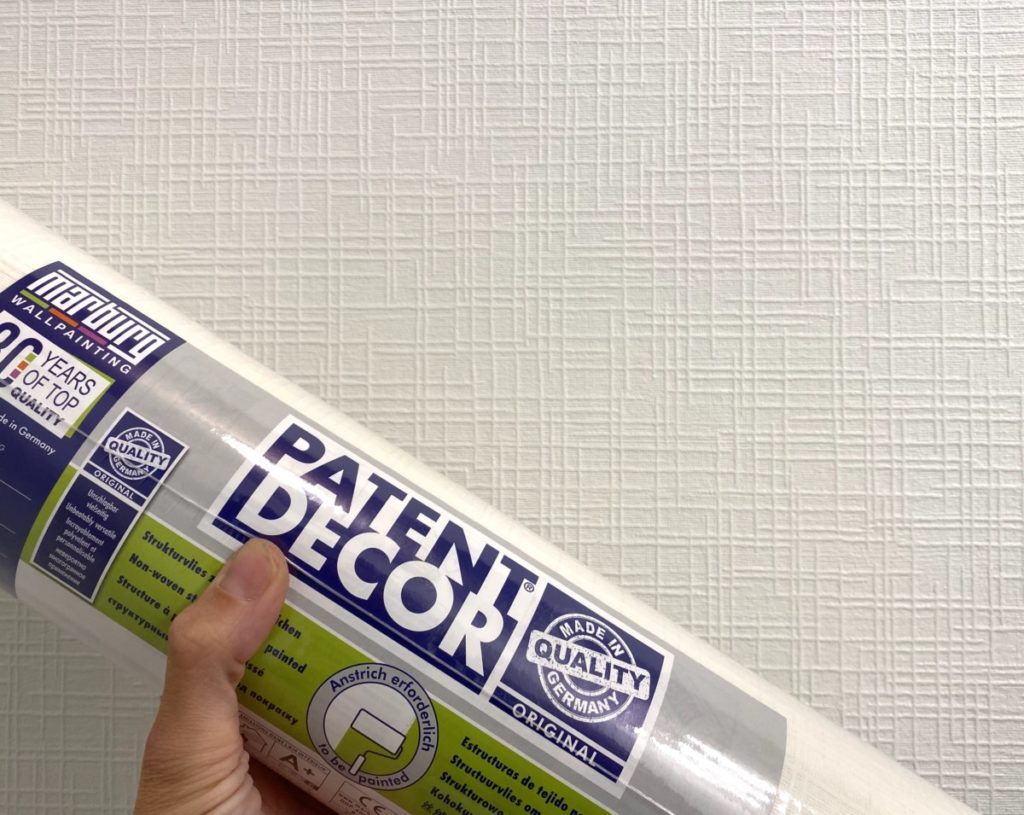
The next step in the bathroom makeover was covering up all the holes I created when I removed the medicine cabinet and the toilet paper holder… not to mention the heavy orange peel knock down texture on the walls. I have never been a fan of the texture, and I  always wanted to either re-texture the wall or cover them. While I was researching options  I found this  paintable textured wallpaper,  that is AMAZING!

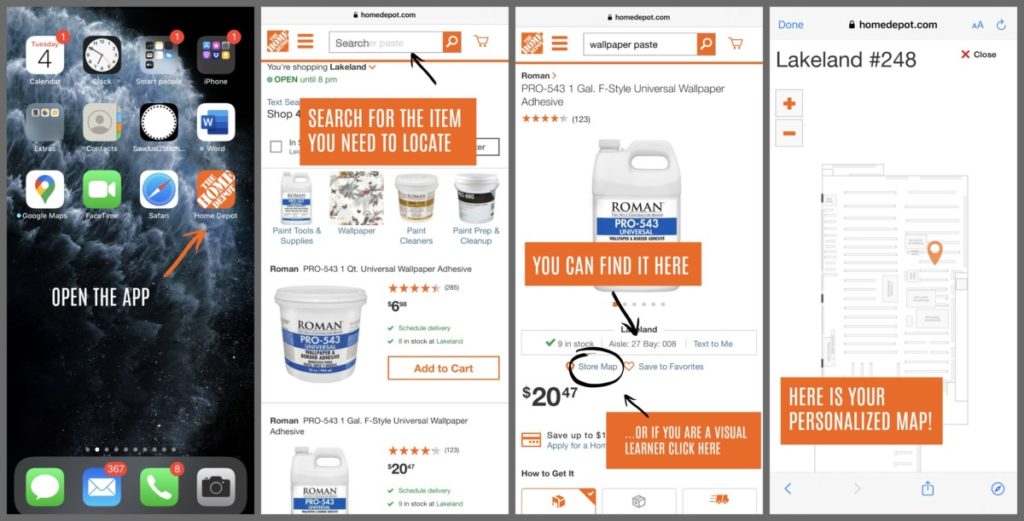
Helpful Tip/Exercise: I want you to do me a favor. Stop and think for a minute… “Do I know where to find wallpaper paste in my local Home Depot ?”  I feel like I know every square inch of my second home (The Home Depot)  but for the life of me I could not confidently tell you where you would find the wallpaper paste.  While I could ask a helpful store associate,  sometimes I am just in a hurry! Enter one of my favorite Home Depot app features, the product locator tool! 

This concludes this PSA, but for real this little feature is so handy. You are welcome.

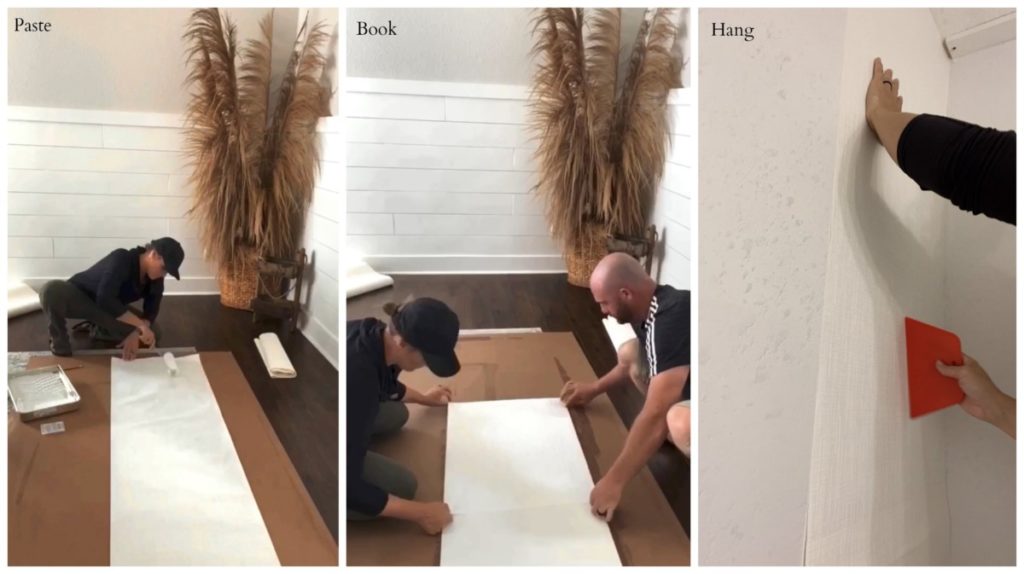
Wallpapering is fairly simple to install and this paper in particular was very easy to work with. It has a nice weight and thickness and it worked really well with this wallpaper paste. After experimenting with a few application techniques I found it best to using the “booking” method with this wallpaper.

Booking wallpaper consists of rolling or brushing paste on the back of the paper and then filing the paper in on itself. I found that leaving it “booked” for 10-12 minutes was just the ticket!

When working with paintable wallpaper make sure you follow the recommended application and dry times.

I was originally thinking I wanted to go with a dark and moody paint color, but as I was pulling all my elements together I was afraid I might need something lighter that would not detract from the rest of the space. I knew going with a soft white was definitely the “safe option”, but in all honesty I LOVE the white walls with the rest of the space.

New Floor

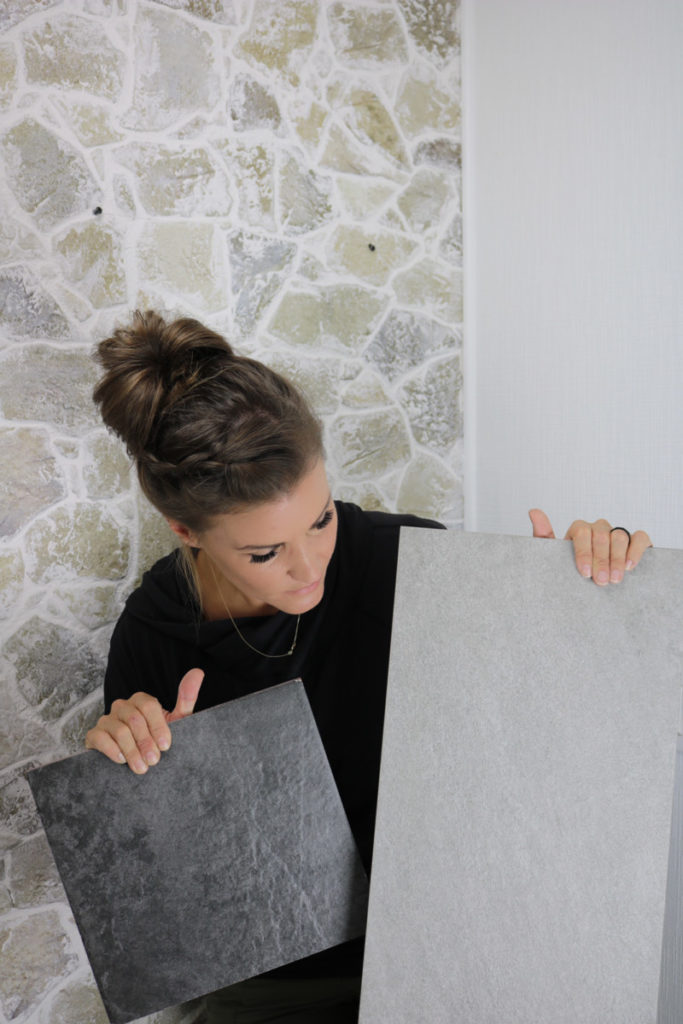
Next up, floors! Does anyone else get mild anxiety when picking floor colors?  I feel like paint and stain colors  are a little easier to change. It’s easy enough to swap out curtains and accessories, but floors I feel are a big commitment! After a lot of careful consideration I narrowed it down to these  two options:  Daltile Cascade Ridge in Slate and Corso Italia Alpe Graphite 

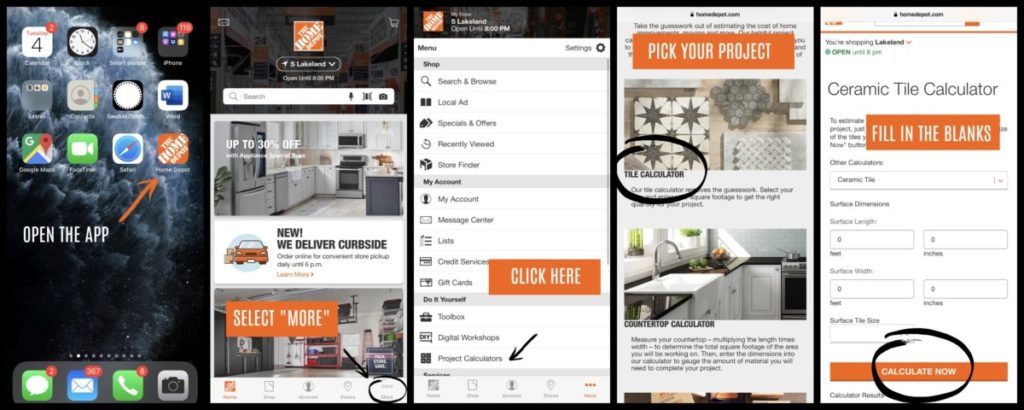
While making a decision on which color or style to select can be tricky, The Home Depot can help with many of the logistical details. Let me show you one of the hidden gems of The Home Depot app.

They have a ton of great resources, one of which is a material calculator! They have an online/in- app calculator to help you determine how much product you need to complete a number of different projects. So if you need that little nudge of confidence, know that Home Depot has your six.

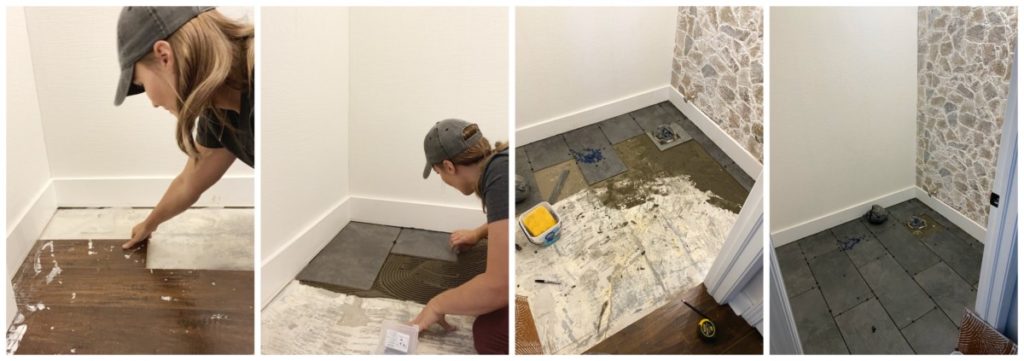
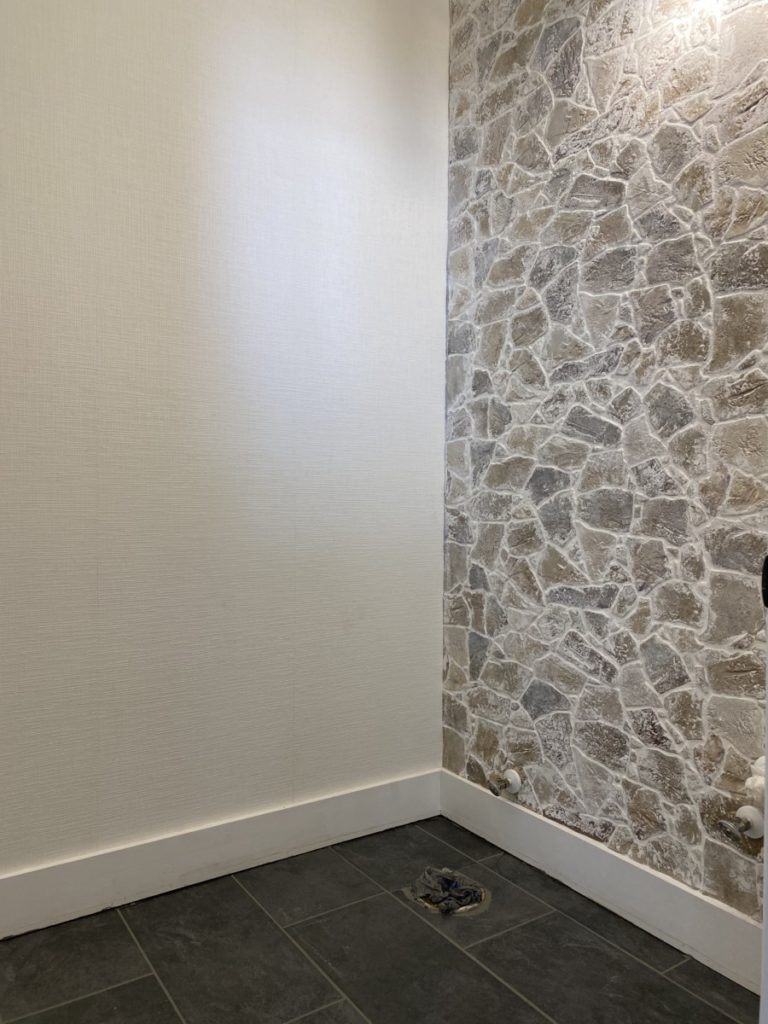
I ended up choosing the darker of the two options (Daltile Cascade Ridge in Slate). I really feel like the darker tile tied in some of the various color tones from my stone wall and grounded the space.

Planked Ceiling

I think the general theme of this room is texture! I definitely don’t feel like this space is overbearing or chaotic, but literally every surface has a texture on it, and I love it! I think adding textures allowed me to stick to a subtle color palette while still giving the space a livable warm feeling.

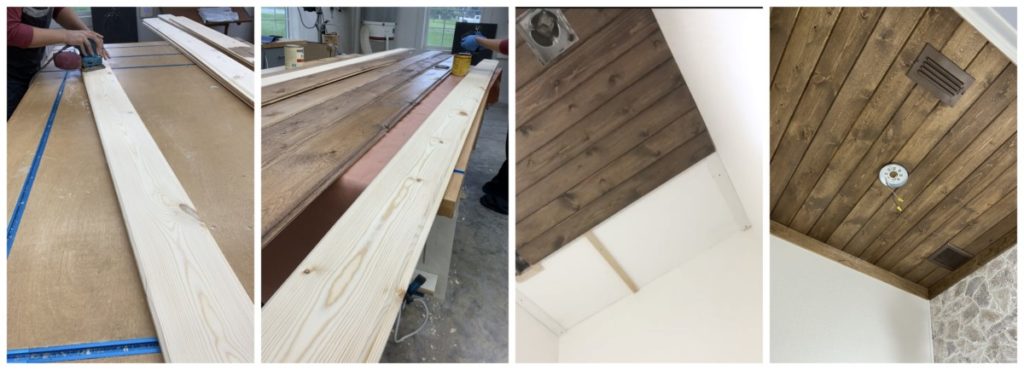
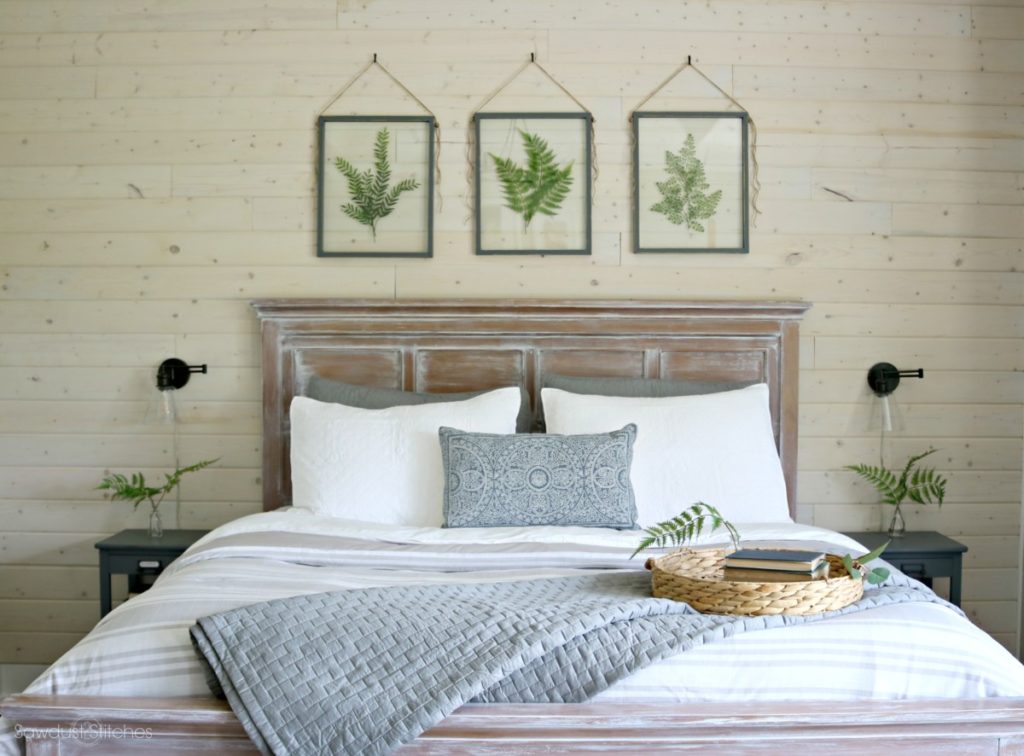
I didn’t want the ceiling to be left out so I used this tongue and groove board from The Home Depot. I was able to do the entire ceiling for about $60. If you are interested in learning more about the install process you can check out this tutorial from when I gave my bedroom a makeover few years ago using tongue and groove boards.

New Vanity

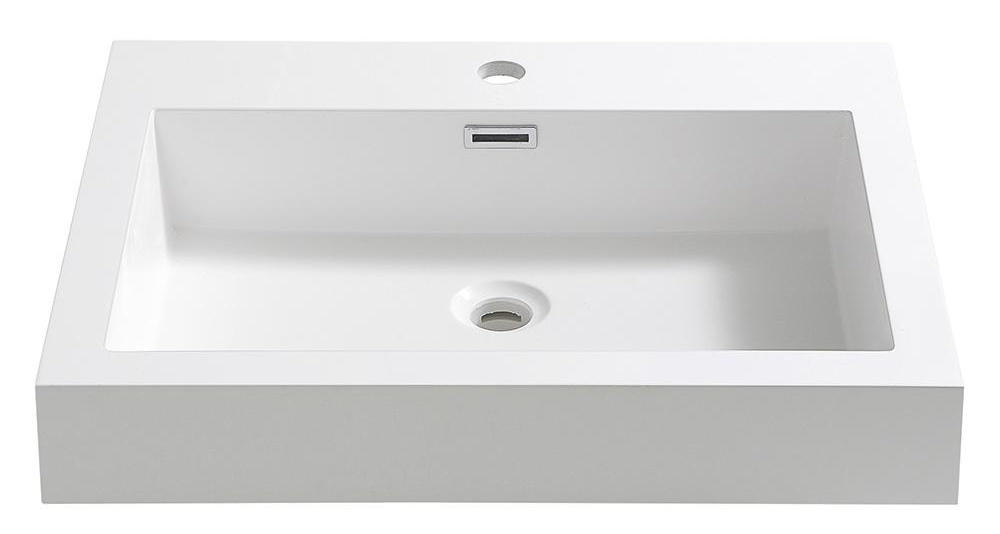
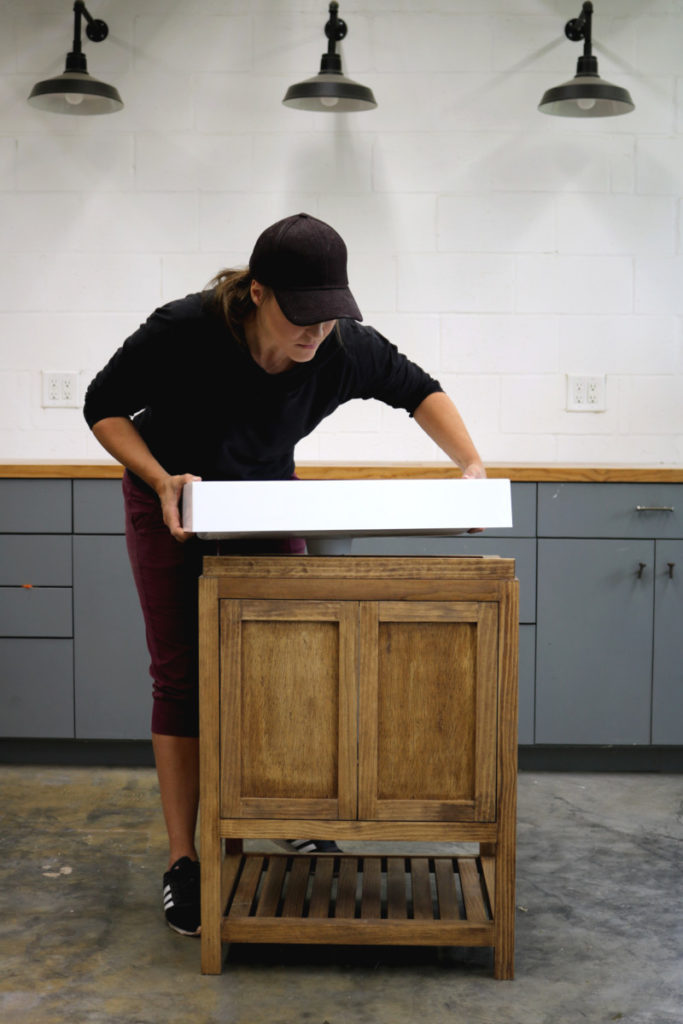
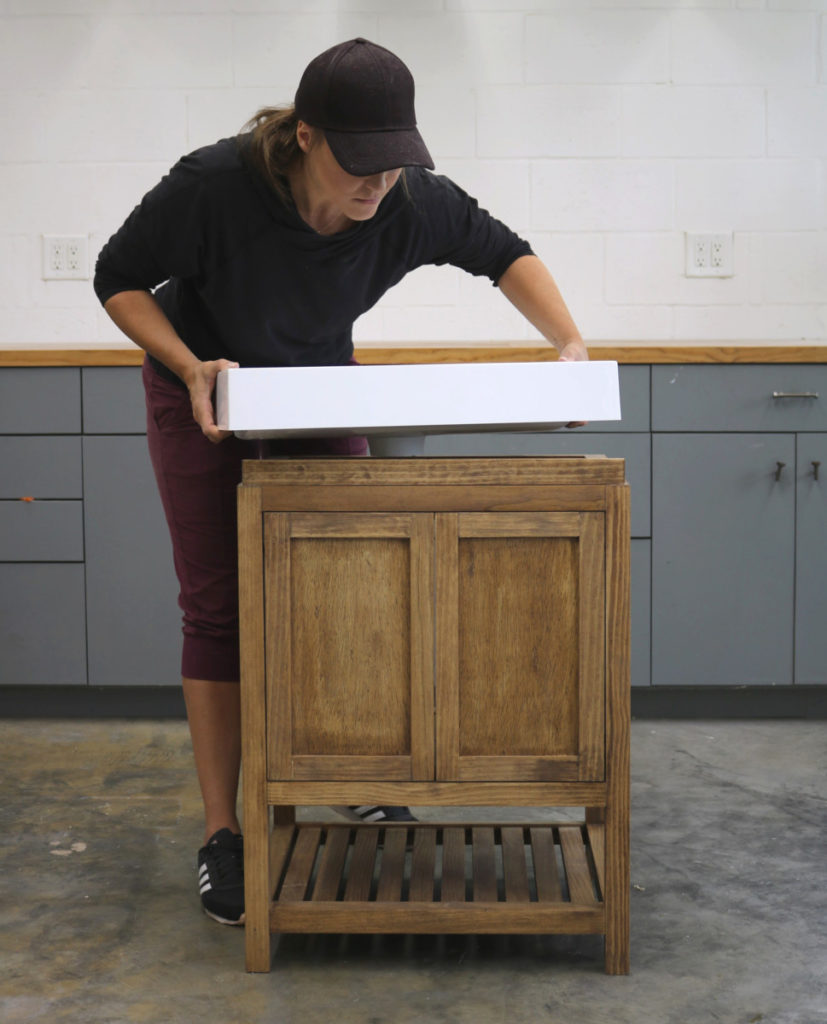
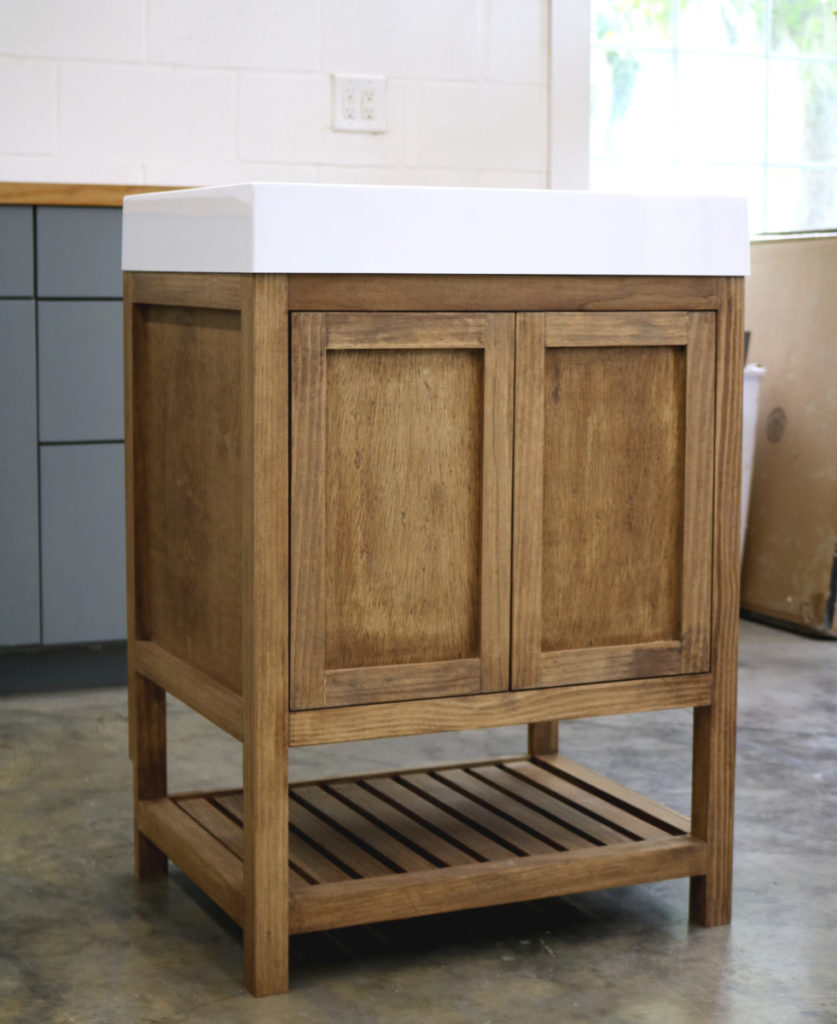
Literally every surface of this room is now completed and ready to go! It’s now time to bring this space to life and make it functional! I have been wanting to build a vanity for quite some time and this seemed like the perfect opportunity to try it out. I found this Fresca Nano Sink from The Home Depot online and fell in love with it. It was the perfect shape and style.

I drafted some build plans to accommodate the sink and whipped up this beauty. If you are interested in building your you can get the plans here !

Fixtures

 Let’s bring it all together, shall we? Admittedly, I  struggled with my final fixture selections, but I am so pleased with the outcome!

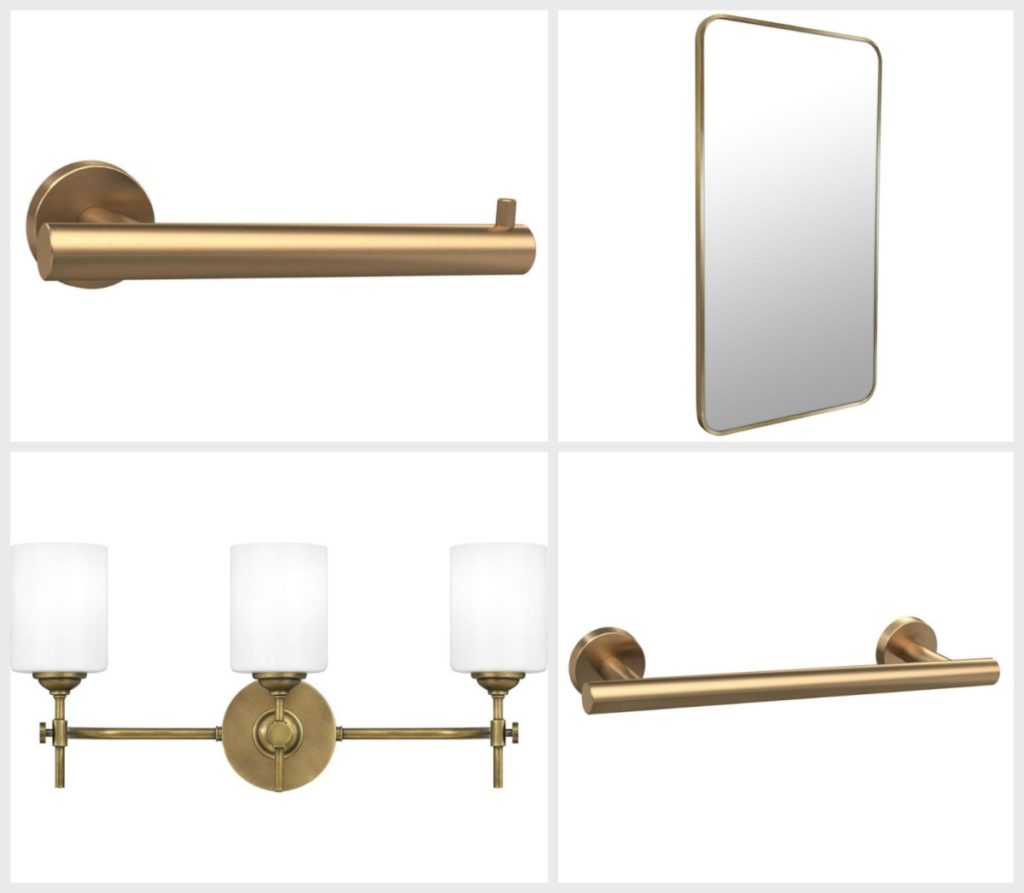
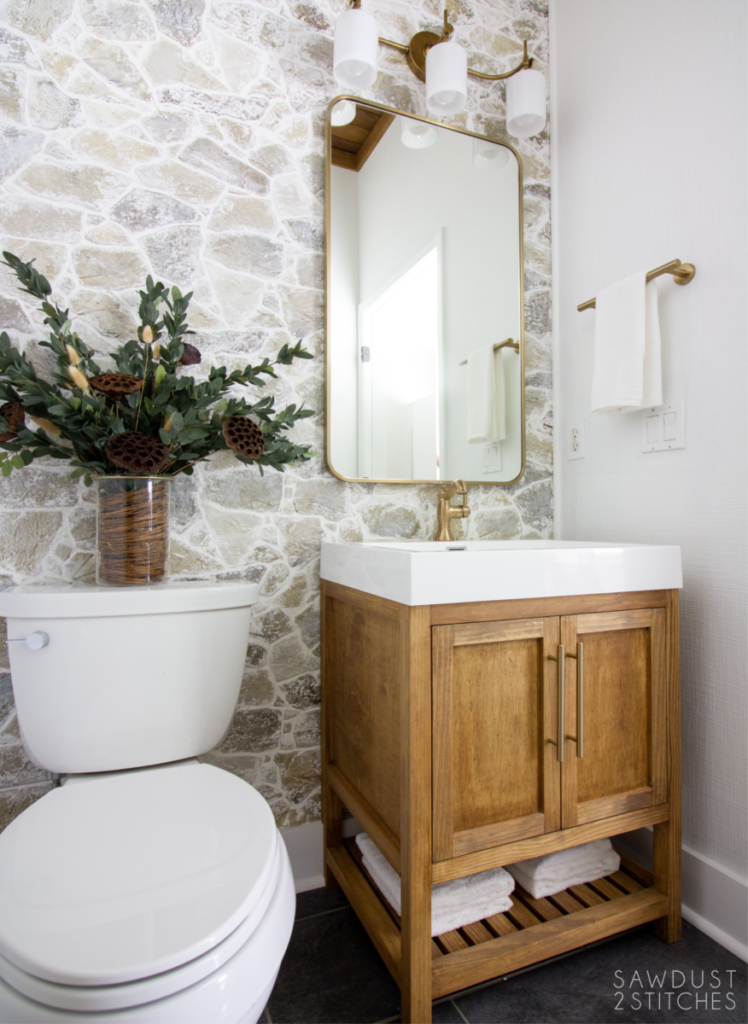
I knew that using something high-contrast like  black would have looked STUNNING, however I wanted to let the accent walls be the feature. I think the brass fixtures warmed up the space and give it an elegant feeling without distracting from the overall space.  

Here are my final selections:

  • Amerock Arrondi Tissue Holder 
  • Amerock Arrondi Towel Rod 
  • Glass Warehouse Brass Mirror
  • Quiizel 3-light Brass Vanity Fixture 

Once all the decisions were nailed down, it was time to bring it all together.

Are you ready to see it ?

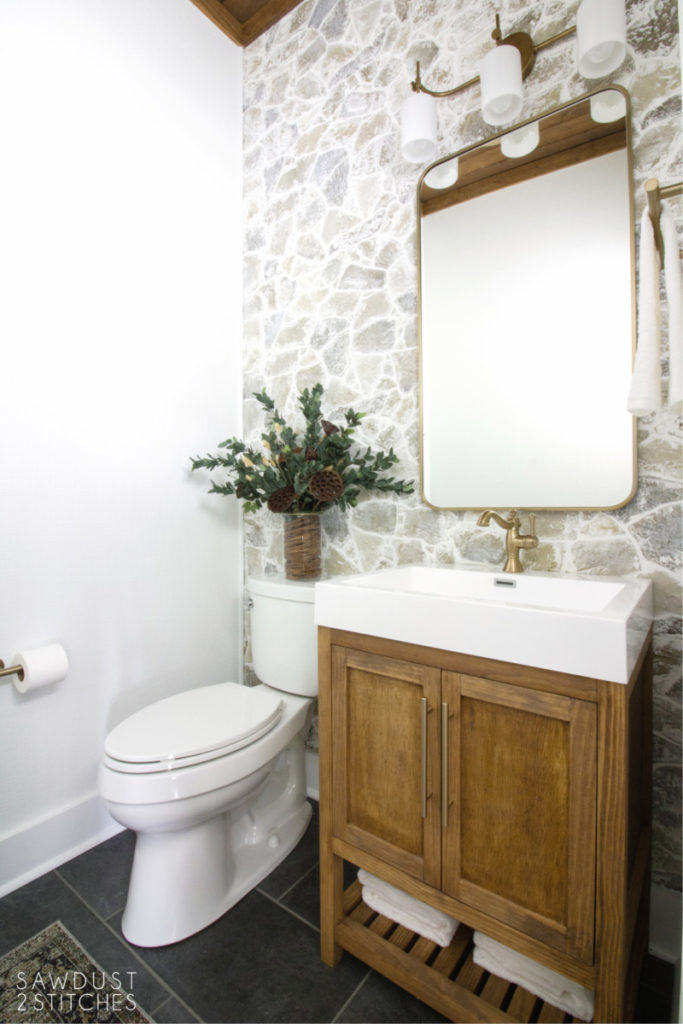
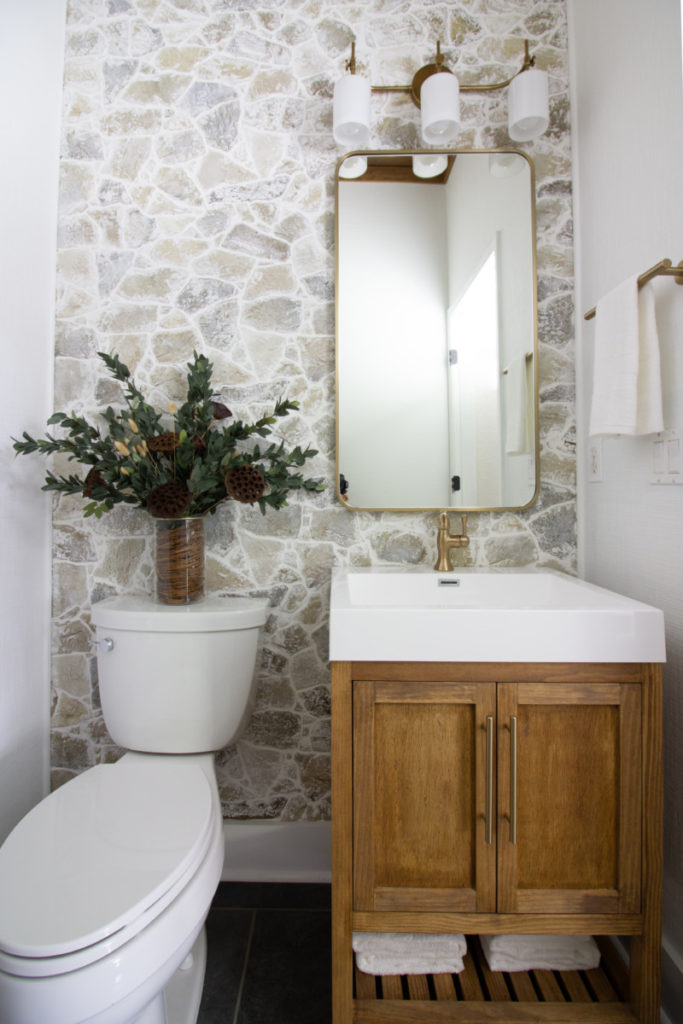
Yeah you are! Without further ado, here it the powder bathroom makeover reveal.

Room Reveal

This makeover included several projects that I would not have previously included in my skill set.  I had to push the boundaries of what I was comfortable with and learn new skills. If you are nervous about trying new things, don’t be!  There are tons of resources available, of course there are blogs like mine, but there are also professional tools that can help you navigate DIY.  The Home Depot has a ton of online tools, they can do anything from tell you how much flooring you need, to where you can locate the thin set you need in their stores. So if there is anything holding you back, don’t let fear of the unknown be one of them!   

 Thanks so much for reading along. Take luck!

Corey 
I know you will want to know where you can snag everything featured, so here you go: 

(Spoiler Alert:  They are all from The Home Depot!) 

  • Daltile Ceramic Tile 
  • Faux Rock Wall Panel 
  • Textured Wallpaper 
  • Wallpaper Paste 
  • Pine Tongue and Groove Boards 
  • Sink Top 
  • Delta Faucet 
  • Liberty Champagne Drawer  Pulls 
  • Amerock Arrondi Tissue Holder 
  • Amerock Arrondi Towel Rod 
  • Glass Warehouse Brass Mirror
  • Quiizel 3-light Brass Vanity Fixture 

Powder Room Vanity Build Plans

August 6, 2020

I was searching for a replacement vanity for our small powder bathroom. While there were plenty of great pre-made options, I had a vision and very specific dimensions! I needed something with a small footprint, ample storage and didn’t break the bank. Well sometimes specific requirements necessitates a custom build!

Tools Suggested

  •        Safety Glasses
  •        Hearing Protection
  •        Tape Measure
  •        Miter Saw/Circular Saw
  •        Carpenters Square
  •        Sander
  •        Drill/Driver
  •       Table Saw or Router 
  •        Pocket Hole Jig


Materials Used

  •       Stain, or paint of choice.
  •        1 ¼” Pocket Hole Screws 
  •        (x5) 2x2x6’ boards
  •        (x3) 1x2x8’ boards
  •        (x1) 1x4x8’ boards
  •        (x1) ¾” Plywood 
  •        (x1) ¼” Plywood (2’x2′ panel)
  •        (x1) Sink Top
  •        (x1) Delta Faucet
  •        (x2) Drawer Pull

If you would like to build your own I have full build plans to help!

  • previous
  • Page 1
  • Interim pages omitted …
  • Page 4
  • Page 5
  • Page 6
  • Page 7
  • Page 8
  • Interim pages omitted …
  • Page 47
  • next

Primary Sidebar

  • Facebook
  • Instagram
  • Pinterest
  • Twitter
  • YouTube
IMG_9167 (1).jpg fd
DIY & Design

Meet Corey
Hi everyone, my name is Corey, and I have a problem. I can’t leave well enough alone… The best therapy usually involves a variety of power tools. So, in the few “spare” moments I am not entertaining my two beautiful, rambunctious, boys, I can typically be found hunched over a sewing machine and/or covered in sawdust. All in the efforts to create a perfect balance of aesthetics and practicality in our home.
read more

Join our mailing list!

DIY & design ideas - right in your inbox!

Featured

Stair Tread Makeover

Categories

  • 70's Ranch Home
  • Around the House
  • Build Plans
  • Crafts
  • Current Home
  • Decor Makeovers
  • Dresser
  • Exterior
  • Fall
  • First Home
  • Furniture Makeover
  • Hidden Compartment
  • Kitchen
  • Lighting
  • Makovers
  • Master Closet
  • Organization
  • R.V.
  • Room Makeovers
  • Seasonal
  • Seating
  • Sewing
  • Shelving
  • Small Builds
  • Smart Home
  • Spring
  • Summer
  • Tables
  • Tablescape
  • Tutorials
  • Uncategorized
  • Wall Art
  • Wall Decor
  • Winter
  • Workshop

Footer

Contact Me: Corey@Sawdust2Stitches.com

Latest ‘Grams

Follow on Instagram
2020 © Your Blog Name
theme by soleilflare
Enter your name and email and get the weekly newsletter... it's FREE!
Your information will *never* be shared or sold to a 3rd party.